
Switch between objects and save "mode".
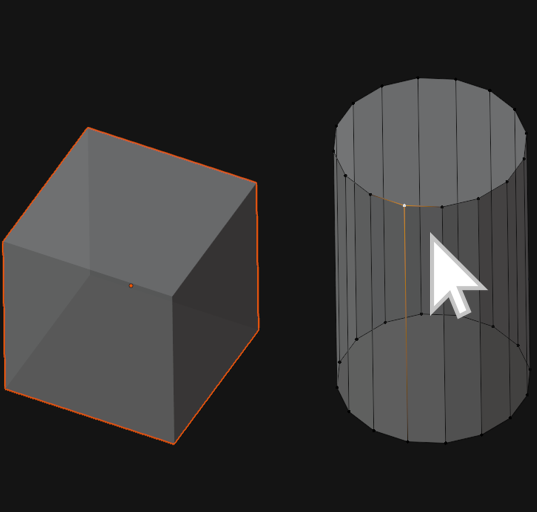
Every day working in Blender you need to switch between object modes hundreds and thoughts times. Going from one object in "edit mode" to another object in "edit mode" you need to press Tab, select another object clicking on it, and press Tab again. With the pie menu, it's even more moves. What I propose switching between objects and go to another object just hovering the mouse cursor on the next object you want to edit and ALT + LMB. Just like that.

It just saves you 2 clicks. But this operation is very common. And with a new approach, it feels more natural
In Blender 2.91 we have this nice feature in the outliner.
 But how much it will be better if we have this in 3d viewport. It's ok if you have a small number of objects in your scene, all organized and named. But in reality, in an everyday job, you don't name every object and you have hundreds of objects in your scene. What makes unpossible to use this feature in outliner anymore.
Another benefit is saving the "Mode" option. For example in a "Sculpt mode", we already have ALT+RMB click to switch between the object(if we uncheck "Lock Object modes" in the "Edit" menu). But it not save "Sculpt mode" if the next selected object wasn't in sculpt mode already.

And this simple feature can be implemented for all modes.

On ALT+RMB click we have some "select from stack" function. Maybe we can move this to ALT+DoubleRMB click!

Same topic on "Devtalk.Blender" devtalk.blender.org/t/switch-between-objects-and-save-mode/16068
4 Comments
i think they are already working with something like that but it had issues with undo youtube.com/watch you still can find as an experimental feature "switch object operator"on 2.92
same amount of clicks, and problematic if you got a huge list of objets
keKIT have this, if I understand correctly. Called "Get & Set Edit Mode", select object under mouse pointer and switches to edit mode blenderartists.org/t/kekit-for-blender-2-8/1200740
* @Eugene D * Yes, that what I mean. It will be great to have that for all "Modes" and by default in Blender.