
Add Alpha Channel to Bone Groups in Animation editors
Hi,
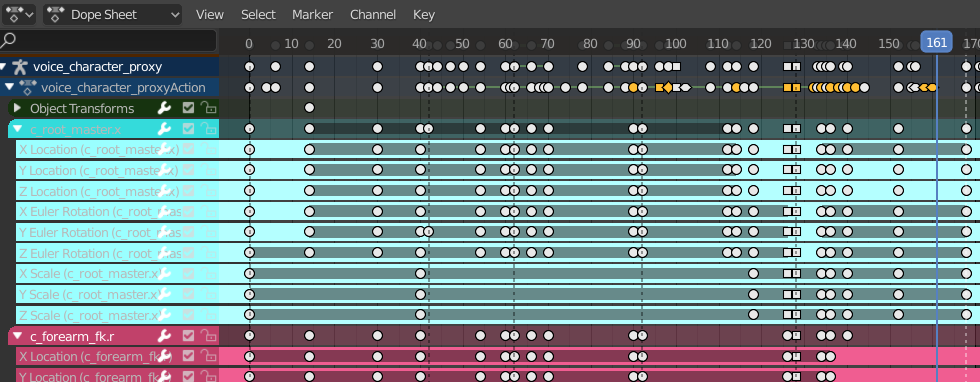
At the moment, if you assign Bones to Bone Groups, you can select the group colours. However, in the Animation editors, these group colours are fully saturated and 100% opaque. That makes the editors difficult to read, not to mention the eye strain.
Now, I know that you can disable the group colours in the editors, but it is still helpful to discern the groups, so by adding the ability to adjust the group opacity through Preferences> Themes, this would be best. The default should also just have lowered saturation and opacity to begin with.
I think, leaning into these small things will make Blender even better!
1 Comment
Thats the reason i stopped using bone groups. So annoying.