
Subtract from Render Region + Toolbar
Being able to set a Render Region really speeds up when you make a small change to your work. But what happens when this changes affects different places in the image?
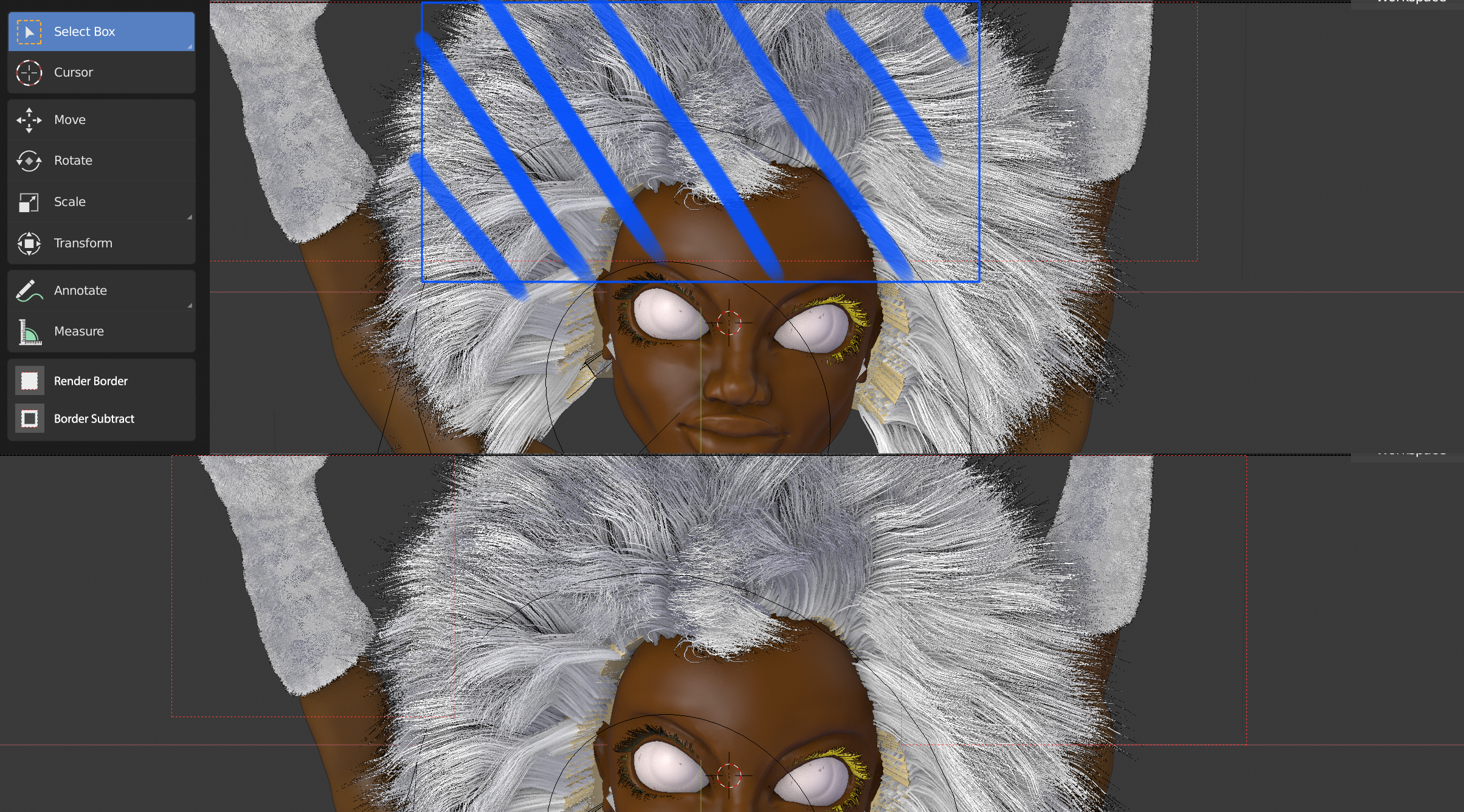
In my image I made changes to both gloves, but I would need to render both sides individually. I could easily do this by subtracting the middle from render.
Being able to Subtract from Render Region would be great. It could save a lot or render time.
Also:
It could be enabled on the Toolbar. It would very user friendly to have those options showing up there. I made a quick mockup to showcase this.
Hope you like it!
6 Comments
In Corona renderer you can drag any render areas you want. And close them individually. In Houdini's Mantra you can prioritize the area of rendering by clicking and holding mouse under the desired part of the image. Quite handy features. I'd love to have something like that in blender.
* @damian winnichenko * awesome, didn't know that. A good sign for my proposal then hehe Hope it gets picked up!
I'd use this! Toolbar idea is great.
* @DaveLucca * thanks! :)
Maybe it would be hard to implement? Dont know
* @chris32 * I think it would just divide the render area in other small areas...