
Audio Nodes in GeoNodes
PROBLEM: Hi everyone! I recently made an animation in geoNodes with multiple objects jumping and falling and I thought it would be really nice to put sounds to improve my work.
Unfortunately, I’ve seen that the only way to sync audio with movements is to put tracks in the video sequencer manually, but that breaks the procedural workflow completely :(
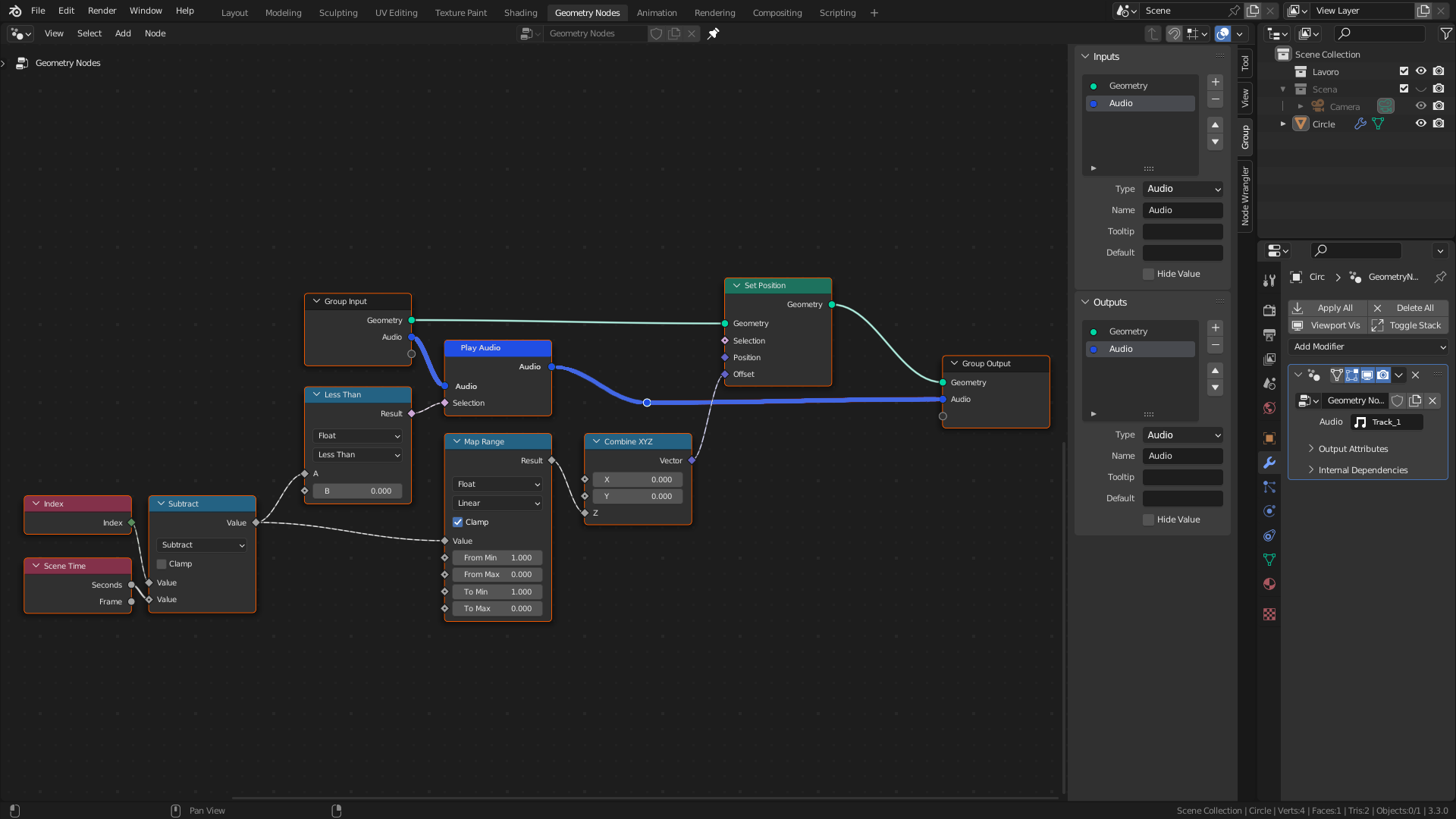
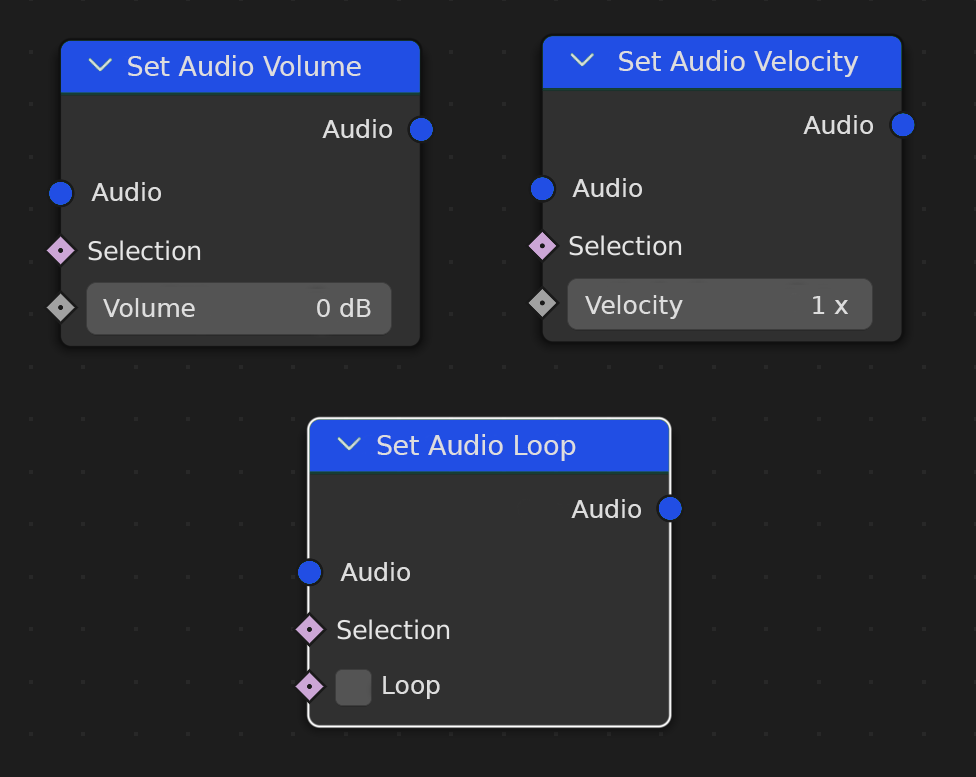
SOLUTION: It would be nice to use audio nodes with at least basic functions such as: play, volume, speed and loop
Simple audio workflow:
Other basic nodes:
4 Comments
It's an interesting suggestion, but I don't think you need to mix everything together. But here the problem could be solved by adding a separate audio editing system (AudioNodes), in GN you connect a node in the output, and this attribute as you connect to audioNodes (like now with shaders). But for now I can suggest that you use drivers.
Maybe you're right. I thought of it as a quick way to manage audio, but a completely dedicated part with more complex functions makes more sense. Do you think the right category to propose it is the video sequencer or somewhere else? And how can I control the start of audio with drivers?
You bake the audio and use the curve to your advantage. youtube.com/watch
Thank you, but I'm trying to do the opposite: in the video, he controls the mesh with audio, instead I want to control audio with my geometry