
A serious conversation about sculpting in Blender. Winter 2025
Hello Blender community! I work as a character artist and so a common practice in character sculpting is to quickly switch to different brushes, and add new ones along the way. I'd like to share the problems I've encountered and get the opinion of developers and users:
- Adding new brushes, the problem with the window
To create a new brush I duplicate the Draw brush to the user's catalog in Asset Shelf and start adding a texture, and then proceed to select a preview for the brush.
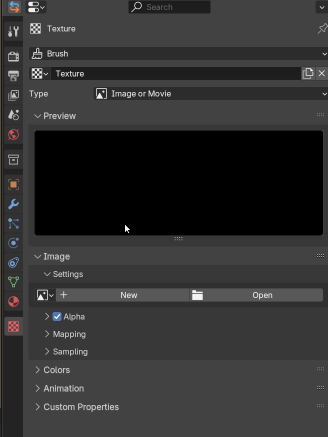
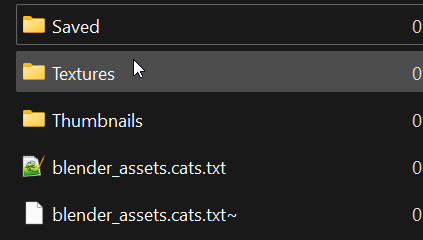
In order to properly organize the addition of brushes I create a separate folder which I will connect as Asset Libraries in the future. Inside this folder are three directories, and also in the future Blender will create a text file with categories and will save brushes in the Saved folder. In the Textures folder I throw my alpha textures, in the Thumbnails folder I throw preview images of brushes (inside these directories I can also create subdirectories to keep things neat).
The problem is that the window for selecting preview images saves the last directory where I selected preview images for brushes, and the window for selecting alpha textures always goes to the standard folder specified in the settings
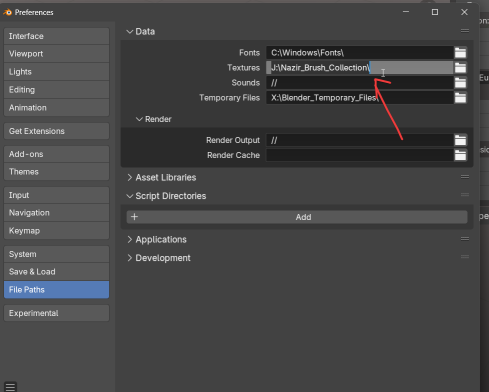
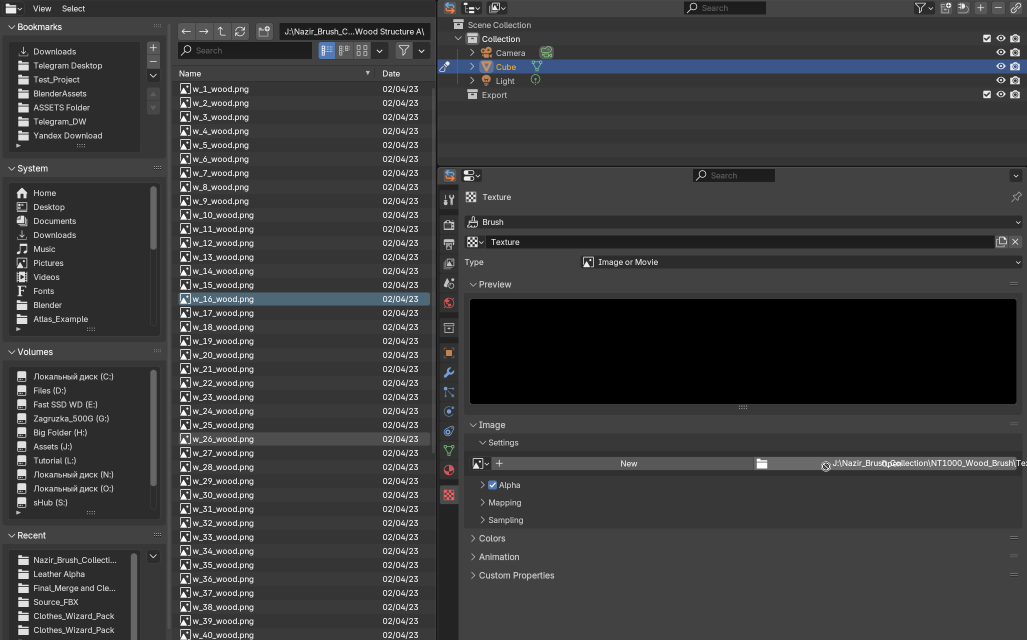
When adding a large number of new brushes by a user with different textures it becomes a horror (I have added more than 300 brushes with alpha textures, don't ask me why I need so many, I'm just a character artist). It turns out that to add each new texture you have to re-enter the Textures catalog. I thought I could solve this problem by opening Blender File Browse next to it and dragging and dropping alpha images.
In the Blender File Browser, dragging and dropping images only works for placing them as an object on the scene. Dragging an image into a slot to create a new image is not possible, although this seems like a logical action for the user and it seems that within Blender drag and drop should work. Here's the problem again.
-
I ended up adding about 300 brushes and initially customized their settings to fit my needs. And I started to do some creative sculpting of the character. In the course of work I used the brushes I created, as well as a little tweaked their parameters and what was my reaction when I realized that I changed the settings of about 50 brushes and in each of these brushes I have to manually go through and save the settings! I realize that often users do not want to save changes globally in all brushes, but when creating brushes for sculpting this function is in demand (the main thing is to make it safe from inattentive users).
-
Another part of this problem is that in Asset Shelf it is impossible to find out which brushes have been changed, there is no icon next to the brush icon. And it turns out that to understand which brushes have been changed you have to go through all of them :(
-
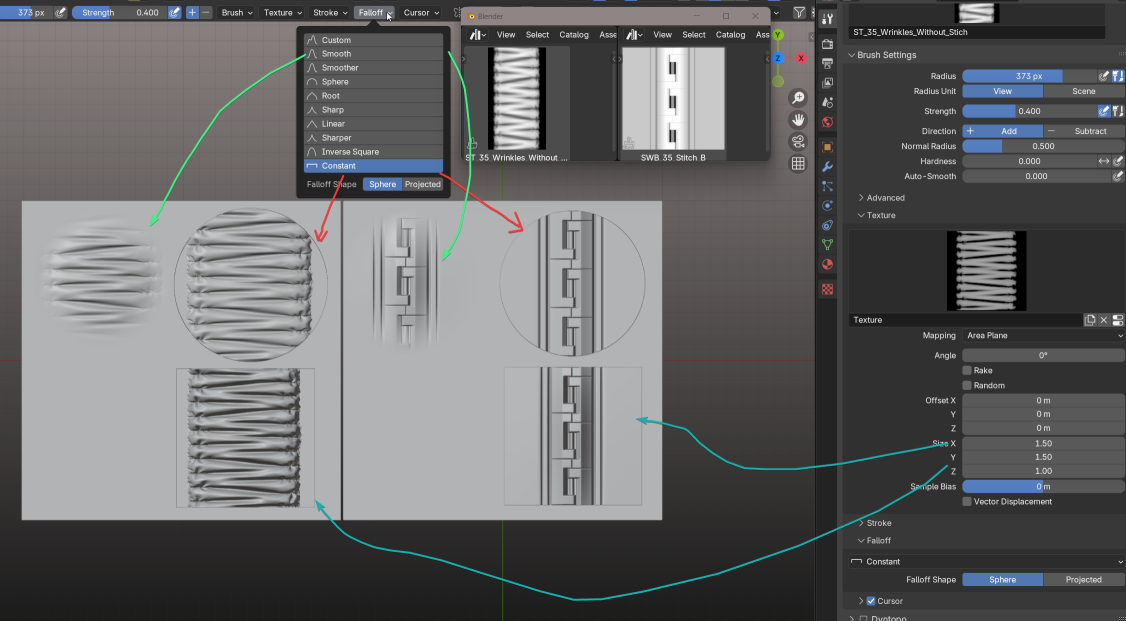
One of the features that has remained a mystery to me is how I can make a mosaic out of tile images, because when I use brushes I get either a circle-shaped crop or I can zoom in on the brush image so that I don't have a circle-shaped crop, but then I get artifacts on the edge of the image. I have not been able to overcome this problem with any texture settings.
I've tried changing different Falloff and changing the brush settings so and changing the size of the alpha texture. It's pretty hard to figure out how it's supposed to work.
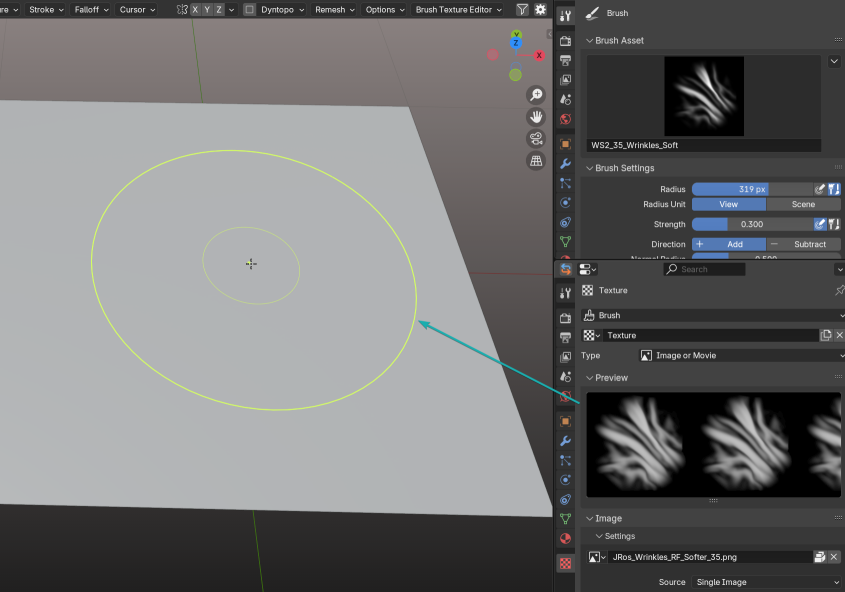
- One of my biggest problems when using brushes with alpha textures is that I can't see what relief I'm applying to the object and I don't quite understand how I can quickly change the rotation of the alpha texture without constantly going to the texture settings in the panel. I know that it is very convenient to use stroke method anchore, but for example in Airbrush mode working with brushes with alpha textures becomes quite complicated (at first I thought that in the item with Cursor settings there is this function, but after researching I did not find how to do it).
Edit:
In the comments respected user CraigJones pointed out the hotkeys to me thanks to him for that! But I also realized that I could have learned about them in the Blender interface in the tooltips, but as it turns out this information is not in the tooltips :(
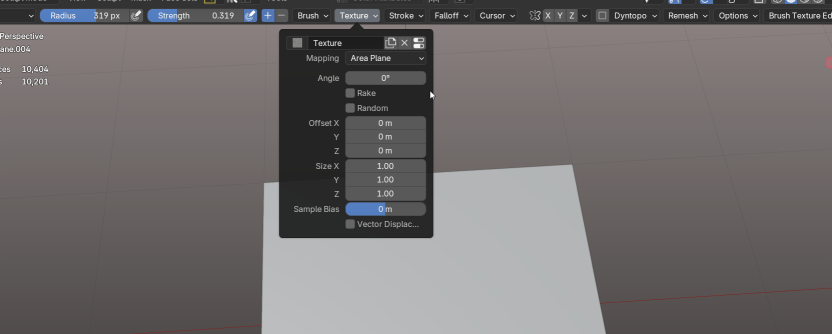
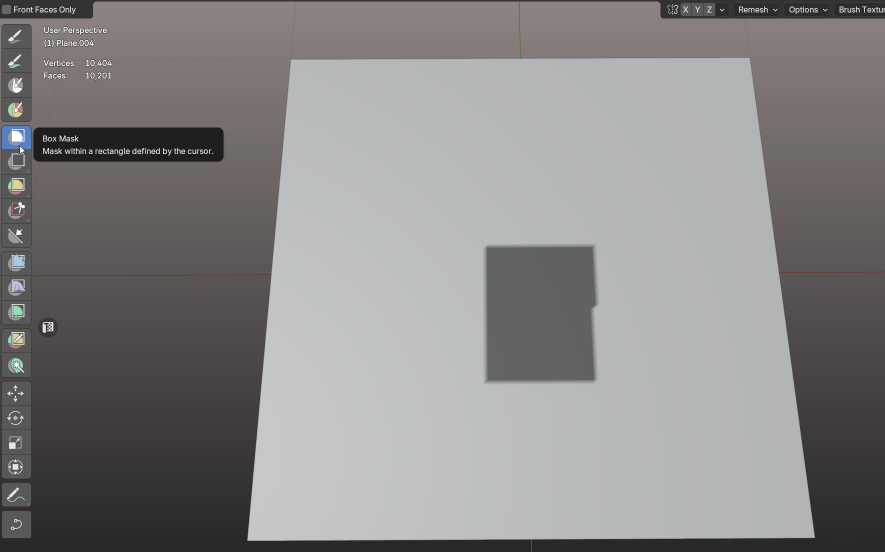
One of the things that stops work in flow mode is the use of a mask. It would seem logical that if we select something, we are interested in that area and want to squeeze something out of it or smooth it out quickly. But this logic doesn't work in Box Mask and other mask selection modes. There's no option where what I've selected is the active workspace and everything beyond it becomes masked. Now the Invert Mask function has become one of my all time favorites. Perhaps there should be a checkbox where we specify in which mode the mask selection should work.
I think this is a sufficient list for discussion.
Of course, we could talk in detail about things that are missing for convenience, such as rotating the Lighting direction in a scene using hotkeys, layers for sculpting, global sculpting of different objects as a single object and many other important things, but which require a lot of work from developers and the community.
Bottom line, Blender is a powerful sculpting tool for me, a scene with 65 million triangles works great for me, a shelf of brushes works great. In version 4.3 I had a problem with opening the quick brush window when I had about 300 brushes loaded Blender would crash, in 4.4 everything is stable!
I go to the developer forum every day and see what new changes the team and community is making and I am thrilled!
I tried to figure out how sculpting works myself, so I may have missed simple things. I also realize that the things I've described should be part of Blender in some way to improve the UX, not addons, because sculpting is hard enough for a beginner.
Write what you think and I'm always open to sculpting advice from experienced users!
7 Comments
You can open those images in Blender as an Image Sequence when they have similar names and numbers that indicate a sequence. With that, you can then cycle through the images using the timeline as long as you set Cyclic and Autorefresh in the Texture tab. One brush then can hold many image textures to use.
Thank you! That is very valuable advice! I have new thoughts on how to use this effectively.
" how I can quickly change the rotation of the alpha texture without constantly going to the texture settings in the panel." In Texture Paint, I use F to scale the brush tip, Shift-F to scale the strength of the brush, and Crl-F to rotate the brush texture. I can use Ctrl-Alt-F to rotate the Brush Mask texture. Perhaps this is possible with Sculpt as well if your key map allows it, I use the Blender 2.7x legacy keymap and rmb select options so there might be differences in options.
Thanks for the comment! The most interesting thing is that the Ctr+F hotkeys are not specified in the tooltips next to the rotation angle How the user should guess about their existence. Only by asking experienced users!
That is explained in Gesture Tools page of manual. But you are right. Ideally, those shortcuts should probably be explicit in Status Bar.
About tiling of image for a square result,
So, people would usually change mapping to Stencil. Or they will use texture with Mask brush to paint a stencil mask, and then do displacement through a sculpt brush or a mesh filter.
When you create an asset, it corresponds to a certain type of datablock.
So, a change of the datablock is effective, everywhere the datablock is used.
To avoid that ; you have to make Texture datablock unique before making a change, by clicking on the number corresponding to amount of users, next to datablock name.
A brush asset does not directly use an image. It uses textures. What is available in Texture panel, are previews of existing Texture datablocks. That means that, for each image, you want to use, you have to create a corresponding texture datablock.
Textures directory path in Preferences is there to choose where opening File Browser to pick an image from Open Image button in Texture Properties tab. That is not useful to manage Brushes.
Textures assets used by brushes should be grouped into an asset library like any other asset library. At that condition, you would be able to see catalogs of textures in Asset Browser like any other catalog of assets.