
VSE aspect correction
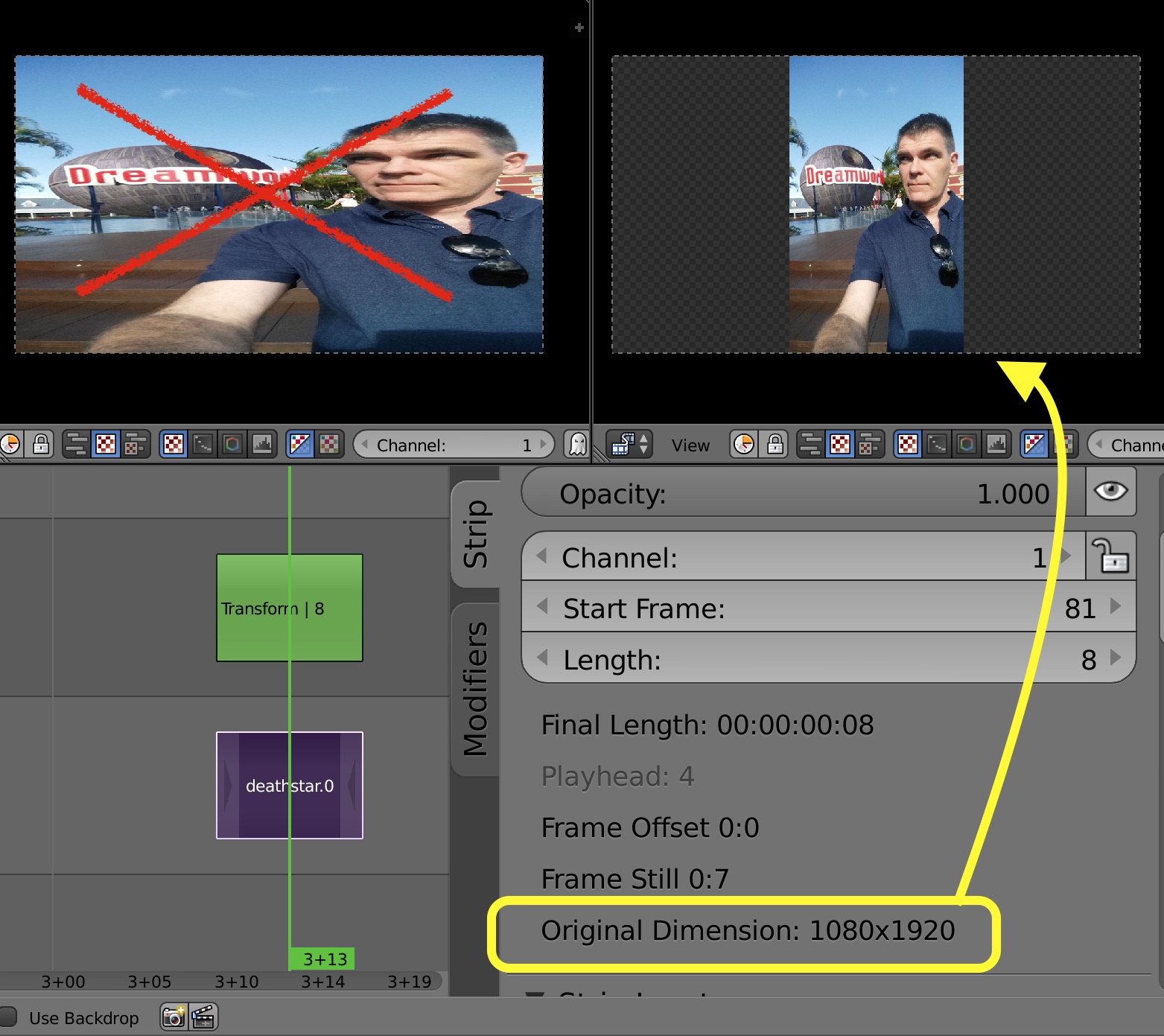
The VSE currently "fits" all media to the current project dimensions regardless of source aspect. It would be useful to have an "Interpret Source" function, that would let you choose between
- Fit (unchanged behaviour - remove aspect)
- Fill Horizontal (keep aspect - stretch to edges)
- Fill Vertical (keep aspect - Stretch to top and bottom)
This would function like the Scale Node in the compositor, except that the compositor doesn't first destroy the aspect ratio of the source image.
7 Comments
developer.blender.org/D7933
David McSween you can do this with blenderartists.org/t/vse-transform-tool/564540
@Bo Shi: No the transform function can only scale available pixels, that are not resampled when fitting to furthest edge. This means that if you need to clip the sides or top off the page (but retain the aspect) you will loose resolution as you must first scale the image to match aspect. This makes a blurry image, also you must perform the scale with the aspect ratio conversion built in which can be tedious if you don't know exactly what it is.
@David McSween: if you press T (strip with picture must be selected and timeline must be on it) with enabled plug in which i mentioned then you get exactly what ask in your punct N1
@Bo Shi: I understand that the addon can achieve one part of this proposal, but I suggest a standard "multiple state" for any images appearance. Currently you can have "Squeeze all pixels to current aspect OR Display source pixels 1:1, this option crops all of the rest of the image out. If you use the addon to stretch the image side-to-side or top-to-bottom then you must perform a double scaling effect. Once to correct aspect then another to scale vertically or horizontally. This will loose resolution as you increase pixel count instead of reducing pixel count.
@David McSween: Maybe this should be a bug report instead? However, this script does what you're after: github.com/Botmasher/blender-vse-pretty-img
I'd quadruple upvote this yo.