
More Geometry Nodes inputs
While working on some node trees, I've come across a few inputs I'd like to have, but aren't yet in Blender.
UV Input
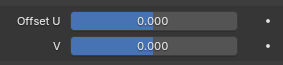
We have a vector 3 input (with 3 values), but why not a UV input (with 2 values), like the
Array
modifier has?
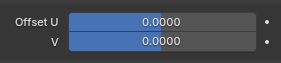
Vector boolean
The
Mirror
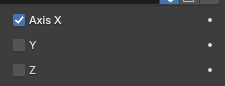
modifier has a few boolean inputs, which actually seem to be 3 inputs.
 This could come in handy, if one were to recreate said modifier in Geometry Nodes. As an addition, I think these inputs should behave like three separate inputs on the
Group Input
node, so you can easily use them in your node tree.
Togglable panel
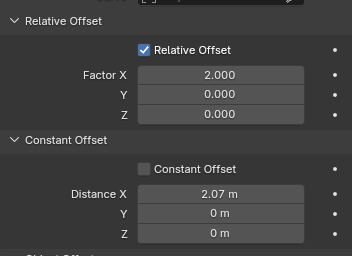
Just like the
Array
modifier has, a way to (de)activate other values in the modifier would be amazing.
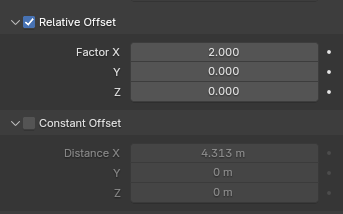 This shouldn't be limited to booleans and panels, but that's for the next point.
(De)Activate and (Un)Hide values
Using Menus
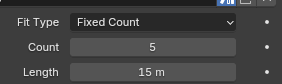
The
Array
modifier has a
Fit Type
, which, if changed, changes the value beneath it. Node tree creators should have this same possibility, to hide unnecessary values as to not confuse users.
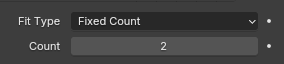
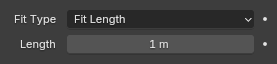 This would be a bit tricky to implement, but here is a suggestion: every socket/value on a node tree has yet another option, in which you can first choose which menu value should be considered, and then you can choose which items of said list should show/hide the current socket/value.
Using Checkboxes
Just like with the togglable panels, values should get an option to get a checkbox to activate/deactivate it. As an example the
Mirror
modifier again.

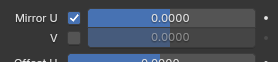
Examples of how I tried immitating above suggestions
UV Input
Vector boolean
Togglable panel
(De)Activate and (Un)Hide values
Using Menus
Using Checkboxes

0 Comments