
box select should set an active bone.
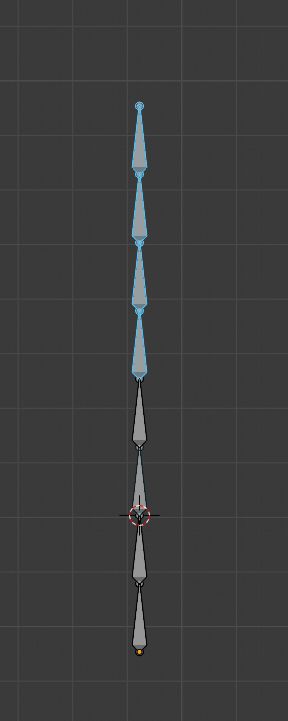
In pose mode, when using box select using set. the first bone in the selection should become the active bone. right now you can select multiple bones but one of the unhighlighted bones can be the active bone, with no visual feedback. this is very confusing. box select should set an active bone.
11 Comments
This is something a lot of people have brought up, but the convention everywhere in Blender is not to set active when using multi-selection tools like circle, box, lasso. So I disagree -- this should follow the same convention as the rest of Blender.
* @Josephbburg * Or the convention should change. Because when you have nothing selected, no matter how you select multiple things, it has always been a pain in the teeth do do anything further because of that.
* @-L0Lock- * So if the convention changes across all of Blender, which object should become the active one? It's easy if you're just selecting a chain of bones; you can say "make the active one either the first or the last bone in the chain". But how would you recommend handling selecting multiple unassociated objects (or bones)?
* @Jason van Gumster * Why not something like this:
If random is too vague, why not something like the closest to the mouse cursor, there are already functions to detect such thing if I'm not wrong.
Ideally it could be context sensitive, like selecting the first/last element of a hierarchy when there's one as you pointed out.
The important thing IMHO is that it makes a choice, even if it's not the best, at least there's an active object which allows you to continue your work right away without any further work form the user.
Because right now, if you do a multiselect, there are plenty of things you simply cannot do, because they need an active object to work from. If Blender could handle that part, that would save time for a lot of people. And I can't even think about beginners who select things, click an operator, see nothing happens and they don't know why.
If the user wants a specific active object, he can always select if afterwards, that doesn't change. But for every other case, it solves the issue.
At the end of the day, we would still have a user-controllable multiselection as before, but without forcing the user to do so when it's not necessary.
* @-L0Lock- * From a documentation and training standpoint, I can't say I'm a huge fan of the "make a choice, even if random" approach. Even if it's a little weird, it's at least consistent if "the last thing you clicked" is the rule for something being active. Everything else you've described has a lot of conditional logic that's a lot more difficult to explain and remember.
Is it better to have nothing active and let the user figure out why things don't work? Just because anything else is more difficult to explain and remember?
* @-L0Lock- * I don't think either situation is ideal. Both result in unexpected behavior that needs to be explained. That said, when a user runs into either situation, which one is easier to understand:
I don't like either, but given the choice and no better options, I'd choose the latter.
* @Jason van Gumster * But the latter simply doesn't work when you select multiple elements at the same time. That's the issue we're talking about. And that where there's a need for Blender to to something about it, because it's time consuming to force the user to manually set an active object afterwards, and it's an extreme poor user experience because if you don't know that, then there are plenty operators which will not work and the user cannot guess why.
* @-L0Lock- * What's a worse user experience: requiring a user to set an active object because it's not set, or requiring a user to set an active object because Blender always picks the wrong one unpredictably?
* @Jason van Gumster *
(And if you get experienced enough with Blender to know how to use a box select to end up with the active element you need, it's an even better experience.) 3) If you don't need one specific active element, you just need any arbitrary one so you can just go ahead - Then it saves you time because there's one selected for you and you're not forced to do that extra step manually. It's always a good experience. 4) If you're new to the software (and even if you have some experience), it will always be a bad user experience to face operators and tools not working without any clear reason. And this is what happens in the current situation, which an automatic active element selection would solve when using tools like box select which select multiple elements at once.
view3d.select_box