
Fixing wireframe see-through issue
Hi,
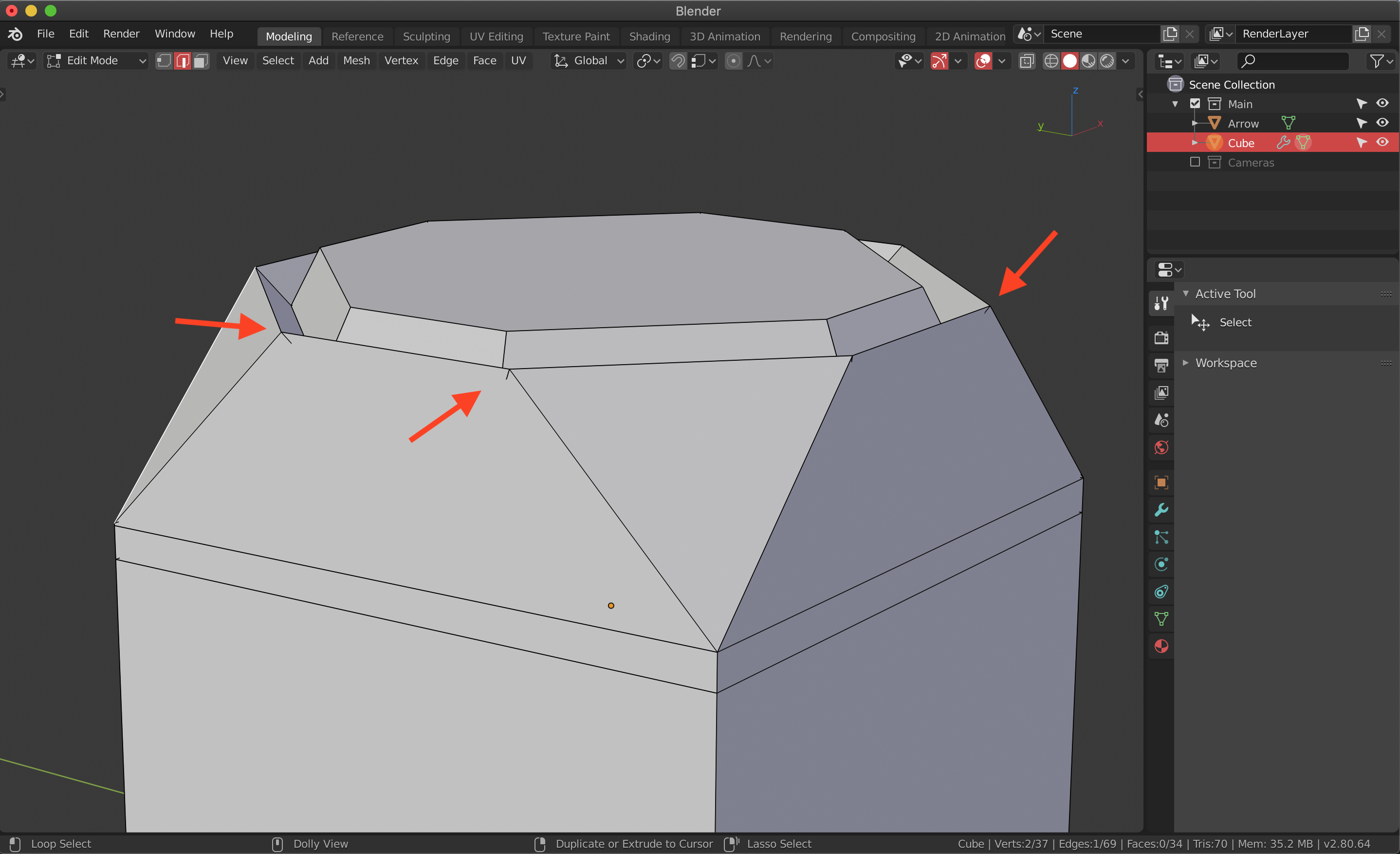
I don't know if thins is normal or is a bug but every time I model there is this annoying wireframe that you not suppose to see.
Is there any way to get rid of it?
Hi,
I don't know if thins is normal or is a bug but every time I model there is this annoying wireframe that you not suppose to see.
Is there any way to get rid of it?
8 Comments
You can try this: In the 3d viewport, panel of the "n", tab "View", adjust "Clip Start". Test the values 0.1, 0.01 and 0.001. You should notice some difference.
* @Luis Perez * I tried what you said it didn't work, actually made things worse. I can make a video to show you. I don't know if this is related to the operating system or the graphic card.
* @giuseppe *
In orthographic view decreasing clipping range makes problem less noticeable, but for perspective it doesn't work that well.
Not a bug, just wrong clipping settings for the size of your mesh ;)
* @Pierre * but why it happens? digital rounding error or so?
* @ Vyacheslav * In the documentation they talk about this limitation of OpenGL and DirectX. Here they also explain how to avoid it. Maybe when they replace OpenGL with Vulkan this will change, but it's not something they can currently improve, for this reason perhaps this post should be archived. Greetings.
* @Luis Perez * Thanks for link and explanation!
* @Pierre * oh well I changed the settings but it still there. for me is either a bug or something that needs to be implemented. it's quite weird to have it while I model. it makes you think that you have overlapping geometries.