
Size indicator for brushes in sculpt mode
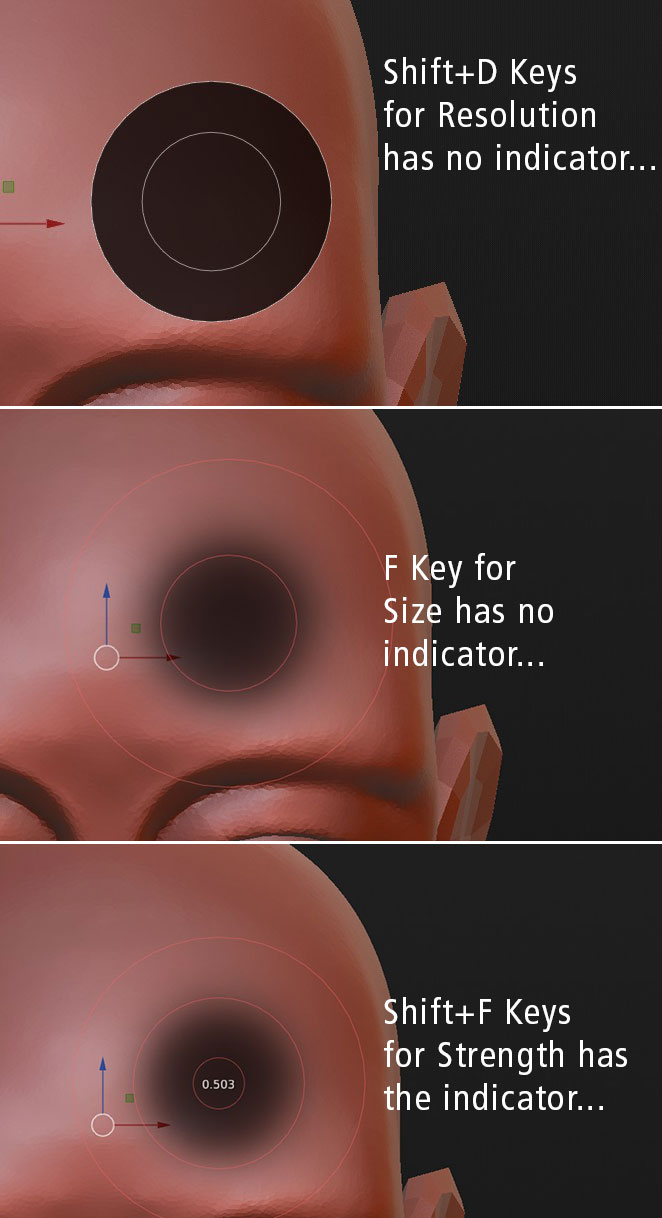
Would it be possible to implement a size indicator while changing the size of the brushes in sculpt mode with the "F" key and the resolution with the Shift+D key similar to the indicator seen while pressing the Sift+F keys for Strength? Or is there any Addon or Script for this function? Or can that be activate somewhere and I just do not know where? Thank you very much!
6 Comments
I have this addon that has even more than you need :) just see the video provided here blendermarket.com/products/advanced-new-sculpt-mode-ui (is also open!)
* @J. Fran Matheu * Thank you very much for the tipp. I gave it a try and in fact it has so much more options than I need. I found out that changing one of the pen buttons of my stylus to right click gives me a kind of similar option than the one I am seeking for. Your addon requires much more experience on my side. I uninstalled it but I'll keep an eye on the developpement of it.
We could really use that.
I think it is possible for screen-relative brush and scene-relative separately. Because there is no point to know pixel-size for scene-relative brush
* @ Vyacheslav * I'm new to blender and don't know anything about programing. Wouldn't it be the same or similar piece of coding like the one which makes the indicator for the Strength appear?
* @pedro * Yeah, I imagine it's pretty trivial to have it display the same size that it shows in the menu. But it is sort-of meaningless in that context. What does shift-D do?