
real world scale and measurments
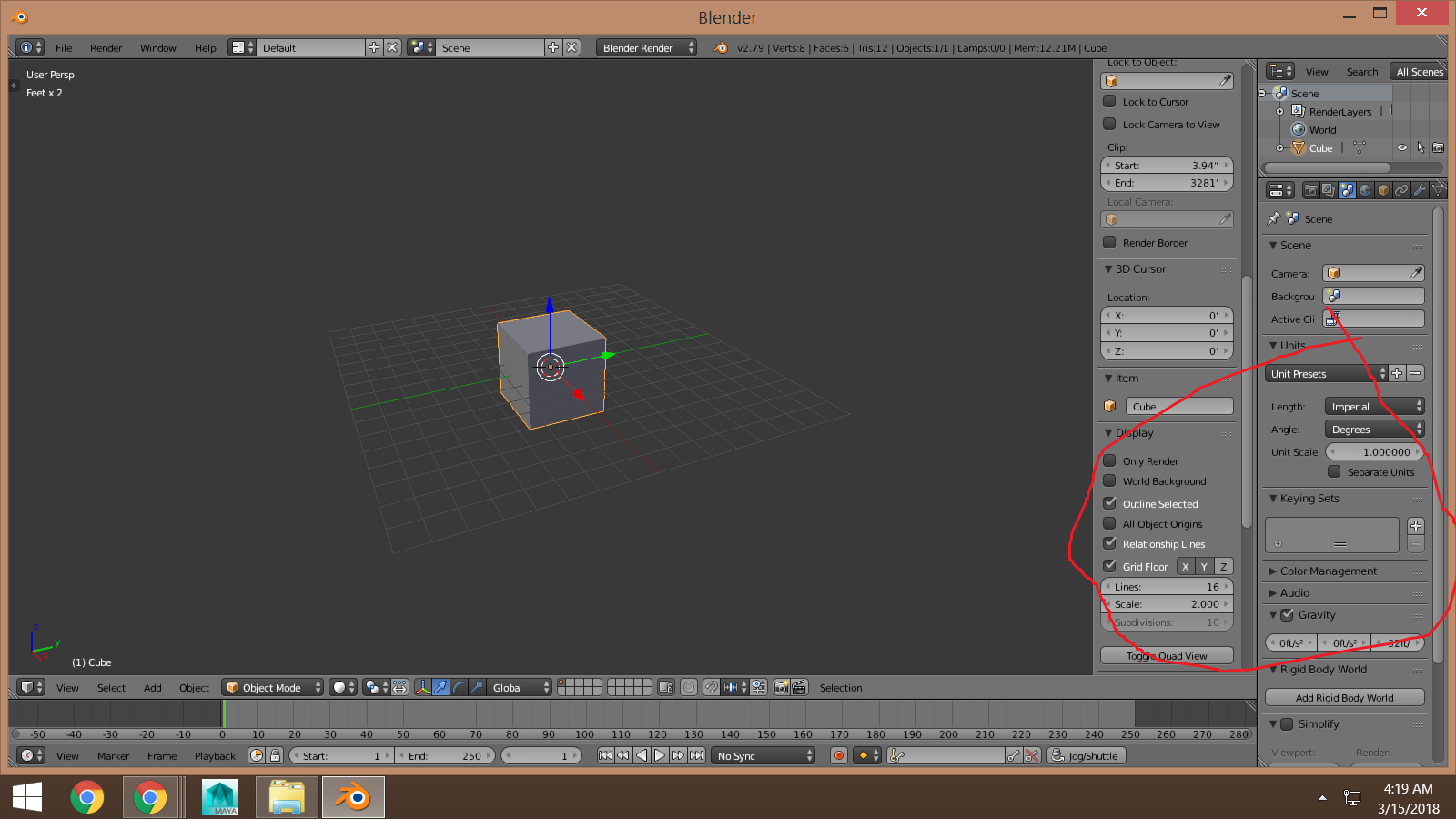
does anybody know if Blenders measurements will be more simpler down the road? For an example instead of say imperial for feet I think its .305 and for grid its scale with a 1 and maybe change the measurements to feet and inches and grid inches up to miles etc?
6 Comments
It's not really clear what you're asking for here. Are you just suggesting that the grid display settings should use the chosen unit values instead of what they're doing now?
In the scene tab, you can select between using blender units, metric units, or imperial units in your efforts. If you also select separate units, it will give dimensions in feet and inches.
Delete the starting cube and add new geometry, and it will be scaled according to your chosen units.
I think what the suggestion is (I have struggled with units in blender too) is to have maybe a general setting of used measurement units (maybe somewhere in system settings) and then have blender internaly convert the units it does all the calculations in. For example I've set scale to 0.01 to operate in cm as I'm used to in max, but I still don't know what this does to light units in blender and I'm happy that at leas I get my max models to blender in the same scale. I guess having scale setting as a system setting and saved in blend file could allow for unit conversion on import/link/append. That's at least what I get when importing different scale file from max to max. I just hope I make sense :)
@000kitbash: Disregarding the complications of migrating models from other applications, Blender already does everything else you mention. If you set your units to metric in Scene Properties, but enter dimensional values in inches, the conversion is automatically handled for you.
Scale is always normalized to 1, so units don't make sense there... but that's why objects have the Dimensions field in the 3D View's Properties region (<kbd>N</kbd>).
@Jason van Gumster: So I guess I don't need to worry about light units and so on. However it seems not everything is converter though. If I'm working in cm/0.01 setting and need dof from aperture of F4 I need to enter 0.04 in aperture settings in depth of field section of camera! And I'm not even sure if it's f4 since I haven't tested what happens if i switch units.
@000kitbash: I'd personally qualify that specific example as an interface bug. An actual developer would have to be the one to decide whether that's a bug or a new feature request.