
Improve adding text in a non-english language
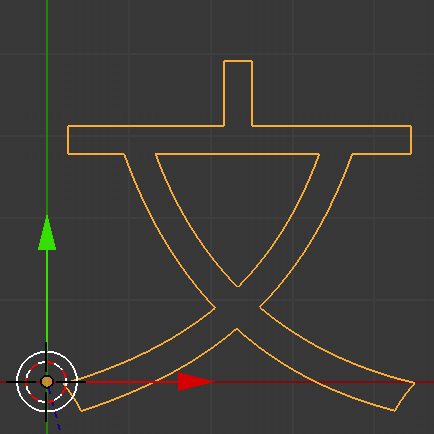
I'm using this workaround for now. blender.stackexchange.com/questions/3522/how-can-i-add-text-in-a-non-english-language
I'm happy if it become just changing input method and start adding texts such as English. I guess implementing this would be tough work... It would be 2.9 or 3.0 or even later... but I just suggest here for feature request and want to hear what people think casually :)
related link : Japanese text issue developer.blender.org/T30473
keywords for search International multi-byte
6 Comments
I wanted to second this, the problem exists in every RTL language too, it's simply impractical to use blender for inputting such values directly in blender, it's much faster to use a third-party application to export an SVG or PNG to use inside video sequence editor or in the modeling parts. and as far as I know since every other application has been able to implement this, it shouldn't be that hard, I'm sure there are guidelines, I myself would love to develop this part of blender but unfortunately I don't know any python, but it's really not that hard, sure it's more complicated than English the kerning and ligature are a whole new world in RTL languages. but it currently is really breaking the experience. If anyone was interested in developing this part I'd be more than glad to help in any way.
Adding this is indeed hard work. I found a few patches in the tracker to fix this for Windows (IME) and Linux (XIM). They seem oriented towards CJK languages only though. developer.blender.org/D3058 developer.blender.org/D1693
@Diego Gangl: Thank you for sharing the links! I agree it will be hard work...
So you just require Blender's default font to support more non-latin symbols.
Why not, but I guess this is not gonna happen, at least not in a way that will satisfy everyone.
Because developing a full-featured font is far from being something simple, changing to a new font is not an easy choice either, and most importantly: for you special issue you just have to change the font to "fix" that. And it's not an issue about blender, this is just how computer fonts have worked for ages.
It's not a big deal on your side and most people want to change the default font to something more appealing depending on what they are doing anyway.
So in that regard, I don't think it's worth it for blender's development to spend time on enhancing or changing the default font.
@loic.dautry: I'm glad to hear your opinion. thanks!
Yes, I wrote "start adding texts such as English" but I didn't mean requesting full-featured font. Selecting font manually from Bfont to others is OK. (If blender selects system's default font automatically like other software, that's fantastic. But this is not what I'm talking about in this post.)
After switching font, we need several steps to enter even single character(the steps are on the first link I shown above.). That's great if we can type words directory into a text field appear in the Redo menu at the bottom of the Tool Shelf after switching font.
That's what I wanted to say. Sorry for making you confusing.
@itocchi: Ok I understand. But it looks more like a bug, the problem being that Blender doesn't seem to recognize the inputs.