
Offset edge loop improvements (updated with video in comments)
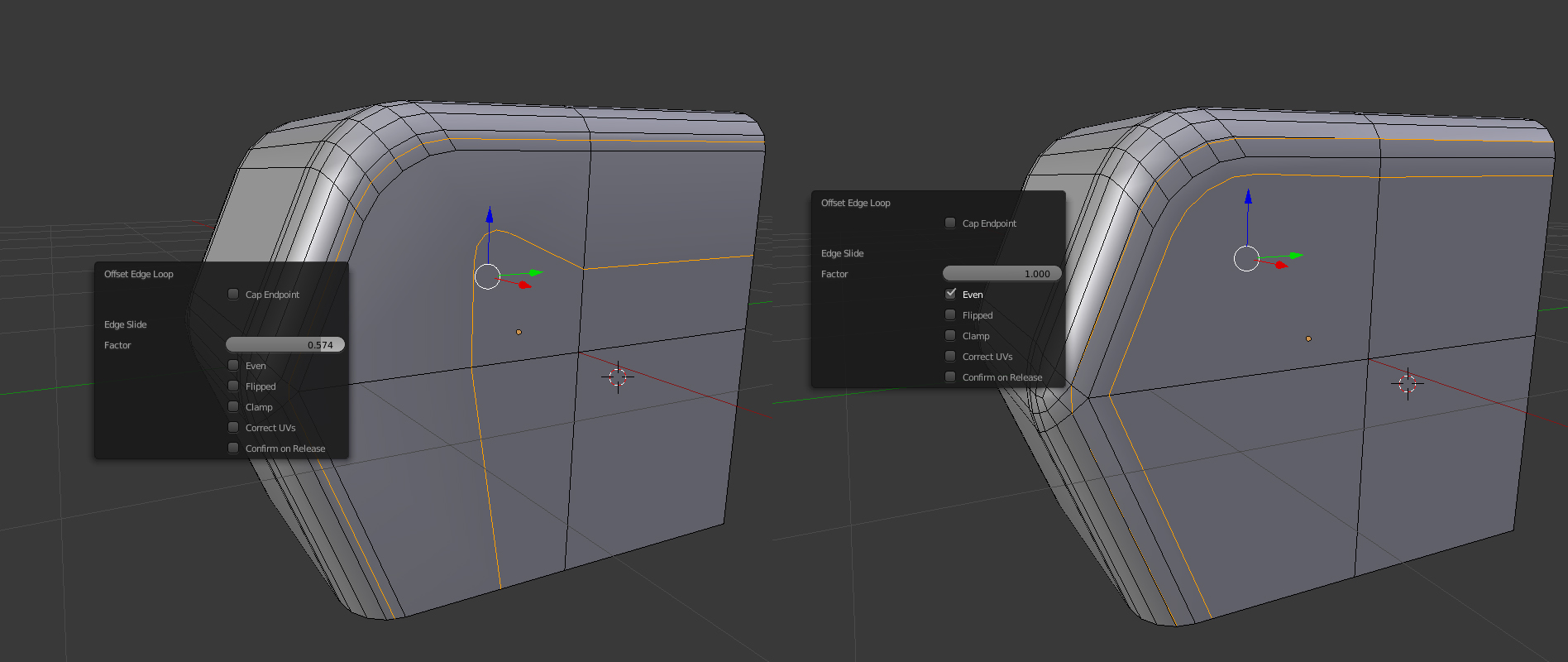
Hi! I'm wondering why is there no option to make offset edge loop (ctrl+shift+R) only on one side? Also it have very strange form. If you turn on "even" then it good, but clamped at some point and don't going any further. Is it hard to make this operation work in on side of loop dependings on the which side you drag the mouse?
7 Comments
If it's only on one side, why would you use offset at all? Isn't that basically an edge slide after a knife or loop cut operation?
But if it was just on one side, how would you suggest that users control which side it happens on?
@Jason van Gumster: I'm switching from the c4d and found a lot of cool stuffs in blender, as well as some frustrating things like this. I can't use knife here, coz I need exactly the same edge loop as I already have, just moved to another place. And loop cut doesn't work coz there is Ngon and it don't cutting Ngons. So the only good solution I see is to copy already existed edge loop and offset it. Rip Fill (alt+V) and slide make something similar, but it creates unwanted polygons. To understand what I mean just try to do it on this simple shape and move the resulting edges out on x axis and look on back side of model(I just don't know how to append new screenshot in reply) So I'm not a programmer, but I know it works good in c4d and it know which side you want to offset by looking on which side is your cursor relative to edge loop. Maybe I will record a little video a bit later and show it all. I already made a suggestion on bevel improvents, which was also taken from c4d logic, and I'm happy that it already in development. Hope this thing will also be useful.
@allsocks: cant you use the inset option without depth?
@grauer.d: I will make a video in few hours when will come back home and describe all this. But no, inset is not option too.
@Jason van Gumster: Here is a little video about this vimeo.com/280401493
@allsocks: When you create an edge loop or just sliding edges(tap g twice to slide) you can press e(for even) and then f to toggle sides.
@ntest: did you saw my video? All this feature don't work in my case with my simple geometry. Just look at screenshot prntscr.com/ka9uou Why is no one understand this?))