
Fit all commands on help bar in Edit Mode
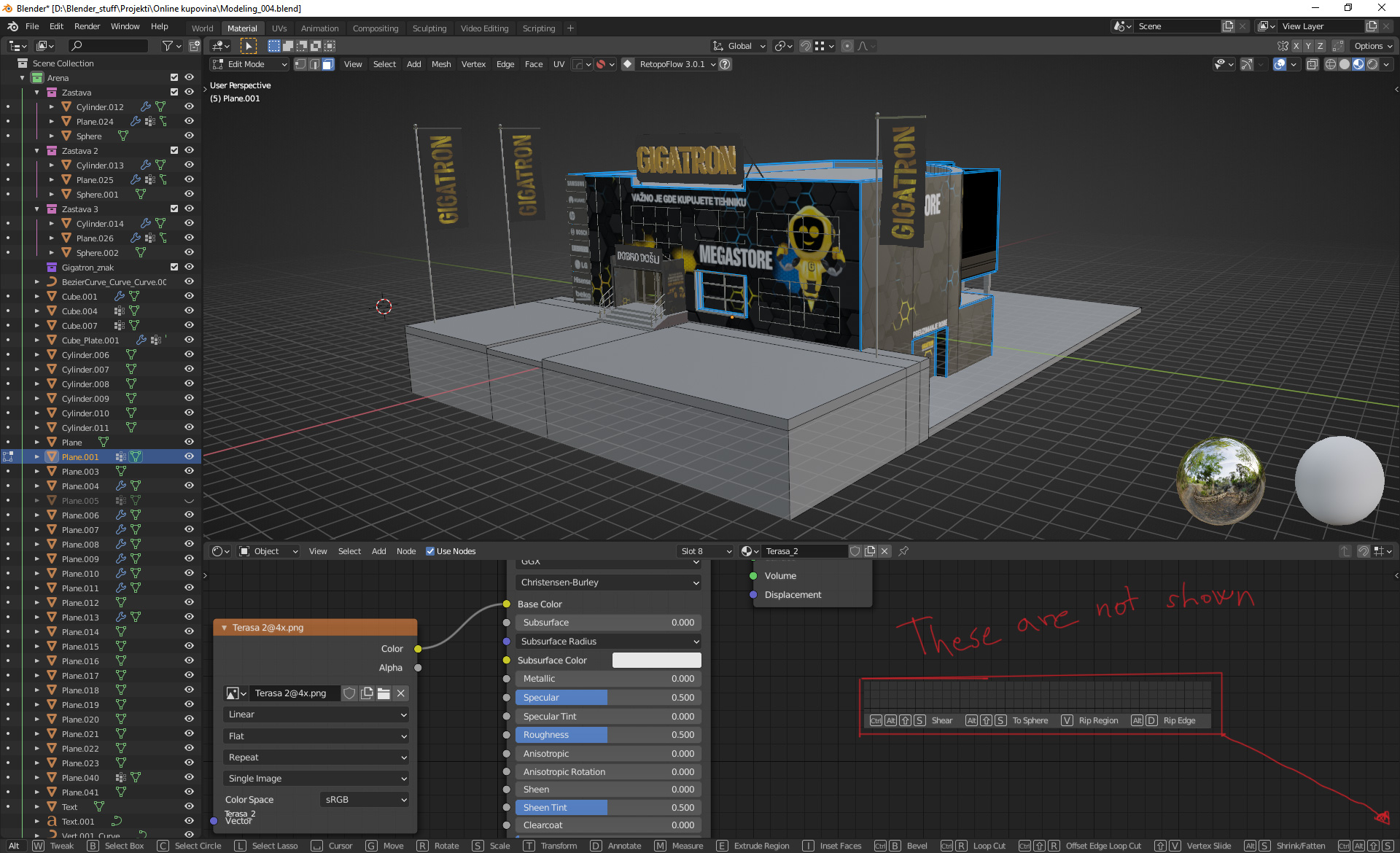
Hello good people, I'd like to propose to fit all commands on screen and not to be dependent on monitor resolution. How is work at the moment there are some commands hidden because of lack of space. Please check the photo. Thanks.
5 Comments
Your title made me initially think you meant to put an icon near the camera button that does the same as the shift+c shortcut
* @thinsoldier * You are right, sorry, i changed tittle to be more descriptive. Thanks.
In my opinion since those specific commands are for the edit mode of the 3d viewport they should only be shown at the bottom of the 3d viewport.
I would like some kind of icon that meant "tips" and when you cick it you see all of those and more.
I also would like the basic commands shown at the bottom and to have Blender track my usage of them over time. As I use certain shortcuts more and more, remove them from that list and allow others to be shown.
How would you show all of them if they don't fit the row, though? Make it have multiple rows vertically?
Scroll them from left to right with mouse wheel.