
VSE: Blend mode of new effect strip should inherit from input strip by default
When adding a Transform effect strip to an image, the Transform strip is added with the Replace blend mode. Note that the default blend mode for an image is Alpha Over. This is confusing because changing the blend mode is not what one has in mind when one adds a Transform effect.
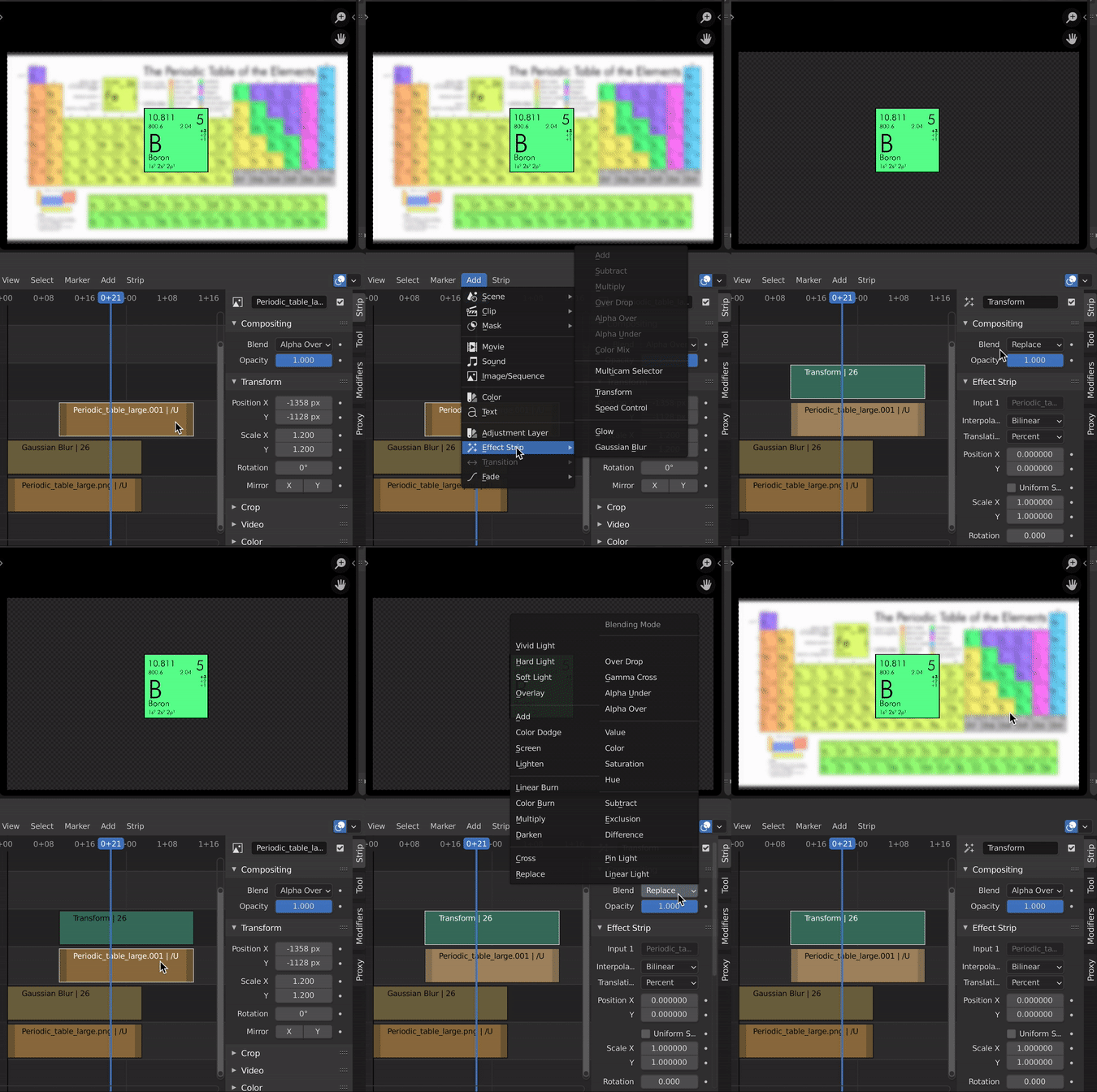 In the gif, I show how adding a Transform effect replaces the rest of the compositing stack.
I often have to change the blend mode back to what the input clip originally used.
When adding a Transform strip to a movie clip, the Transform strip is set with the Replace blend mode. Note that the default blend mode for a movie is Cross.
I propose that the new default for adding an effect is to take the blend mode of the input strip.
This probably applies to other effect strips too, especially with the new transform controls in 2.92 making. For example, when blurring an image with an effect strip, there is the extra step of changing the blend mode to prevent the blurred image from replacing everything in the stack.
11 Comments
Sounds like a useful feature, I will write this down, but in case I forget I recommend to poke me on blender.chat/channel/vse
Should be marked as DONE: developer.blender.org/rBd6bbcc4f666b257fed3e6f8ec468d0efff5b591f Congrats, Corwin. :-)
Maybe this could be a "Inherit Active" type check box that would appear in the "Last Action" popover for selecting options for operator and then be remembered if you toggle it? Or Dropdown for "Blend" mode between "Type" and "Channel" elements. (Though I guess cherrypicking just Blend modes into the last operator panel might seem inconsistent to some but if it is the major one people have to change all the time)
The Alpha Over processing is super slow. It was once the default, but made it impossible to do anything in the VSE, so that change was reverted to use "Replace" instead.
* @tintwotin * Yes, I had found this comment from 2010 . Is it still slow now? I haven't noticed an issue when using it with a handful of strips, but maybe I don't know what to look for.
I think the feature should be in service to the user ( "VSE should just work" ), and if Alpha Over needs to be optimized to enable this, that would be a separate task.
* @Corwin Kerr * On the slow alpha over: developer.blender.org/T69334 The reason for Image Strips have alpha over(request by BF animator): developer.blender.org/rB64c222ff58577b80994a11fa63c137b89a3083fc You can see what effect strips have what blend modes here(you may have to have github installed): developer.blender.org/diffusion/B/browse/master/source/blender/editors/space_sequencer/sequencer_add.c%241061
* @ tintwotin * It is very simple to fix, but I don't know if there are any downsides to this. This is all there is needed: else if (seq->type == SEQ_TYPE_TRANSFORM) { seq->blend_mode = seq1->blend_mode; } But if you feel up for it, I think you should ask @iss about it in the #vse chat, and if he likes it, I can make a simple patch for you.
* @ tintwotin * Thanks for those helpful links!
* @Corwin Kerr * * @richardantalik * Patch uploaded here: developer.blender.org/D10156
* @ tintwotin * Thank you! We can see if anyone raises any downsides
* @Corwin Kerr * The only downside/bug I can think of is if the Transform strip can be applied to strips without a blend mode. I haven't checked if there are any except Sound, which Transform strip can't be applied to.