
Editing axes (persistent axis constrains when editing)
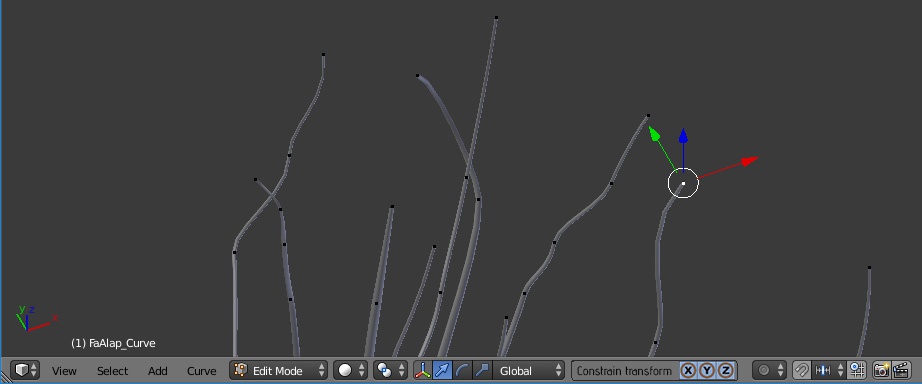
It would be great to have in edit mode and object mode in the lower toolbar a section where you could constrain your translations, transformation to selected axes.
This section would contain a label: "Transform constrains" and three buttons: X Y Z.
The behavior: default: all three buttons are on (pressed), which means all your transforms are in all of these exes. depressed states: constrain is applied only on the pressed exes. If only "x" is on, tweak is possible only in the "x" direction".
This thingy would be persistent in all translations, which means you do not need to invoke these axis constrains all the time when selecting a new vert which you would like to tweak (now you have to press x, or y, or z every time if you select a new vert).
I think it is easy to implement, and would add a good possibility to the existing Blender toolset.
Thank you guys.
2 Comments
I'm not a big fan of this concept. If you're using hotkeys and the mouse, then you already have your hands ready for either the hotkey or the middle-mouse shortcut. If you're using the 3D Manipulator, then axis constraints are already baked in. I'm not sure what this adds that we don't already conveniently have.
If you have to move a bunch of verts one by one, for example creating a tree in ortho mode, than grabbing the verts into place, it would be very handy, speeding up the workflow. I know that in preferences I can set constrains temporarily, but that is not so obvious, and why should I go to preferences to a simple task?