
A Node for reducing image resolution
Hello!
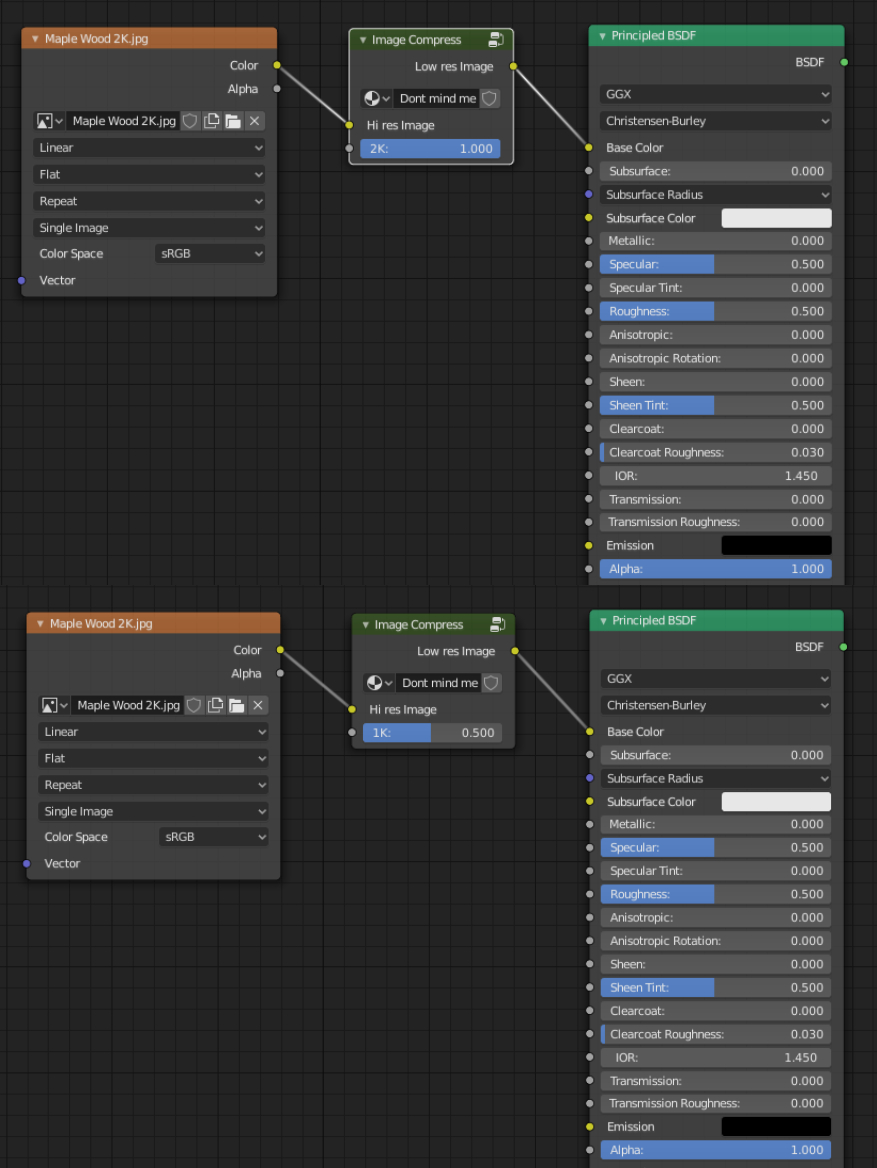
Recently I've been trying to create a completely new scene each day so I'm aiming for the shortest time spending on it, which includes the render times. Because of not having time to create materials procedurally I usually download PBR textures from websites. However, some only provide high-resolution textures (like CC0textures, starting at 2K) and it would be very neat if it was possible to reduce the pixel size right in Blender by simply just plugging a node, rather than manually doing this in different softwares/websites, slowing down the workflow. This is obviously not that crucial of a feature but I think that throwing the idea out there might amount to something.
(the image roughly shows how it could work, duh)
Cheers!
5 Comments
Yes, but not as a node (that dont make a sense to put setting of one node into different node).
It should be like game engines do, where image have property of texture compression, color space, mipmaps, etc.

* @Pawel Piotrowski * yep, I see it as a nice tool to have, but having as a node is craziness in terms of performance
This is something that would be automatically done inside cycles as soon as OpenImageIO with the tiled caching and mipmapping tx and exr features are implemented.
Tiled .exr's and .tx's have atlas inside them so they load only the resolution required. Plus the tile which is usually 64px helps to load higer resolution only in part of the image. That is how folks uses several UDIMs with 8K res without a problem.
This is why also Arnold and Renderman creates those .tx textures before rendering and reduces hugely the amount of RAM usage.
I saw a post about it in devtalk but i guess it needs more attention:
devtalk.blender.org/t/tiled-exr-texture-caching-support/562/29
For now, you could use an app like Converseen (which is open source) to batch process your images.
Rescaling is something I asked for ages ago. It'd be easier to just download 8k/16k HDRI from HDRIHaven and then select resolutions inside Blender but alas... not in this timeline.