
Vector Blur Z Output
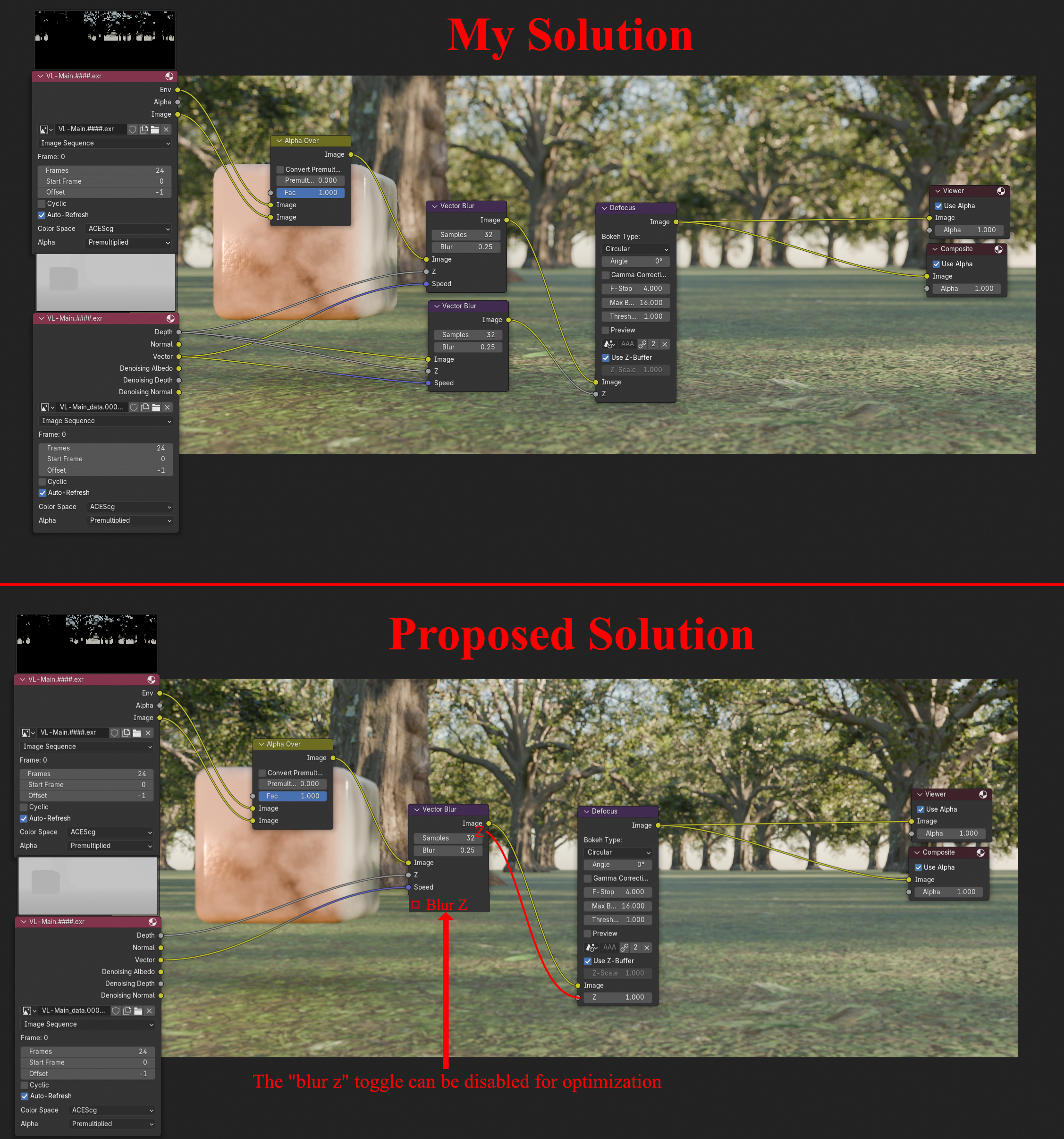
I have noticed that when applying both a vector motion blur and depth of field to renders in the compositor, I get artifacts when I put the depth of field before the vector motion blur. My solution is to put the vector motion blur first. I also get artifacts when I don't also motion blur the z input for the depth of field node. My solution is to make an identical motion blur that I used on the beauty pass for the depth pass. This is not intuitive and it took me awhile to figure out. It also means when i decide to change something on one of the motion blurs, I need to remember to change it on the other motion blur to avoid artifacts, which can sometimes be hard to spot. I imagine many 3d artists add motion blur and depth of field in compositing. A more effective solution would be for the vector blur node to have a z output. It would perform the same operation on the z channel that is performs on the image channel. Since this is double the computations, blur z could be disabled with a toggle when a z output is not going to be used.
0 Comments