
Simplify usage of NodeWrangler Preview
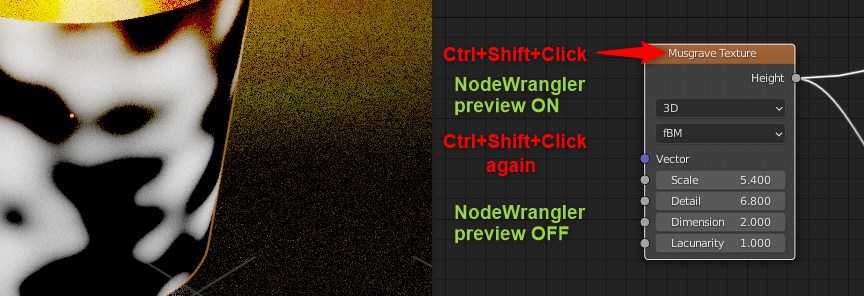
When we activate a preview in NodeWrangler by clicking on Node with Ctrl+Shift keys it creates preview of active node. To exit from this preview we need to Ctrl+Shift click on Shader node.
Its really necessary to click on Shader node to exit? Here's more simple way: make it Toggle/Switch.
When Node is clicked with Ctrl+Shift+mouse key - preview is ON and when click this combo Again this mode is OFF.
So we dont need to move mouse cursor to another place, and simply [click, do some correction, when click again].
We dont need to defocus to find another point to click outside of this local task. All is here: combo+click > edit > combo+click again.
This way is similar to entering Edit mode: Tab for enter > Edit > Tab for exit.
0 Comments