
Clean material slots that are not used.
You can purge the whole scene, but when you join and separate objects the list of materials grows, and there is no way to automatically clean it.
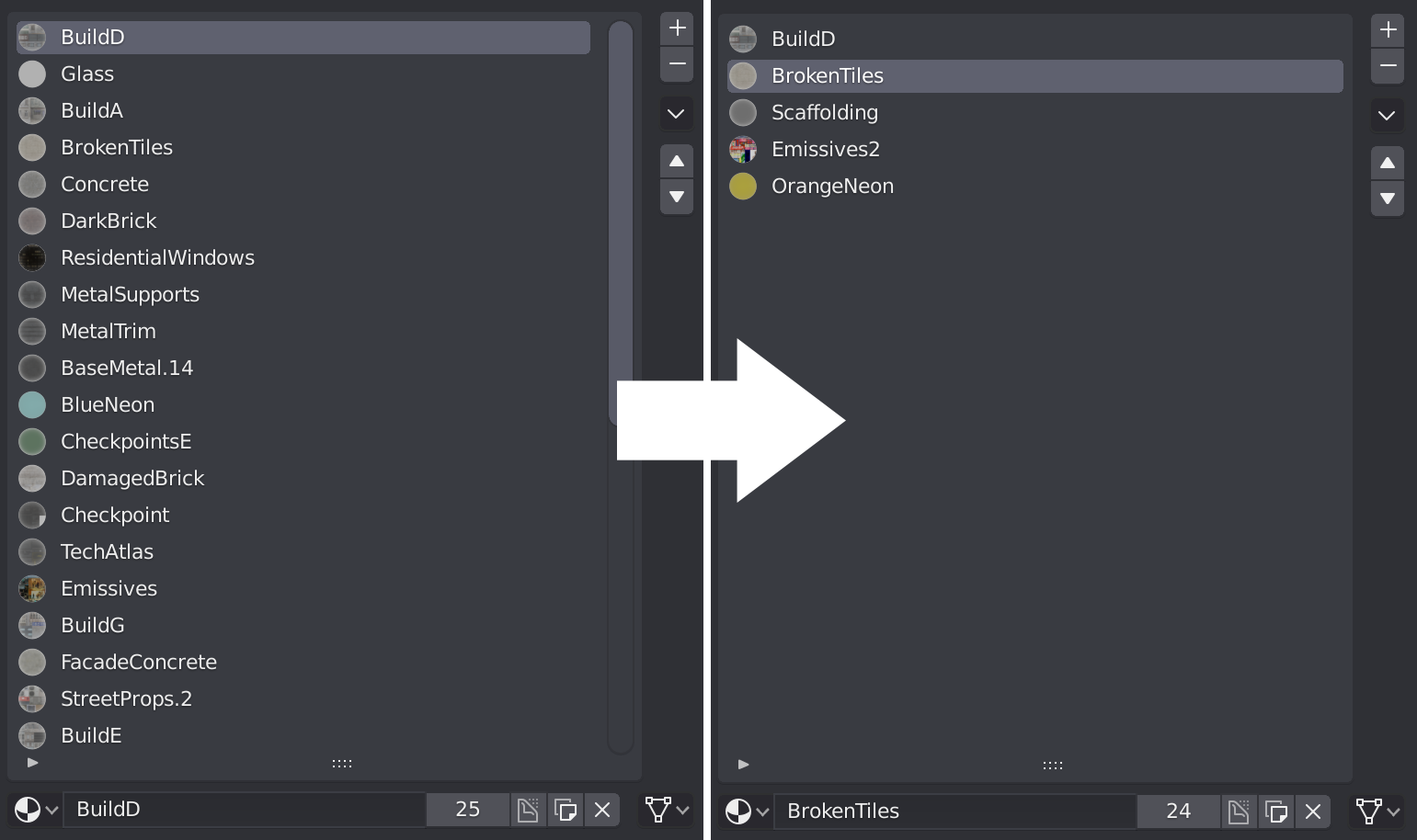
You can purge the whole scene, but when you join and separate objects the list of materials grows, and there is no way to automatically clean it.
8 Comments
A few ideas I can think of :
1: Create a "remove unassigned layers" operator within the ˅ drop-down menu. It would basically scan through all material layers and remove any layer not assigned to any mesh component.
 2: Ability to select several items
(not only here but in any list of selectable items in Blender) and use operators on the whole selection.
2: Ability to select several items
(not only here but in any list of selectable items in Blender) and use operators on the whole selection.
(Also, we need a way to invert the selection or have operators to work on unselected objects.)
This second point actually solves a lot of issues with lists items in Blender and add a lot of flexibility. I.E we could now be able to make changes on several materials at once, like changing their shared parameters...
* @-L0Lock- * I think that the operator should be named "Remove unused Material Slots" or "Remove unused Slots".
github.com/NazzarenoGiannelli/matslotcleaner This addon does it. You have to select all the meshes and have one active object. it only works when mesh objects are selected. If anything else (i.e. camera, light etc.) is selected it won't work.
This may not be exactly what you are looking for, but in the outliner of you go to "orphan data" you can find a material section. Just delete them all. There is even a "purge all" button if you scroll right a bit. This removes all materials that aren't assigned to something
@daniellapalme: Yes, it is something similar, but it is not the same. In fact, although purging with Orphan Data these materials would not disappear, because in Blender, as long as they occupy a Slot it considers that you are using them, even if they are not assigned.
You've described the problem, but you've not fully described your proposed solution. How should users active the operation to clean the material list? If it's automatic, how does a user preserve a material that would otherwise be automatically removed?
@Jason van Gumster: I believe that with a button there is enough to clean all the slots not assigned to any face, although it would also be nice to indicate with Ø those that are empty before eliminating them.
What there should be is an asset manager that let's you delete assets (Materials and other data) manually and instantly. I'm surprised a proper deletion of assets wasn't one of the first things done for 2.8