
Mode Positive Coordinate ( follow the axes direction)
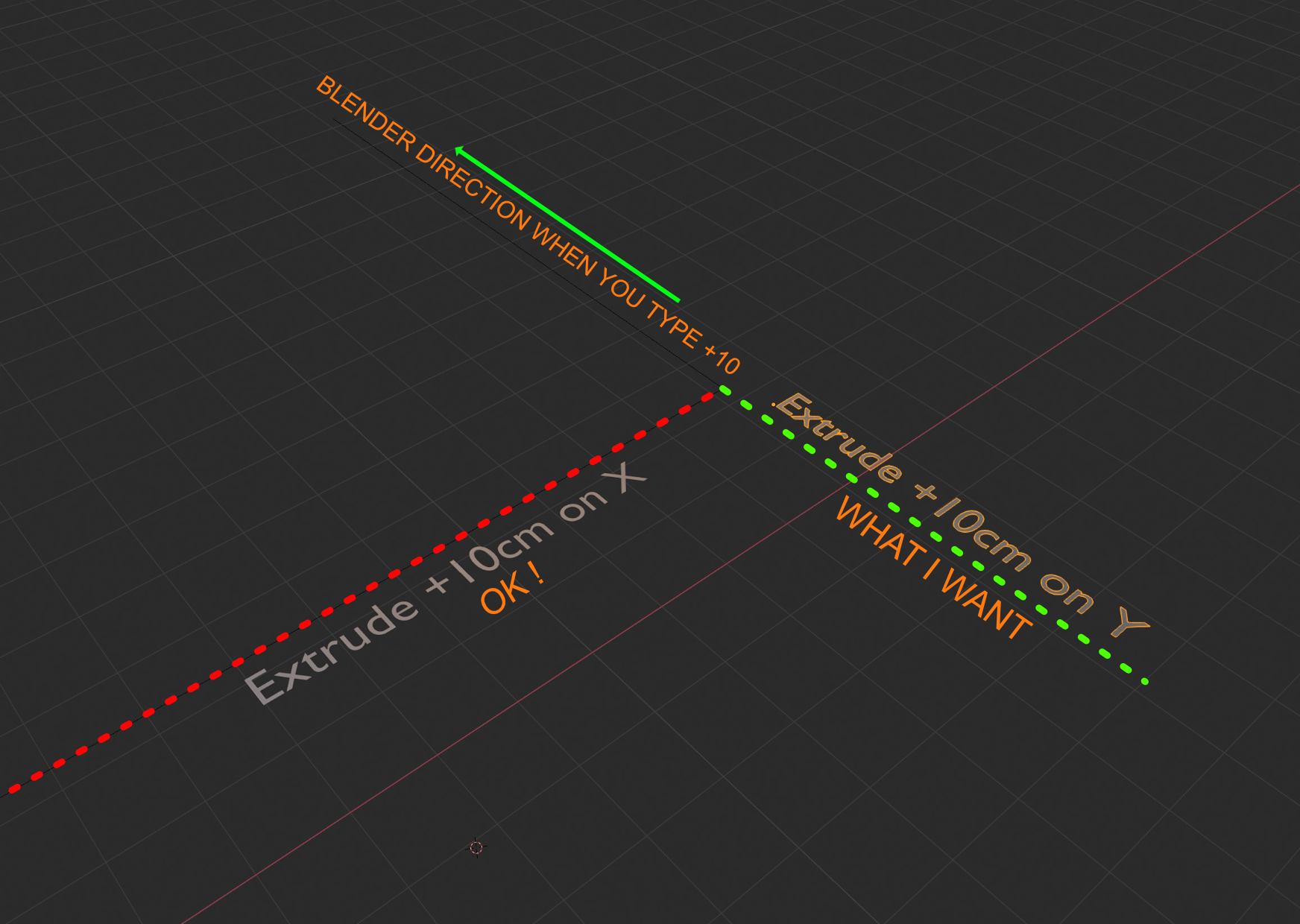
Hello, i like Blender and i like Sketchup. In Sketchup software, when you select a vertex and pull in direction +X or -X you typing 10cm and the vertex is always draw in the direction of axes in positive, no need to type -10 or +10 like in Blender. i dream of this fonction, i have à keybord without numpad and when i emulate numpad in preferences, the - key don't work, and it's very cool to tiping just the number without indication - ou +.
9 Comments
But it have sense in many reasons, e.g. you have some selection you can press
Eand maybeZ( for some normal Z axis constraint ) immediately and type some maybe - 2.5 and get what you need without moving mouse to some "right" direction before typing to set some + or - for value. From other side such mechanic will frequently cause situations when you do same as I describe but mouse been moved for 1 pixel to - direction and now you typing and expect to get + value but you get " auto" - value...* @IIIFGIII * yes indeed if you did a minus move before could detect automatically that you want a negative value. but in fact this is what happens in f9 box and then he can adjust the value. I think that for move a little box directly near the vertex where you can change only the value could be useful. especially as a CAD option. maybe with a double clic on the vertex
there is the f6 box where you change the value and if you draw it down you will have negative values. sry f9 now {attachment Blenderjpg}
zgorg2004 excellent, i don't now this tool, is awesome for me, an F9 automatic button and it's perfect for me ! thanks
* @tinanoumax * it is f9 if you want to recall it( if you did nothing else after (another operator)). but by default it will appear in the left bottom corner, when doing your operation (here move on Z: GZ). you have just to expand it
* @zgorg2004 * Thanks for your help
* @tinanoumax * you are welcome
* @tinanoumax * it's possible to remap to another key ? i can't find in preferences keybinding...
* @tinanoumax *if you search G in your preferences by his path (3Dview>3Dviewglobal) you will find under its modal keys:'Transform Modal keys'. they are the options that you can add to your shortcut G. e.g: GX-5, but in the options to create modals if you expand one and watch the menus inside, there is no -X axis or -Y.... so in theory you could create a new modal as altX altY altZ for -x-y-z, but at this moment you need to ask in the dev forum of blender. not sure 100% you have an answer, but you can try. {attachment Blender_Preferences_2jpg}