
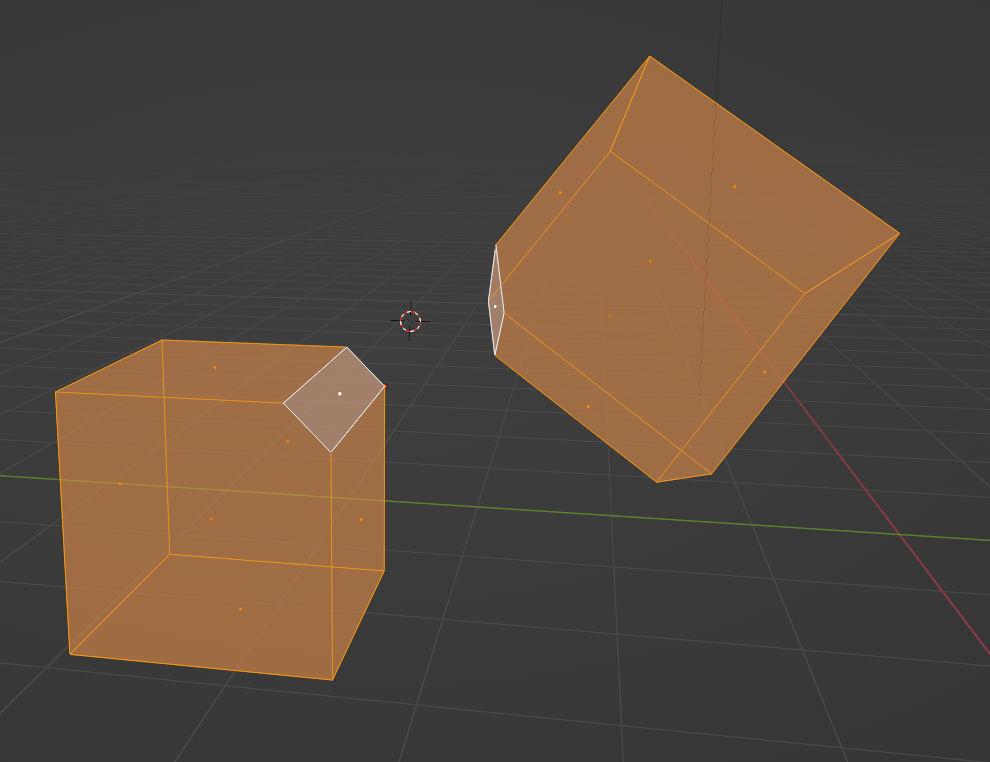
Snap "face-to-face"
Hey! The simplest, it would seem, binding function, which should be in the drain of the program, but ... It is not there, more precisely, there is a similarity that is implemented by binding, but it works every other time. That is, the binding of the object - "A" along the plane of the object - "B" occurs with an error, the object "A" is inside the object "B" when it is necessary outside, while the "All transform" application function does not help reset the "origin" parameters . As far as I know Blender has issues with memory cleanup. All in all, this is a really annoying problem. It is impossible to bind, align an object on plane A to plane B, as, for example, add-ons from the store do:
- 3-points-align
- Ortho
- Selection To Cursor Orientation
My friends and I believe that this function must be implemented in the standard assembly of the program, this problem is confusing ....
One solution would be to orient the view to the selected plane, then move the 3D cursor to the selection (we know that the orientation of the cursor matches the viewport view), and anchor the object relative to the cursor coordinates. The only thing missing is binding the coordinates of the pivot orientation, according to the orientation of the 3D cursor. There is no such feature...
I don't know of any other solution...
1 Comment
I was thinking, it might just be enough to add a calculation function and the "Axis normal" parameter for the 3D cursor, pivot and selected face (which can be generated with a button during selection), while the 3D cursor always has it in the direction towards the camera (forward).