
Bring Temporary Transform Info close to the viewport Manipulator
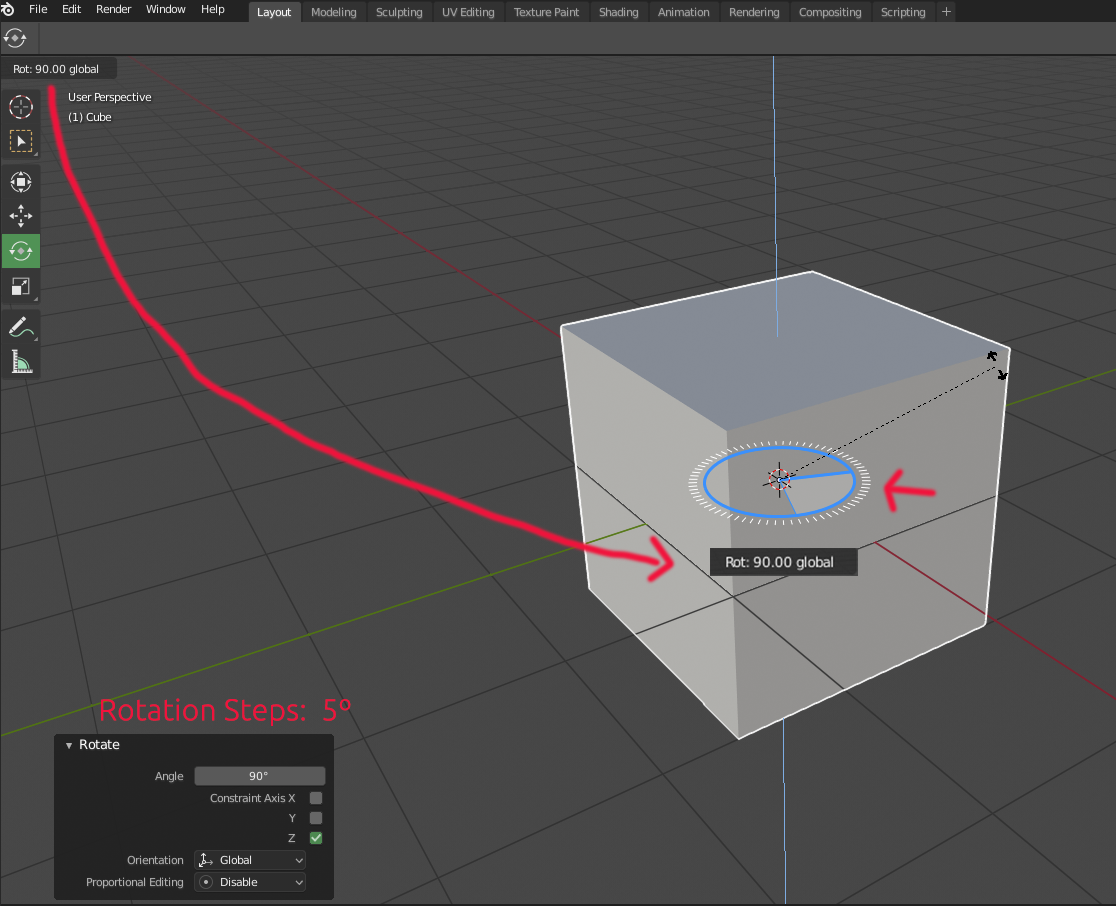
Having the precision info closer, below the gizmo while you're performing a action is more intuitive to the user experience. As an example, here's the gizmo from the software Zbrush, and how it alocates the rotation degrees right below the gizmo while you are performing an action. See the video below.
i.gyazo.com/92aacd7d66b1a3e98f00b00dc68fbc61.mp4
6 Comments
YES! PLEASE!
I'm not sure. Even the Gizmos are sometimes blocking the effected area to much for my liking. A dark popover dialog on top would be even worse. I can understand why it works better in Zbrush because it effects the mesh in different ways. In edit mode you would want to see the geometry details though and you don't want them obstructed with potentially huge information dumps at the gizmos. I don't see this working with all the Tools right now and it would have to, to stay consistent. This would have to be testes to find out how annoying it might actually be,
@julien.kaspar: Good point. My current perspective on this proposal is the user's eye travel during, let's say, a repeated amount of precision operations.
@julien.kaspar: As far as i understand it, the suggestion is not about a blocking dialogue popping up but a reasonably small numerics line similar to the one depicted in the picture, below the gizmo. I think this idea is great and i myself have been lacking this kind of info near the point of view. Most of the time i work with precise transformation and loose too much time and focus looking down to status bar. Maybe it could be an option in the preferences, together with themeable appearance (size / backdrop / font shadow).
@Okavango: Indeed, In my modest opinion, this is a case that convenience and usability could surpass minimal design. The current implementation is a revamped layout from the legacy UI, therefore, a more ergonomic approach to displaying relevant info is my proposal here. Again, I'm not sure yet how easy that may be to be implemented alongside with the other tools. (scale, move, rotation, etc)
@julien.kaspar: I think someone should code it to see how well it works. I can see this being either a really great or really terrible addition. The only way to know for sure is to try it out.