
"Convert to >" menu to RMB Context Menu
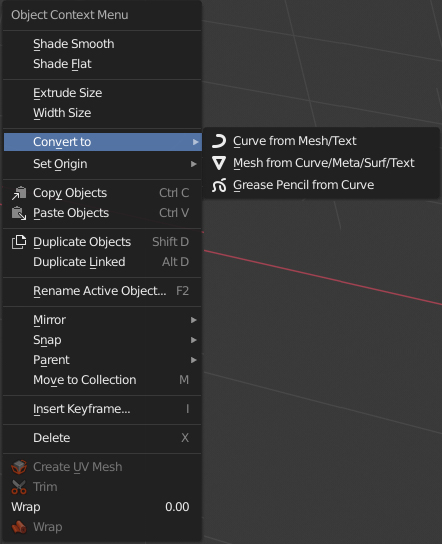
I suggest adding a "Convert to >" menu, that you can find in Header pulldown menus Object > Convert to >, to right mouse button Context Menu, for all objects that can be converted to something else.
At the moment, the ability to convert is not in the drop-down menu, but right in the RNB menu and not for all objects, which looks a bit cluttered and disorganized.
It will be very convenient for modeling.
I meant that this menu needs to be added to all objects that can be converted into something. Because not all kinds of objects have this menu in RMB Context Menu.

5 Comments
I think it is already in the context menu. It is in RightClickSelect
Wmenu anyways. It's not the full convert but the one that is relevant to the active object. You can always add them to your quick favorites menu, too. That's what I do, since I convert curves to mesh and back pretty often.* @Josephbburg * It's not in my 2.81a install at least.
* @-L0Lock- * {attachment Untitledpng}
* @Josephbburg * I thought this explanation would be enough. But apparently not. I meant that this menu needs to be added to all objects that can be converted into something. Because not all kinds of objects have this menu in RMB Context Menu.
* @Axel Mening * It's not there for surfaces or metaballs, which seems to be in error. Metaballs I always need to convert to mesh. But NURBS? I never use NURBS.... at any rate you can alwats
ctrl-a"visual geometry to mesh" which is the same thing, calls the same operator.