
Slide Joint along Bone in Armature Edit Mode
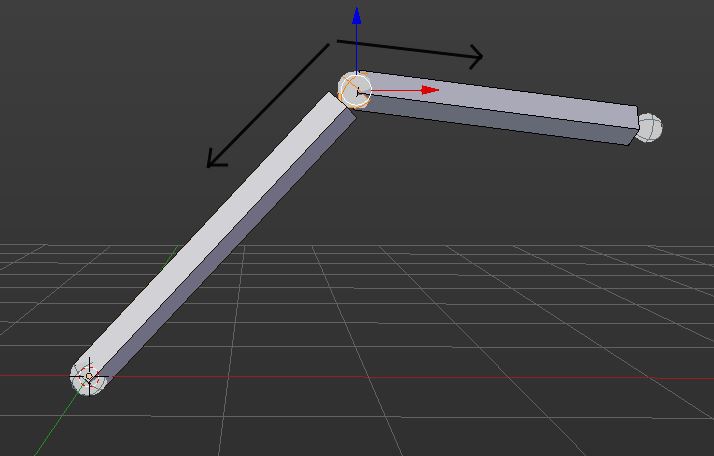
An awesome feature that could be implemented in Blender is the ability to slide bone heads and ends along the length of the bone, and along the length of connected bones. Currently this is possible in mesh editing as you can slide vertices and edge loops along edges.
8 Comments
Okay, my mistake, you have to set also the pivot to active element.
That works, at least on the bone itself, though if it was also able to slide along child bones/parent bones it would be a complete feature. And the usual G+G hotkey combination with default orientation/transformation origin and it is golden
yeah i know, i've wanted to make a proposal on the same GG thing for a while, but this has served it's purpose well enough, when i need to slide along an other bone's orientation I use the "transform orientations" in the N panel which is a blessing.
the way I have been doing it until now is to set cursor at the opposite end of the bone I want to slide along and transform-origin-to-cursor scale the joint along the bone - requires no changed settings other than the transform origin change as is quite fast..
Though having consistency between Blenders separate features/edit modes is very important and to me this feature is definitely needed.
Yeah i agree in this one, GG for me would be the perfect solution to it and it should just move the head or tail of the joint through the bone normal.
this can be done if you set up your orientations to "NORMAL".
I am not getting this behaviour, what build are you using?
any, it's been there for a long time i recall..