
Proposal: Add Preset Menu to Any Modifier
What features that the Preset Menu will have:
- Quickly add/save/remove/reset/switch to any preset (pre-setup values) for any Modifier in Modifier Panel
Mockup for Preset Menu:
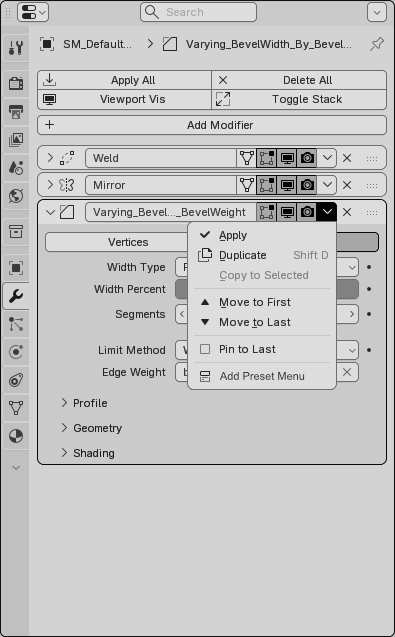
01 - Add Preset Menu Option directly in Modifier Panel
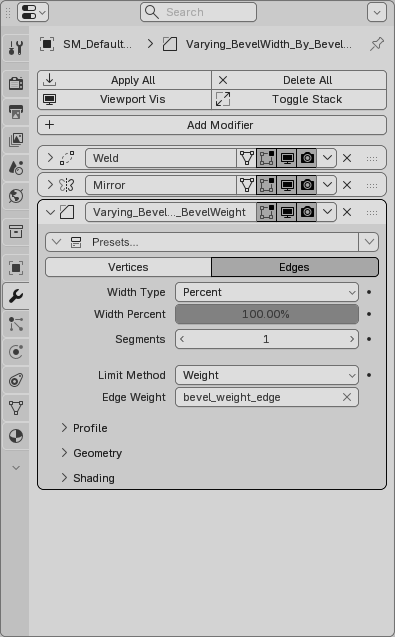
02 - New Preset Menu Created
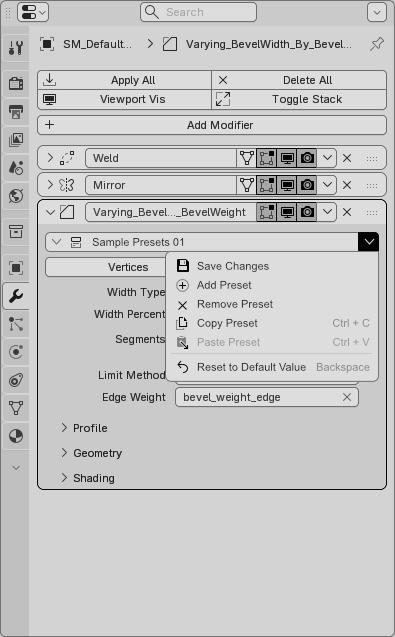
03 - Preset Options:
- Save Changes
- Add Preset
- Remove Preset
- Copy Preset
- Paste Preset (only preset of the same modifier's ID can paste it shared values)
- Reset to Default Value
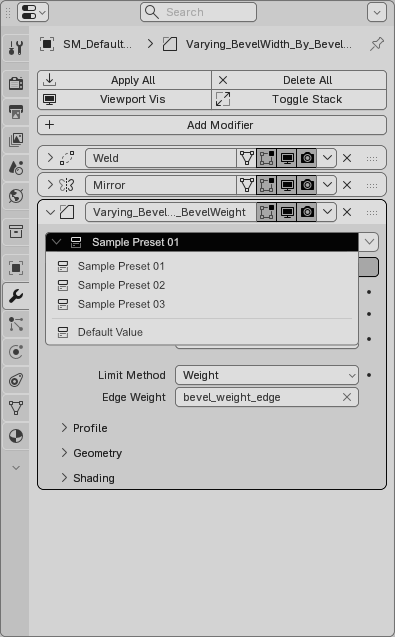
04 - Preset Menu: Sample Presets UI mockup
UPDATE:
After re-thinking about this Proposal, I have changed my mind:
- The ability to create Presets directly in Node Editor is a better way to do it and Presets will have a cleaner layout.
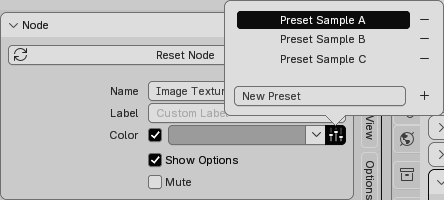
- The UI for Presets in N-panel of Node Editor may look alike Node's Color Presets, with more advanced options like: Save changes, Copy presets, Paste presets, Reset to default value.
- Example of Node's Color Presets UI:
5 Comments
I like that, to expand on this idea, I'd add all presets' categories into the "Add modifier" menu, with it's own separator, in the same way we have geonodes and their categories included in the menu.
Because, the way you have described the idea, you'd get to choose a preset only after adding a particular (default) modifier.
I agree,
After re-thinking about this Proposal, I have changed my mind:
Do you mean node editor in geometry nodes? I think having presets in the modifier tab would be more handy, because with having them in node editor you'd have to switch to a different workspace or open up a GN area.
I mean having presets in Modifier Tab or Shader Tab in Properties Editor, and this presets can be made in node editors (Geometry Node Editor, Shader Node Editor).
For Compositor or Texture Node Editor, I don't see it being exposed anywhere in Properties Editor so we can't have presets there but will be better if it does.
In that case, perhaps you may consider changing the title to "Proposal: Add Preset Menu to Any Modifier or Material"?