
Make the Video Sequence Editor more intuitive
Sadly, the VSE is the most unintuitive part of Blender. For instance, when I set an image layer's Blend mode to Multiply, the results are not the Blend behaviour of other programs. This seems like an error, rather than the way it should operate.
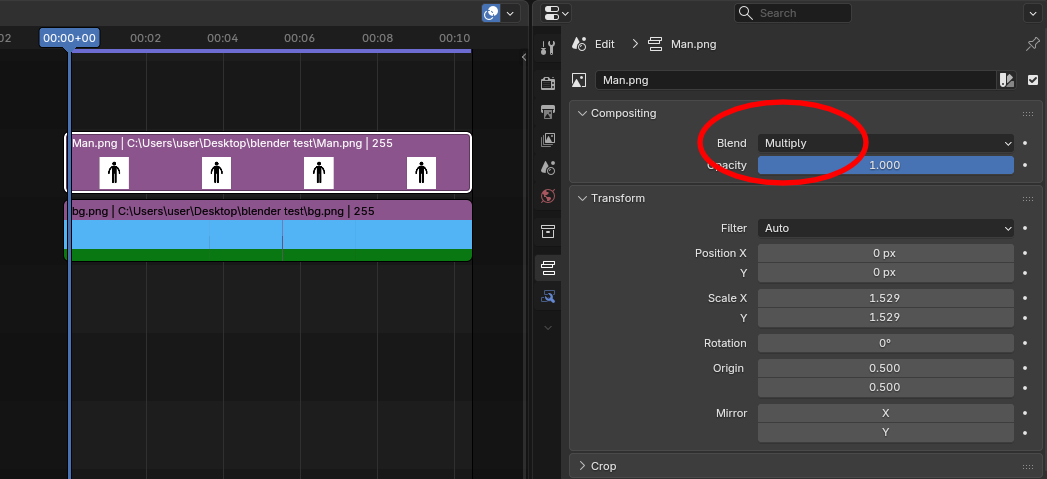
The setup:
The result:
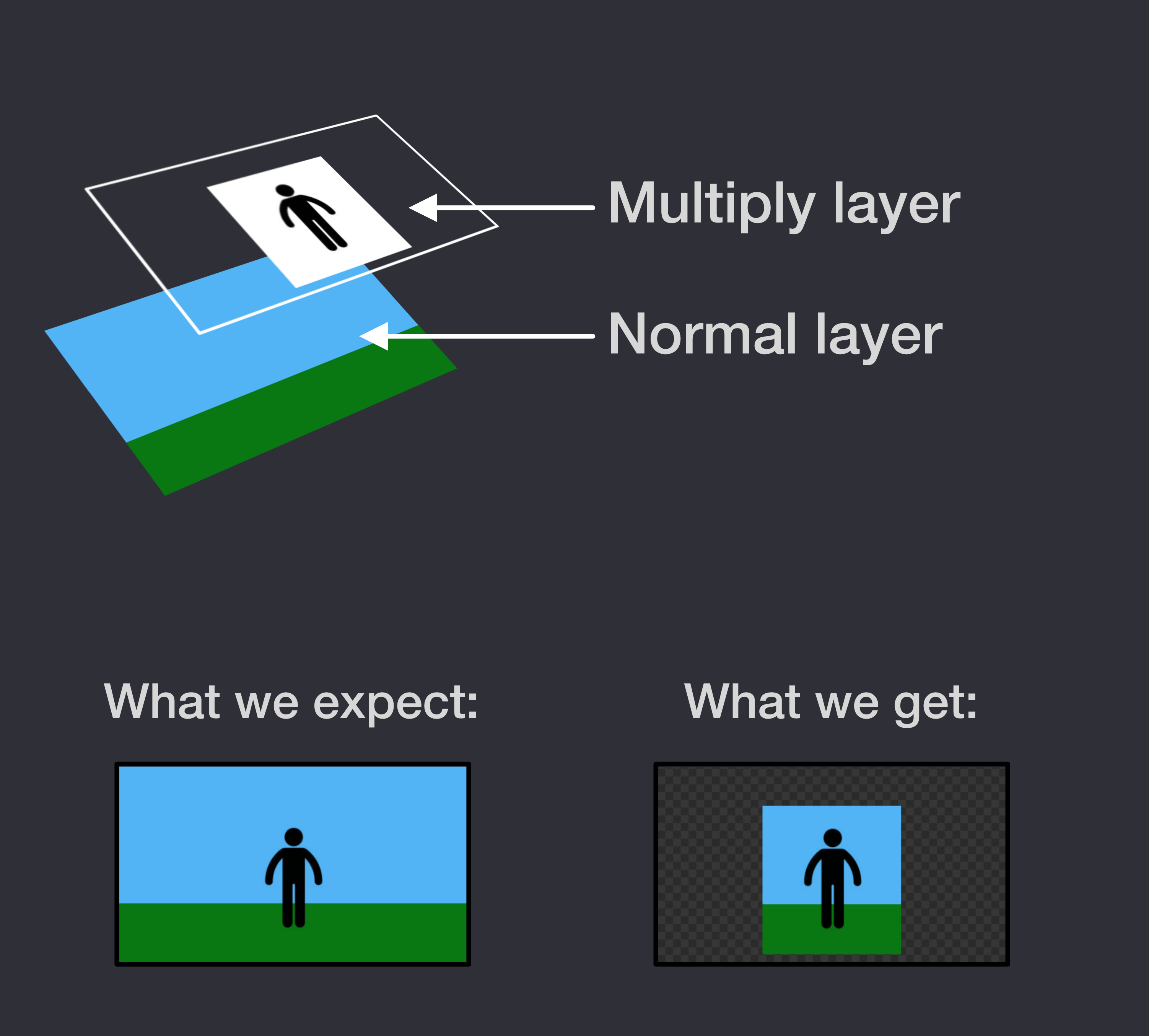
This is just the most basic example of an unintuitive workflow in the VSE. Masking is a more complicated example.
The take-away is that, while the VSE operates in an industry-unique way (arcane & esoteric only to Blender) it will be less adopted by people who want to give up using After Effects, Premiere, or other similar software and shift over to Blender. This also hurts existing Blender users who struggle with the VSE workflow and, as a result, have to use an easier, more intuitive program to edit a scene.
The solution: Much like the UI upgrade of 2.8, the VSE needs a complete re-imagining. How can we help?
3 Comments
Report that blend mode issue
This is not really an error, blender multiplies every color channels, meaning it also mulitplies the Alpha channel (RGBA); and most editing softwares only multiplies the RGB channels, because they do assume we don't really want to multiply the Alpha channel, because it would exactly cause this issue.
Right now, you're multiplying a layer that has 0 in the alpha channel over a layer with 1, and the math operations results in 0 for both.
So this is not a bug but could be considered an unintended behavior on the user level. I suggest adding an option in compositing blend mode to either incude or exclude the Alpha channel, perhaps an expanded menu with RGBA "on / off" buttons, which by default could include RGB and exclude A.
This looks like a bug... Did you try to report it? (There are workarounds for this though...)
The masking is being taken care of...