
Outliner problems.
The outliner in blender has 3 big issues from what i and a few friends have noticed:
- You cant shift+click to select a row of objects.
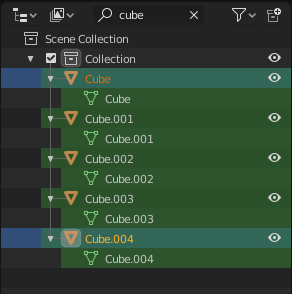
- You cant search for more than 99 objects at a time, which makes selecting more than that amount of objects a real pain.
- You cant rescale the UI size with ctrl+middle mouse drag, while everywhere else you can do this.
To my knowledge, these are relatively simple improvements. And i hope these will be improved very soon.
9 Comments
All of these are valid points and luckily during this summer of code these and many more are (hopefully) being addressed:
The guy responsible for it has asked for feedback and ideason the official developers forum: devtalk.blender.org/t/gsoc-2019-outliner-improvements-ideas/7185
I've experienced this as well. Basic functionality that's missing in my opinion
* @mjthehunter * there is already work being done on the outliner in a GSOC project, you can find builds in the GraphicAll section. basic functionality like shift select and so on is already implemented. there is also a linkt to the forum where you should leave your feedback if you feel there are things still missing.
+1 for Shift+Click to select a whole row. Makes deleting items and moving collections around a pain.
Please separate these into individual proposals (the first one is a duplicate) so they can be discussed and voted upon independently.
I have also noticed that if you Ctrl-click on an item you can rename it; something we can already do by double-clicking instead.
It would be a lot more useful if Ctrl-click's function was to individually select or deselect an item: a behaviour that can be seen already in many programs.
* @Konstantina An. * already addressed with GSOC. It will be in 2.81 in a few weeks.
* @dpdpforlife * Very glad to hear that, thank you for letting me know!
" Current " outliner is kind of irrelevant. Try to check
GSOC 2019 - Outliner-Branch - Win64 Daily buildblender.community/c/graphicall/Ycbbbc/