
Outliner:show and sort image size and resolution
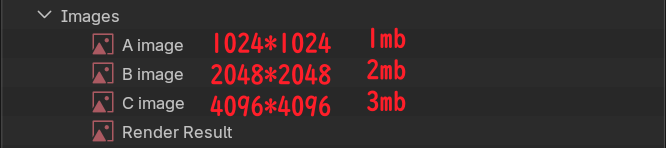 After working on a long term project in Blender and importing over 200 images, it can be difficult to identify which images are taking up more memory space.
I usually add something like 4K, 2K, or something like that to the filename of the texture to make it easier to manage, but Outliner defaults to alphabetical sorting, and many times the resolution doesn't fully reflect how much video memory it's consuming. I have to create a new file and then File-Append-Sort by size to check which images are bigger in the main project file, it would be great if I could sort by file size and resolution in Outliner.
1 Comment
Nice idea!
I would also love to see data size for any kind of measurable data block. Videos, .blend, ...
Let us also see such stats from a selection of data blocks! That will make troubleshooting and sanity-checking easier.