
Set layer in Grease Pencil Geometry Nodes
There's currently no way to set the layer of a Grease Pencil object procedurally generated in Geometry Nodes. This limits the use of modifiers, masks, and view layer compositing for Grease Pencil objects created in Geometry Nodes.
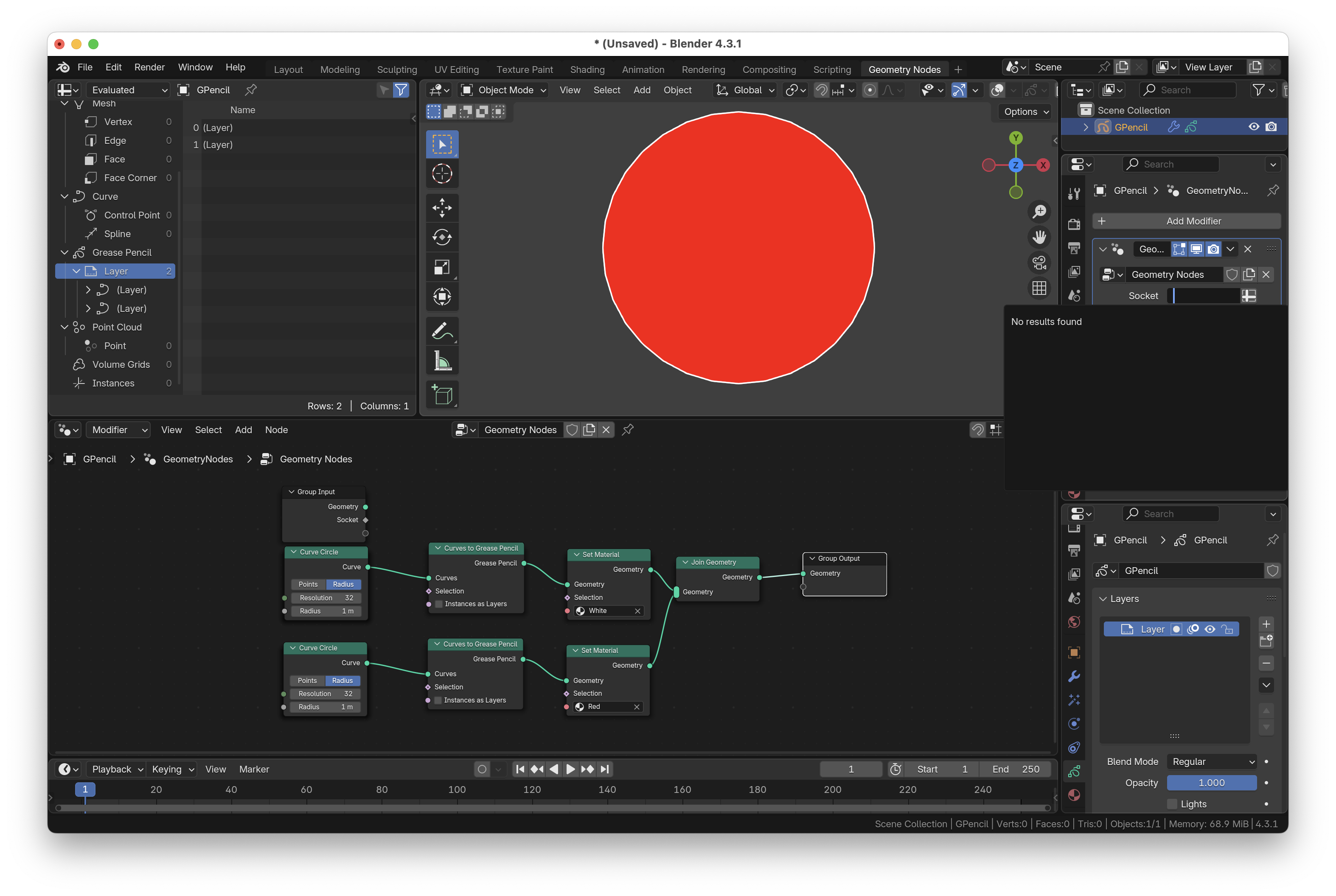
For example, in the object pictured, there's no way to apply a dot dash modifier to only the outline, despite the fact that the outline and fill are already on separate layers within Geometry Nodes.
I think that there should either be a "Set Layer" node, which would work the same as the "Set Material" node (a dropdown menu of layers in the scene), or that Grease Pencil layers should be exposed as attributes - you can't currently add them to sockets (see picture).
0 Comments