
Lock FPS feature
*I am professionally working on animations for game dev. One of the things in Blender that annoying me and make rework my job many times is linked "FPS toggle" to single animation.*
Use case : I have many animations in different fps but I need export them all in 30fps. For now "FPS toggle" jumping back and forward in association with selected animation. So I am doing wrong export pretty often due concentration on animation creation and reasons that I describe here.
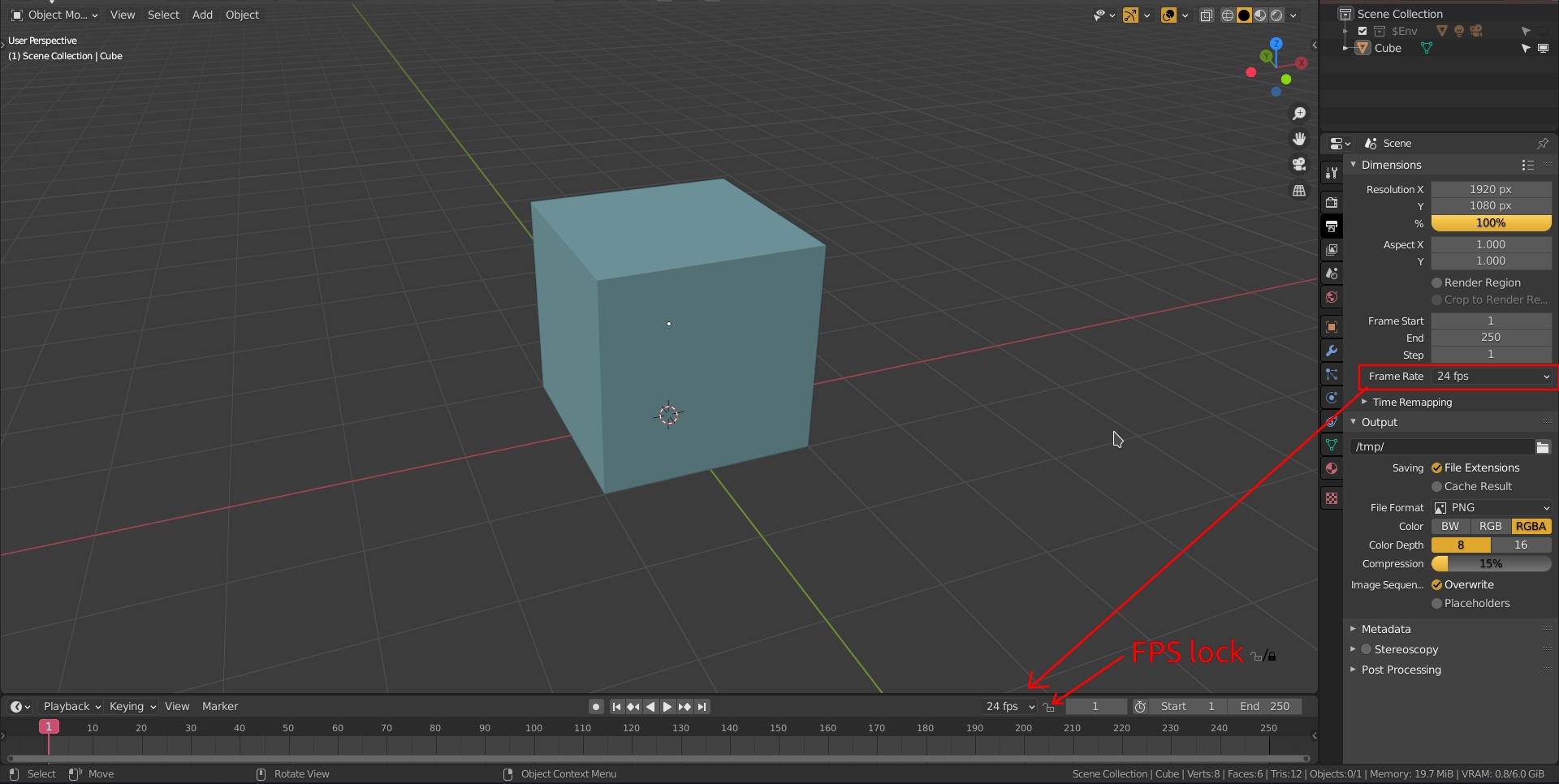
So we need FPS Lock that will forcing "FPS toggle" stay to selected value.
And second but not least . I need "FPS toggle" in front of my eyes and not hidden in tabs. This is logical when you writing pack of animations for the game. On timeline panel a lot of space for this purpose. Actually it is should be there for ages ago) It would be nice to have in both places though.

+And one more thought: it's also be useful to add same option in export options ( especially fbx , usd, gltf, dae,)
 ___
___
This changes will be very useful for animators. Thanks!
0 Comments