
Edit mode symmetry toggle should follow Transform Orientation
Currently symmetrical editing only works on the object's X, Y and Z axes. It should simply follow the Transform Orientations.
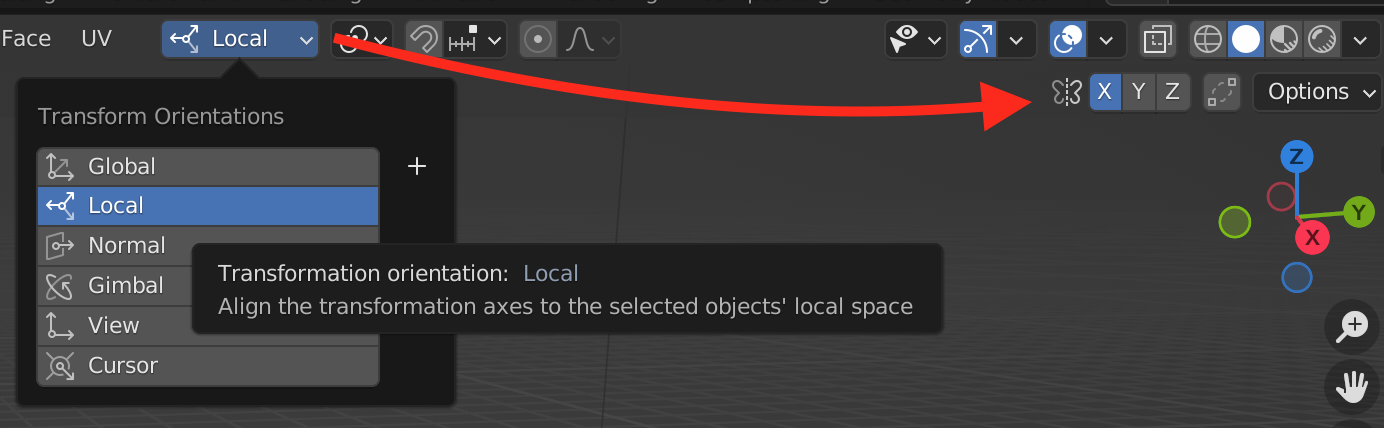
This way you don't have to rotate your whole mesh to align to the object's axes, do your symmetrical edit and then rotate the whole thing back.
3 Comments
Maybe would be possible to add transform drop-down menu to the symmetry editing. This way someone could still be in global transform orientation but local (or any other) orientation for symmetry editing. It is better have too many tools for the same then lack of some tools.
The only problem may be Blender UI. It could be the best moment to reconsider bring floating windows for tools. Small circle next to the tool (or click + special key) would bring float window where anything can be changed and then window closed, without thinking that it clutters UI and harm usability).
yeah i dunno about this one.. there are plenty of times I can think of where I've been in a global symmetry mode but needed to transform something along normals, or based on the 3d cursor, would need something more robust
That's an interesting conflict. Maybe symmetry mode should have its own orientation...