
Absolute Value Input Based on Direction
My background is using some 2D CAD softwares where the input for creation or transformation is based on the direction of the cursor.
When moving, rotating or scaling any object in Blender we have to input the minus sign to specify transform on that direction.
The problem that I have with this approach is that Blender already knows in what direction I intended to transform, but I still have to tell the software.
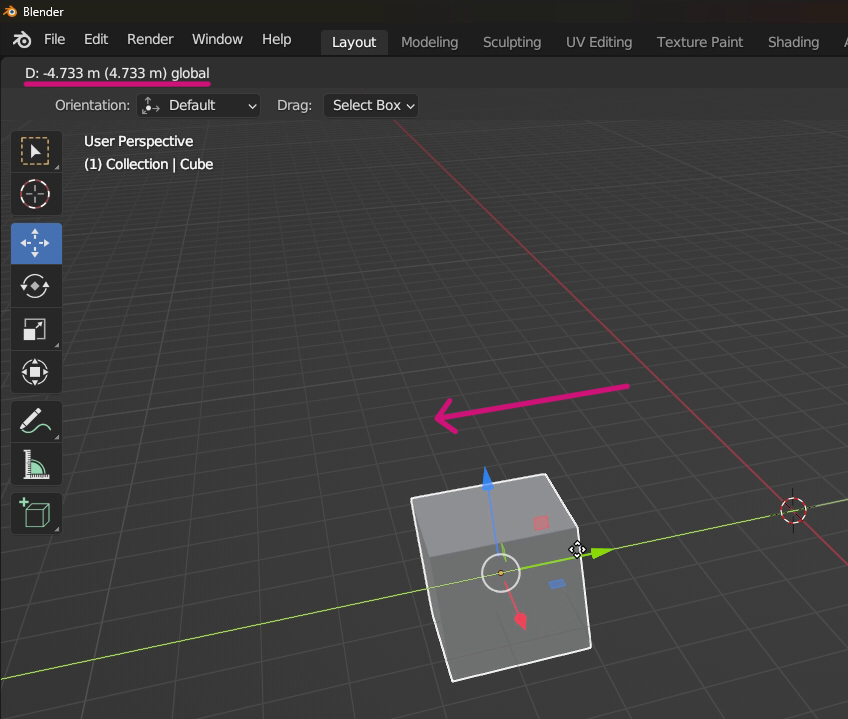
My "simple" proposal is that we just have to input the absolute value. Blender will use the initial direction to assign the positive or negative value.
This could probably be used for rotation (clockwise and counterclockwise) and even scale operations.
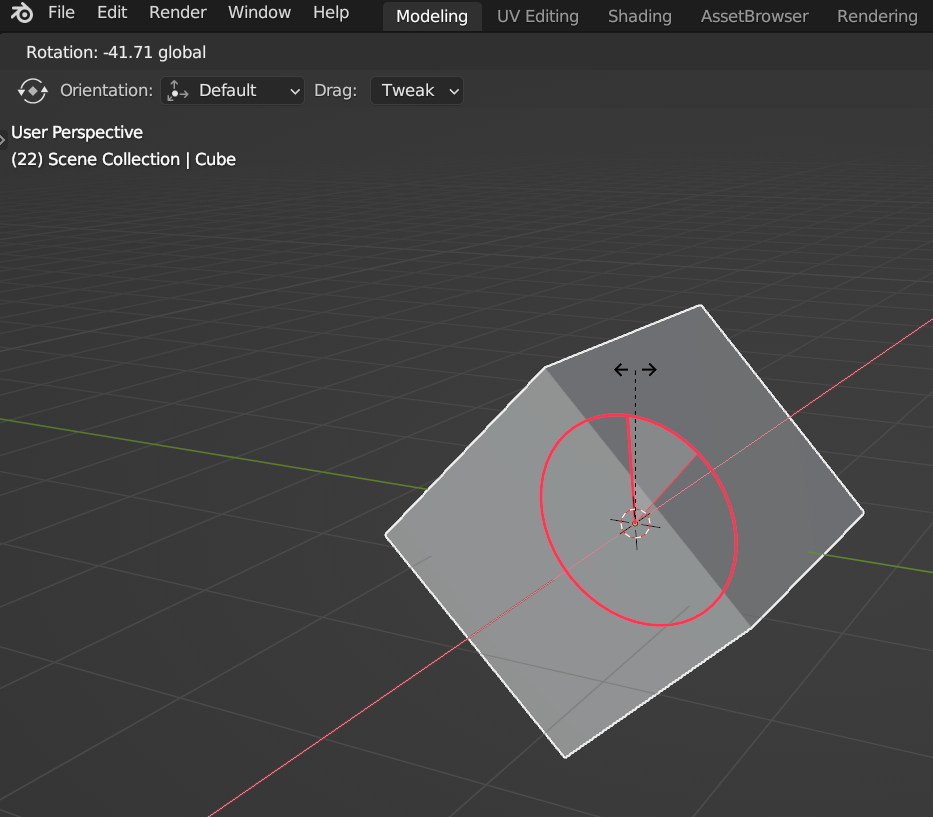
In theory this could be used in every operation that can receive a negative value and have a direction gizmo. (Extrude).
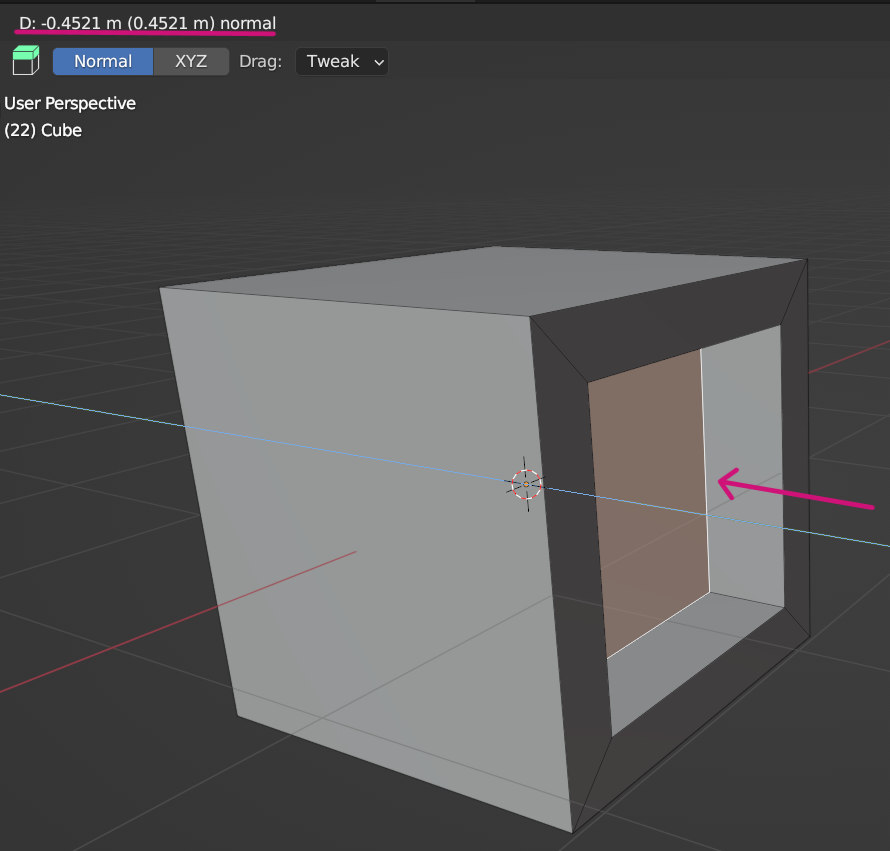
Presuming some users would like both ways this could be a option.

Let me know if there's other proposals like this (I could not find them).
Thanks.
5 Comments
I don't think I really understand this proposal. Are you talking about when you manually input the amount to translate? So when you hit g to move an object and then type in -2 to move it -2 units? But if that's the case, then why are you dragging with the mouse? Just hit the hotkey for translating and then type in the value.
If blender overrode the positive value that you typed because the mouse was dragged in the negative direction, then I feel like this would just result in missed inputs because you accidentally moved your mouse to the left when moving your mouse hand to the keyboard to type in the value.
Typing in the minus really isn't a big deal, especially since it's right next to the numbers...
I understand where you coming from, but it could be a option. As I mentioned is common on CAD 2D for fast drawing and maybe it works best on that, not for 3D modeling. I wish it was there because I am a "drag and type the amount" person.
i upvote this! i really need this function. your last image show (absolute value input ),why i can not find it in my blender?you photoshop it?
How does blender know what direction you intended to transform in?
It already displays the minus sign at the top bar.. depending on the direction you drag or rotate the object (I marked in magenta in the images).