
Add sculpt constraint tool to prevent self intersection
When sculpting, the problem can arise whereby parts of your mesh self intersects.
My proposal is to add a tool to the sculpt workflow that would allow you to place a barrier between two parts of the mesh (e.g. finger tips) and sculpt up to this barrier. The barrier would maintain separation of that part of the mesh.
I'm thinking this barrier would take the shape of a simple plane that can be placed anywhere in your mesh. This plane can be oriented and scaled to any size and would simply prevent any vertices from crossing it. It could even have an offset and a falloff so that you can control the separation.
The real world analogue of this would be like placing a piece of thin acrylic between two parts of a clay model, sculpting the clay up to the acrylic, then removing the acrylic.
The cast modifier can already be used to do something not to dissimilar to this when dealing with separate objects.
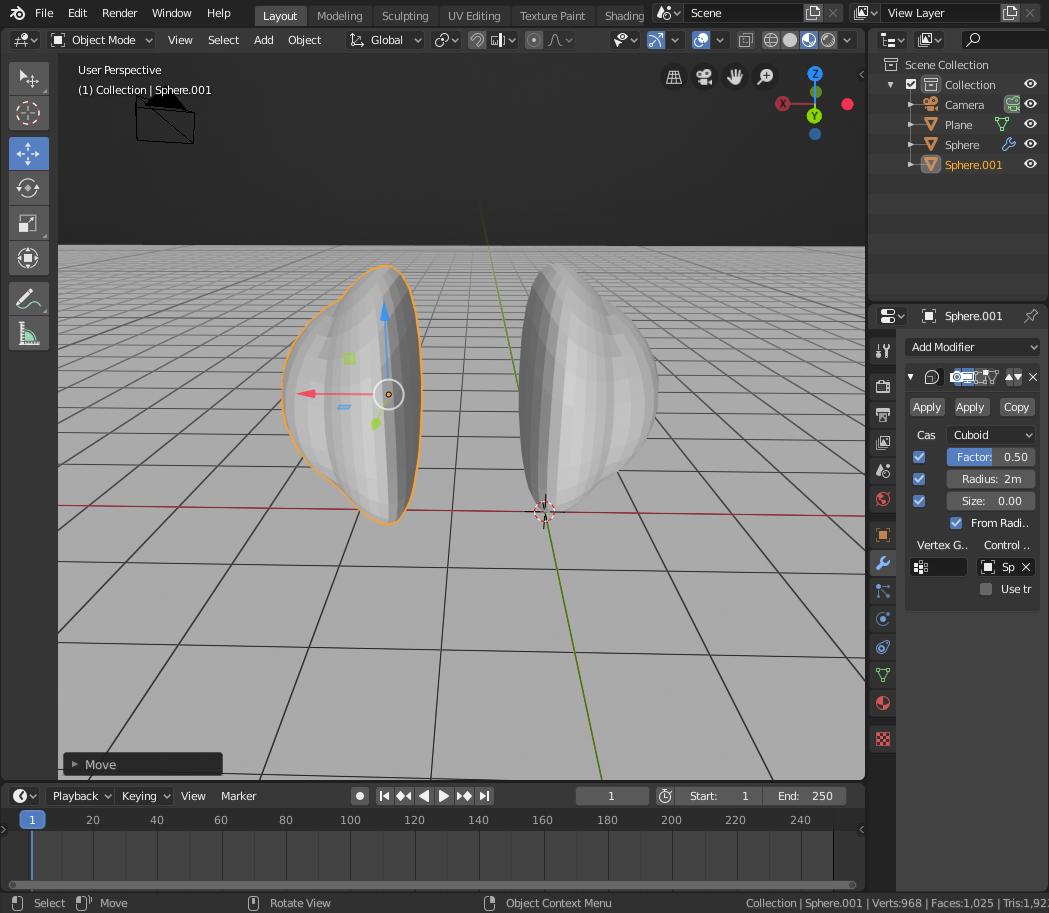
Place two UV spheres in a scene with default size and and separate them. Apply the cast modifier. Set the cast type to cuboid with a size of 2m, then set the the control object of the cast modifier on each sphere to be the opposite sphere. You will now see that as you bring the spheres closer together, the vertices in each object appear to repel one another.
Obviously as you get too close, things start to go awry as the spheres cast around the cuboid shape, but I think this proves that something like this could be done in real time.
Now imagine these spheres were part of the same mesh - and instead of a cuboid, the cast shape was a plane.
I created a slightly more elaborate setup (using two additional empties) in the video below to demonstrate the type of vertex repulsion effect i'm talking about.
2 Comments
Couldn't this be done already with the masking tools?
* @bruno.souza.lino * No. Masking just stops the brush from affecting vertices. It doesn't stop vertices not masked from crossing into the masked area.