
SOURCE EDITING (in out method) IN BLENDER SEQUENCER
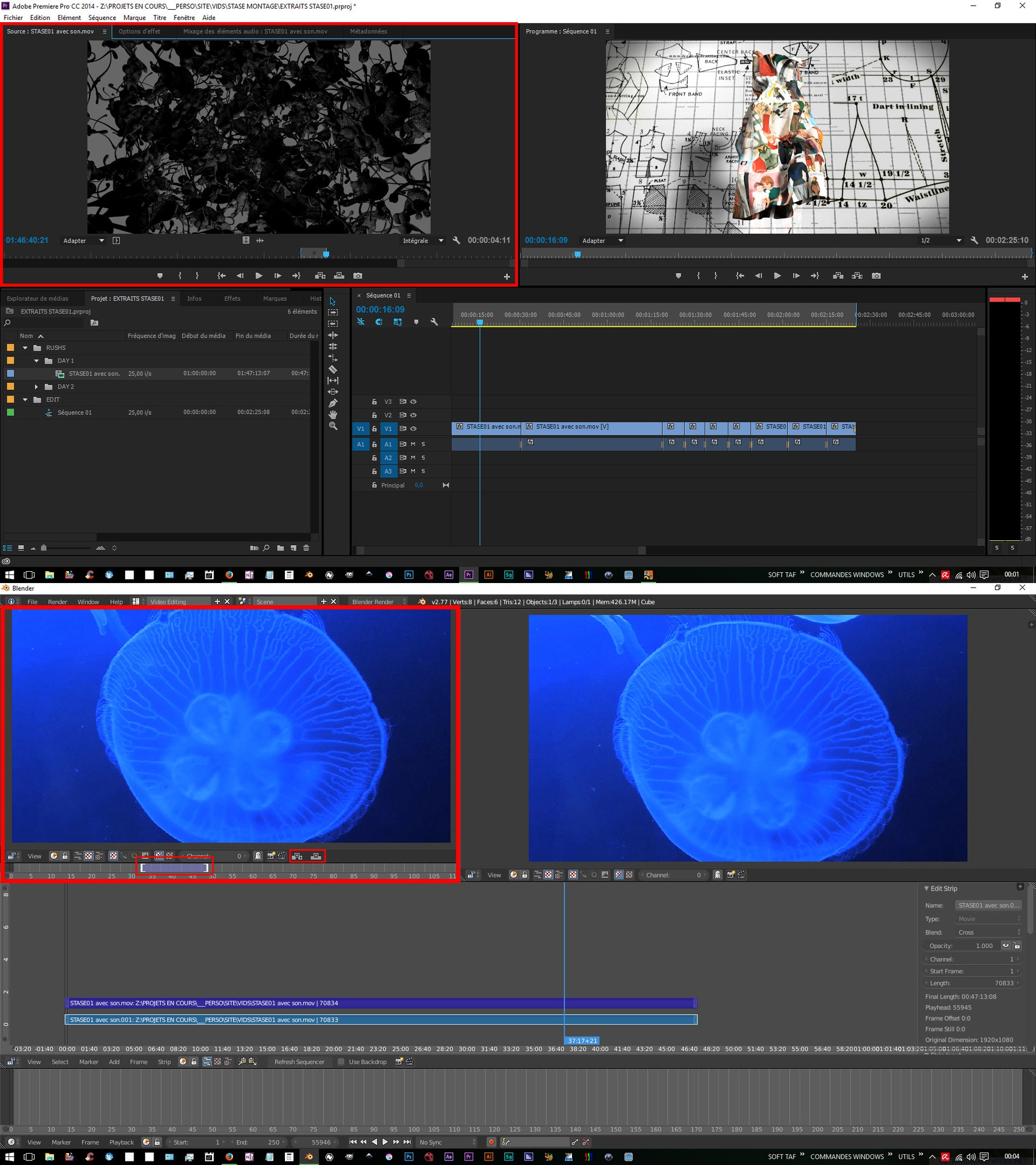
Hi everyone, i have a proposal for the blender sequencer, i’m currently a tv editor (avid media composer, final cut, premiere) which would be more than happy to use blender for serious editing. I know the purpose of the video editor isn’t to become a professional tool for editors but more a helper for 3d-focused job, but there’s already a lot of good idea (like metastrips, infinite tracks for audio OR video…) in it which are NOT in other commercial software, i think it’s a shame to be limited to simple edit because of lack of functions. i think the sequencer lacks a source monitor, add “source monitor” allowing to pre select in out point of a source clip while playing it before putting it on the timeline, i think this kind of primordial in editing, in order to derush and stay organised and focused, almost all profesional editing software have this, it is rellay usefull when you want a precise cut while you’re working on an already “crowded” timeline, you don’t want to mess with it, but you don’t want to put your new video at the end, cut it, then grab it to the right place.
we can even dream a source monitor which permits to load meta strip datablock, before adding it on the timeline, and toggle between the actual timeline and the metastrip (viewing its entire content) like the “toggle source timeline” in avid media composer. i can imagine this should be a lot of code work, but i really think blender could be an excellent open source editing software, and for that, this feature is really important i think ! what do you think ?
6 Comments
Yes, yes, a thousand times yes. easy-logging.net/ helps with this kind of workflow, but making it a real feature would be great.
agree, it helps a lot but it's not a proper workflow for serious editing work i think, this feature could really add some usability to the sequencer if it were a clean built in one. The easy logging addon is really cool, but still an addon
absolutely!
What about track patching? That is, how do you decide which bit of the source you want to use (Audio or Video) and where on the VSE channels? Would you have the add movie file window with its channel allocation open all the time?
porting here my comments from the other proposal... "this could live as a little addition in the movie clip editor maybe?" "sounds better reusing existent windows/workareas (movie clip editor) , especially when their name seems to fit! ;)"
The benefits of a source media window over the easy-logging addon are comparative workflows. That is being able to view source media in context with other media OR the already edited media on the timeline. While this is useful for editing the real issue is storing metadata. That is retaining all the in-out decisions and shot favourites, not to mention any overlayed information like names or keywords.
Storing and calling these metadata components elsewhere in Blender would be a huge advantage. For example being able to reconstruct a VSE timeline in the compositor (for color grading) or in the 3D view for syncing visual effects media. Or how about being able to load only a small part of a clip in the tracker instead of the entire thing.
Unfortunately I agree that having a source window certainly would be a large coding commitment as well a a substantial change in UX.