
HDRI Ground projection
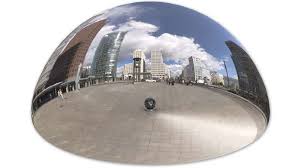
The situation is serious... Autodesk finally understood that they had to improve 3DS, and believe it or not, but i got jealous of one of the features. HDRI Ground Projection. This one was actually in Substance Designer for years, and i wish it was in Blender, but haven't faced so many situations i needed it that much. But here is what i mean. Ground Projection
Please... if autodesk could make it in 10 years, Blender can make it in one week ;)
Or if anyone has a solution, node setup or so to achieve this....
24 Comments
I am not sure if what I have to say helps on something, but what i do to project the environment on the ground and it works perfectly and it's not a complicated node set is:
add the environment texture as the texture of the object, assign a "mapping node" and a "texture coordinate" node to the environment texture and use "reflection" as the connection socket from the "texture coordinate" to the vector socket of the "mapping node".
After that I just need to remember of setting -1 on the Z value of the scale in the "mapping node" .
I hope it helps someone.
Here is something similar: youtube.com/watch
It is possible it can be done through some clever node setup, but not sure yet
* @Iyad Ahmed * hmmm ... interresting idea
I think you would need to acces the viewport camera for that to work and I don't think there is any stock nodes that can do that
I may be overlooking something, but because the projection phisically neds to change as you move around the viewport, my brain just tells me that the constraints of the projection HAVE to be somehow linked to the angle and position of the camera
I can be done ... with a bunch of math, but you somehow need to obtain the viewport position in real time and I don't think even Animation Nodes can do that right now <correct me if i'm wrong>
* @meutzitzu * Hi, thank you for replying, yeah I thought the same when I saw this, I totally agree with you, recently, this node setup was found to optain camera world position: twitter.com/cgonfire/status/1242647897432371203 which led to making this possible: gum.co/GoBTI
* @Iyad Ahmed * aah, but it's only for render, it still doesn't work in the viewport
* @meutzitzu * some vector tricks still work with EEVEE. Not all. Incoming, normals and positions will.
Can you project hdri on the inside of dome like we did in the old days?
there's an addon for it now I believe, but here's a world shader node setup for it twitter.com/cgonfire/status/1291666938746277889
Maybe this can help in cycle: blenderartists.org/t/cycles-ground-for-hdri-environment-aka-shadow-light-catcher/636320
I'm not seeing why don't we just project the HDRi on a semi-sphere I've made it before and works fine: youtu.be/Dn869EoTvH4
Say Halleluja! </br> blendernation.com/2020/04/18/hdri-maker-2-0-new-hdri-projected-function-promoted/
I see two problem. As far as floor have camera-related scale and sky not, they are disconnected. And ALL bottom objects will be flatten. Look at the pot on the left {attachment 33815700jpg} Huge distortion. So this will work only with big flat areas.
This procedure is totally similar to project environment in circle.
You can do it with empty {attachment 33834126jpg}
{attachment 2020-04-01_07-25-07mp4}
* @ Vyacheslav * But unless you're working some previz (in which case it doesn't matter), HDRI isn't supposed to be used as is for background, isn't it?
* @-L0Lock- * Yes, so any dirty previz is ok. Even plane or sphere or cylinder with HDRI projection.
looks like it possible just to project hdri on plane. Will try to do it.
* @ Vyacheslav * then the edges on the horizon won't line up with the actual HDRI on the sky
* @meutzitzu * for big enough plane they almost will. A bit of transparency will deal with it. And it is smallest problem. The biggest is distortion, that will appear always and appear in this demo. So only HDRIs with wide flat planes will look good near the POV of HDRI
<h6>This could actually be pretty useful with animations and VFX.</h6>
really hope this feature comes to blender
Update to my previous comment: maybe it can be done with one plane and some vector trick... but I couldn't find the way to achieve it! :(
So now I'm jealous of two things from 3DS. This and CAT.
Nice. I guess it can be done with 1 plane and some vector trick
Also like it +1