
Placing newly created objects directly above or below the currently selected object in the Outliner
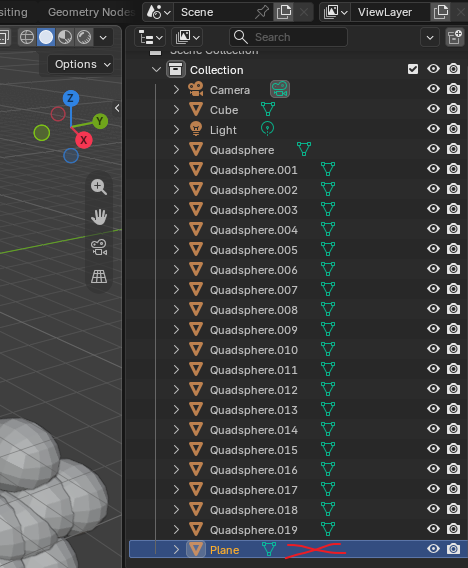
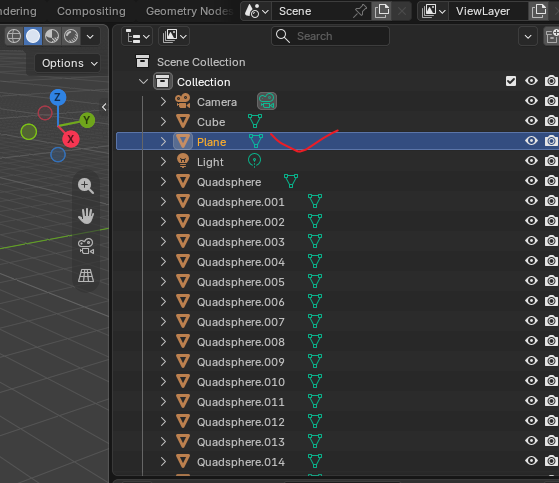
Hi everyone! I’m thrilled to see that the Outliner finally supports object sorting—I was so excited that I immediately downloaded the 5.3 alpha to try it out. However, I’ve run into a minor issue—I’m not sure if it counts as a bug or a feature request, so I’m posting it here for now. Currently, when creating a new object using Shift+A in the 3D View, the new object doesn't appear directly above or below the currently selected object in the Outliner; instead, it always shows up at the very bottom of the list. While drag-and-drop support makes manual reordering possible, it becomes quite tedious when dealing with many objects—for instance, if I want to create a plane right above or below a "Cube," the new plane automatically jumps to the bottom of the list. I also checked my current Blender 4.1 setup and noticed that new objects seem to be sorted somewhat randomly—or rather, by object type and creation time. Generated objects are automatically categorized (e.g., Mesh, Curve) and then sorted by time within those categories. The category order—Text, Surface, Curve, Mesh—looks a bit chaotic, though perhaps it offers some reference. Anyway, it would be fantastic if the system could support placing newly created objects directly above or below the currently selected object in the Outliner.
0 Comments