
Highlight shapekey values
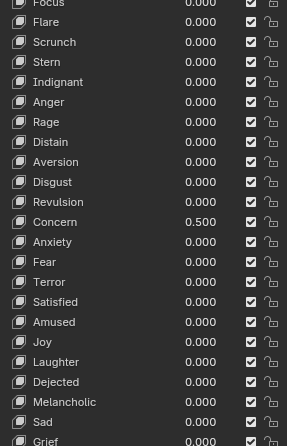
When shapekey values to anything other than 0, the text should change color to show they're active.
That way it's easy to find them. For example, picking out the active shapekey in the list in the image takes a few seconds. Whereas if the 0.5 text was highlighted, it could be instantly picked out.
(I haven't checked the latest Blender version so this might be addressed?)
2 Comments
I think it should be other way around (that result in same thing basically), sine You cant make thing more white than white:
Like that: Or thi text and icon:

That works too! Only thing is the the contrast on the greyed out text would be low for most of the time. Making it difficult to read for some people.