
Always highlight selected bone when painting weights
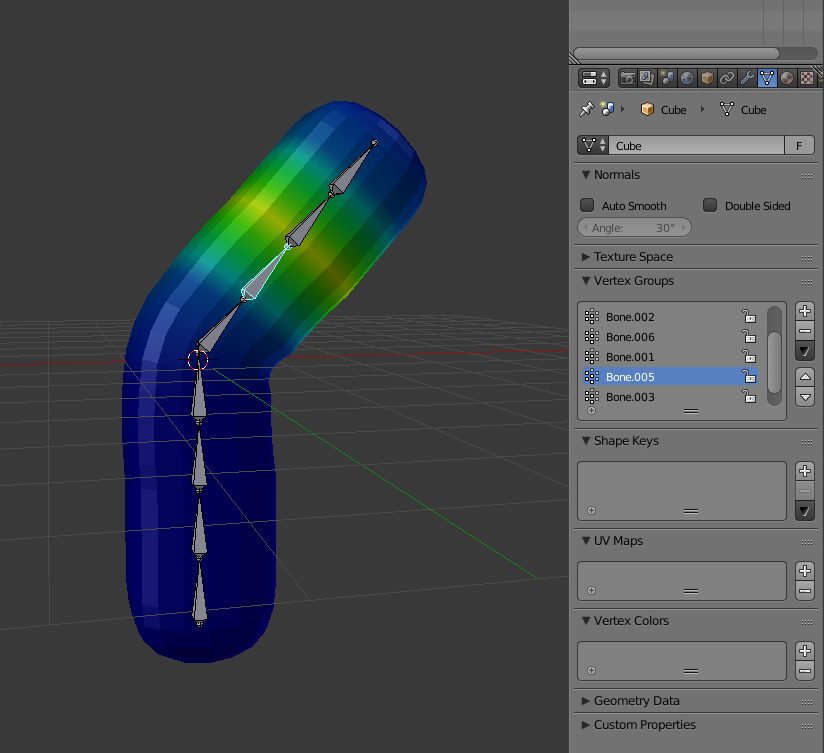
Currently when selecting different bones in an armature from the Vertex Groups menu while in Weight Paint mode Blender does not highlight the selected bone in the 3D view.
Easy to make a mistake when you can't tell which bone exactly you're working on from the weight preview, whether you're in wireframe or solid mode (and regardless of whether Bone Display is to X-ray).
It would be easier if the active bone for which you are painting weights was always highlighted in the view as if selected, even when using the menu instead of direct selection. This would make it more consistent. (selecting it from the list should also select it in the viewport)
7 Comments
To my understanding, the dependency graph wouldn't allow this as a core feature, as parenting is kind of a one way thing. When one (or multiple) mesh objects are parented to an armature, the bones search for vertex groups within the children meshes that possess their respective names. If such vertex groups exist, operations such as deforming or selecting will propagate to the children meshes and their data. However the reverse operation is not possible, as it would mean fetching data from parent objects, and such a thing (in a general way) is not implemented in the deps graph as it could lead to dependency cycles.
However a python add-on could certainly allow you to do that, as it allows for all sorts of dependency cycles as long as Blender doesn't detect and stop them.
Again, this is from my own understanding of the software. I haven't dived into the armature code myself so if anyone with better knowledge thinks otherwise, tell me.
@Caetano Veyssières: Interesting. I guess this is one of those situations where something ostensibly simple requires complicated workarounds behind the scenes, but I think it would worth it for clarity and usability.
@Christiaan Moleman: It would be good to see if other 3D applications have implemented this and if so, how the dependencies are managed. But the python workaround is not complicated, would just take a few lines of code, though I'm not skilled enough to do it myself yet.
NOTE: When Input is set to Left-click Select there appears to be no way to select bones in the viewport while in Weight Paint mode, only the Bone list in the Vertex Groups panel. There should be a way around this, a left-click select option without having to exit Weight Paint... One option would be to give Bone selection priority over painting (if Left-click Select is active), so if you want to paint that area you click just next to the bone, whereas clicking directly on the bone will always select it.
@Christiaan Moleman: There is a way to select bones in left-click select mode and that is Shift+Left-Click on the bone
@Caetano Veyssières: Ah, good to know. Though I would still prefer if it were possible to do this without a hotkey/modifier as per my suggestion.
@Christiaan Moleman: From my perspective, painting and selecting with the same click would be very frustrating and unpractical to use.
Removing the 3D cursor control with right-click in this mode just like it has been done in Left-Click select mode would be more consistent.