
Improve Panel Handling: Automatic Flipping for Outliner & Properties Panel Alignment
When moving certain editor panels like the Outliner or Properties panel to the left side of the screen, users often experience usability challenges due to the default alignment.
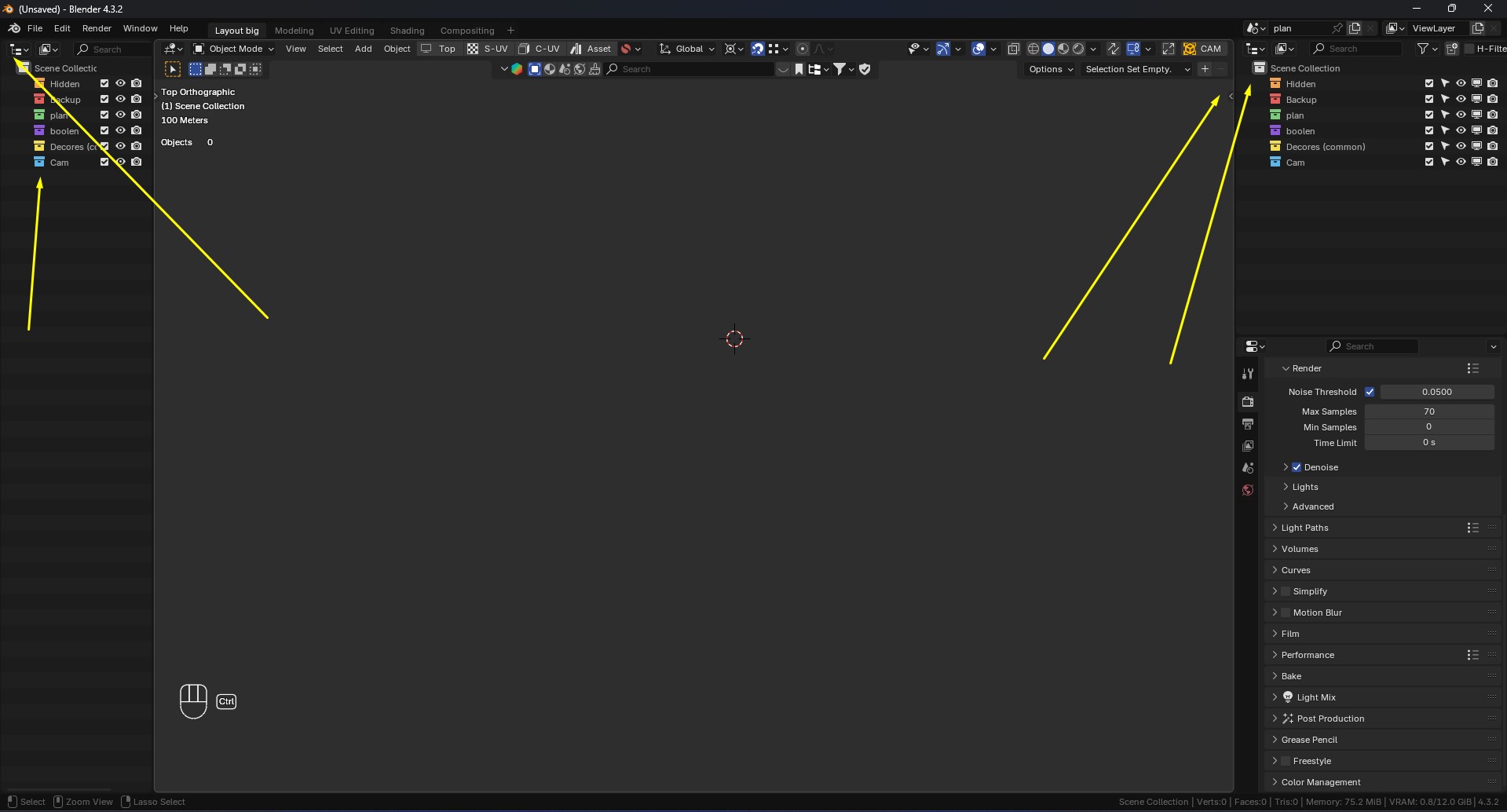
Current Behavior: By default, the icons and text in the Outliner and Properties panels are aligned to the left when placed on the right side of the UI. When these panels are moved to the left, their layout remains unchanged, making it feel less natural to read and interact with the elements. Blender currently does not provide an automatic flipping option for such cases, requiring manual workarounds. Suggested Improvements: Automatic Panel Flipping:
Introduce an option to automatically flip or mirror panel layout when moved to the left side of the screen. For example, icons could shift to the right with text aligning accordingly, improving readability. Manual Flip Toggle:
A simple toggle button in the panel header to manually flip alignment as needed, offering flexibility without unnecessary complexity. Smart Adaptive Layouts:
Implement adaptive UI behavior that detects panel position and adjusts alignment dynamically for better workflow consistency. These enhancements would significantly improve the UI experience by making it more intuitive and adaptable to different workspace setups.
What are your thoughts? Would this be a useful addition to Blender?
1 Comment
What do you mean exactly by "flip or mirror panel layout" ? A mockup would be appreciated.
I can't really picture in my mind something that looks right nor would create unnecessary inconsistency.