
Partial X-Ray Option (x-ray only on selection)
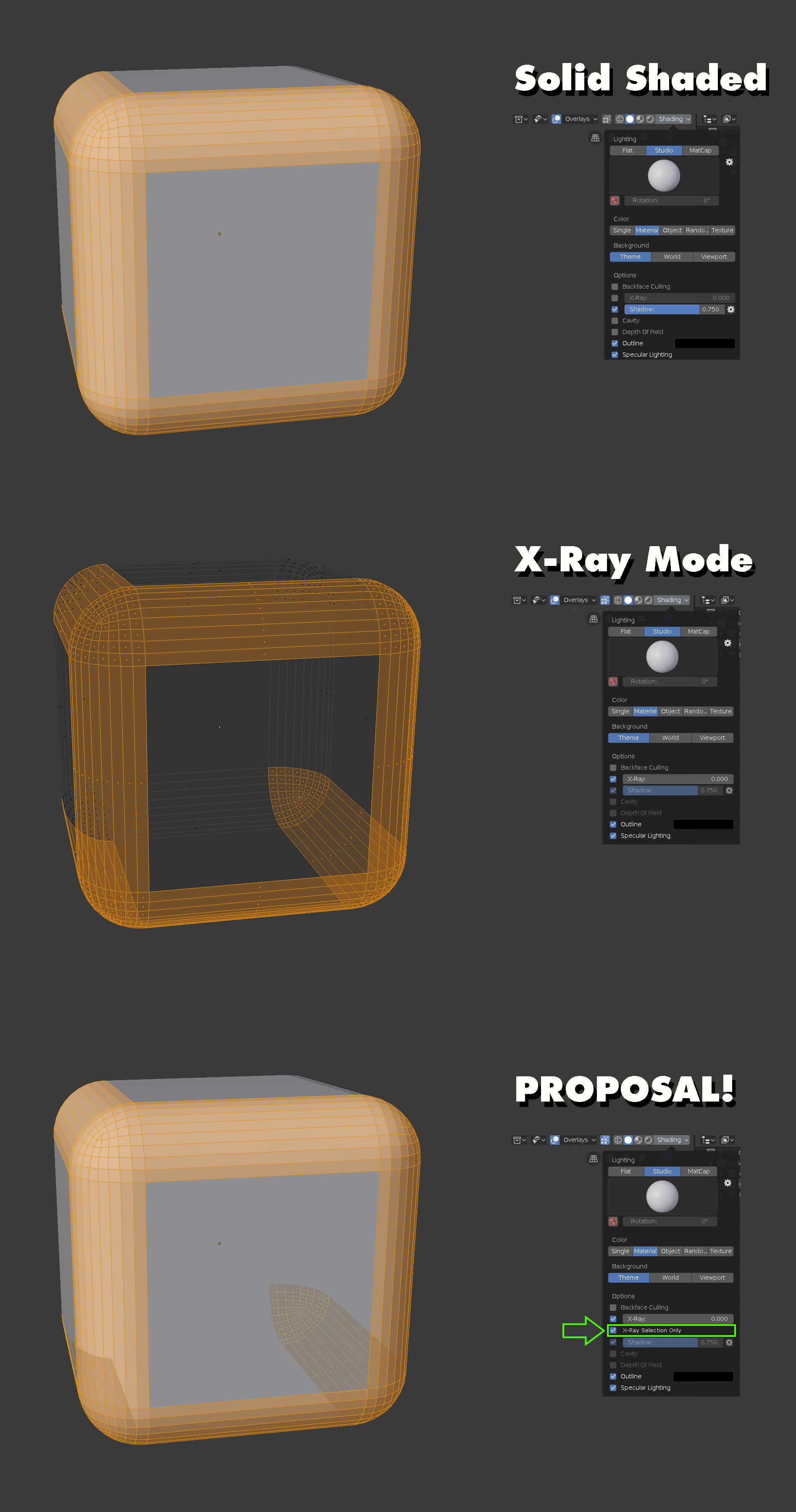
I find that usually, X-ray mode is way too 'busy' to be very useful. It's great for getting an initial selection, but after that all of the unselected edges and vertices just obscure a clear view of what you're working on. What I'm proposing is hopefully a simple request, but an option in the shading menu (right next to x-ray) to only show the selected items through solid geometry, rather than everything . This would be so useful that I think I would just leave it on all the time, and if I'm not mistaken- is the default view mode in a lot of other 3d software such as Modo and Cinema4D.
Anyway, I put together this photoshop to give you an idea of what it might look like in Blender. The basic idea is that the 'back-facing selection' is drawn on top of the solid geometry at a lower opacity, to give you an idea of what your entire selection is where it would otherwise be obscured by completely solid geometry, or confused in a full x-ray mode.
To me, this makes for a very clear and direct way of understanding what you have selected at a glance, without having to spin around the model to 'take it all in'.

3 Comments
You can use Alt + Z in Edit Mode if you choose Rendered Display within Workbench engine.
* @Andrey Rusnak * Yes, that's what x-ray mode is. You'll notice that my proposal is not x-ray mode :)
This is a very handy thing to have. I don't know how difficult to implement this would be but maybe propose it to the Blender Papercuts Task, as well?
This may also be related to a better topology view/shader