
Add Holdout and Indirect Only icons to objects
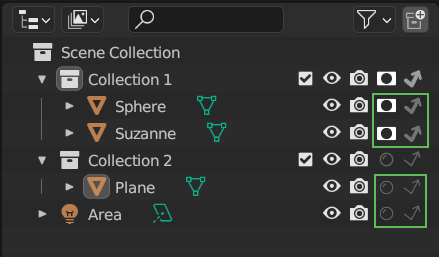
In the Outliner , only Collections have the icons for Houldout and Indirect Only. For Objects, you have to select them and go to the Properties to change respectively the Houldout and the Camera options. I think that having the possibility to change these options for individual objects directly from the Outliner would be useful, especially since we have already icons for it, and would make it easier to see on the spot which objects are set this way.
1 Comment
Congratulations! It just landed in main and is now part of Blender 5.3+