
Remember Node Editor position per Material
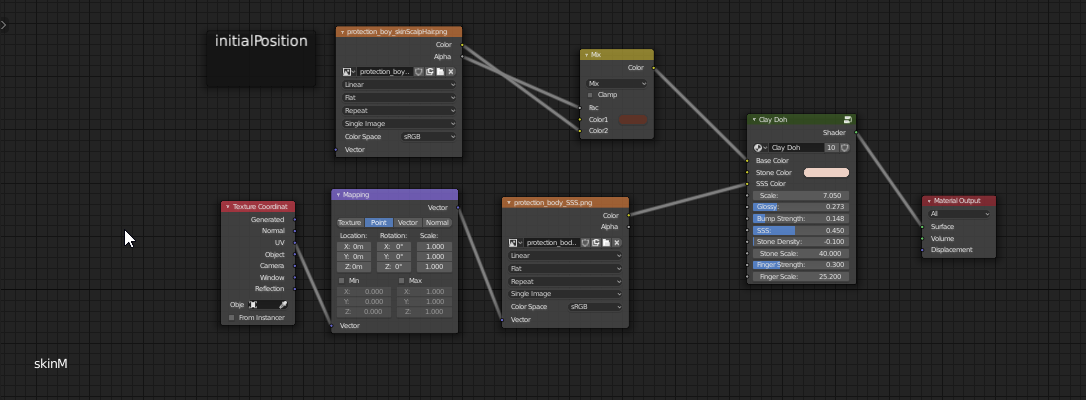
Currently, the Node Editors share their view with all materials. If your nodes not all in a similar position, it's easy to lose them when looking through different materials.
This may come down to sloppy work, but sometimes you're importing shaders from different places and people. And I've seen people not knowing where there nodes have gone.
My proposal is to have each material remember it's node viewer position. OR have a button to move all nodes to the center of the viewer, which is the reverse of hitting the HOME button.
8 Comments
Small update. Blender 2.81 has the Node Arrange addons for centering ALL your nodes.{attachment blender_RC941WOCmJpng}
* @etufo2 * Wow this is amazing! Thanks for the info. :D
YES! I don't tend to lose my nodes all that much, but if I am trying to tweak two materials simultaneously I have to keep navigating back and forth between different ends of the node tree and it drives me crazy.
{attachment M095KF2pMZpng}
* @etufo2 * What does that screenshot mean?
* @ Lsscpp * Sorry, this is meant to be straight under the other image, but I wasn't using URL for my images. This should illustrate it better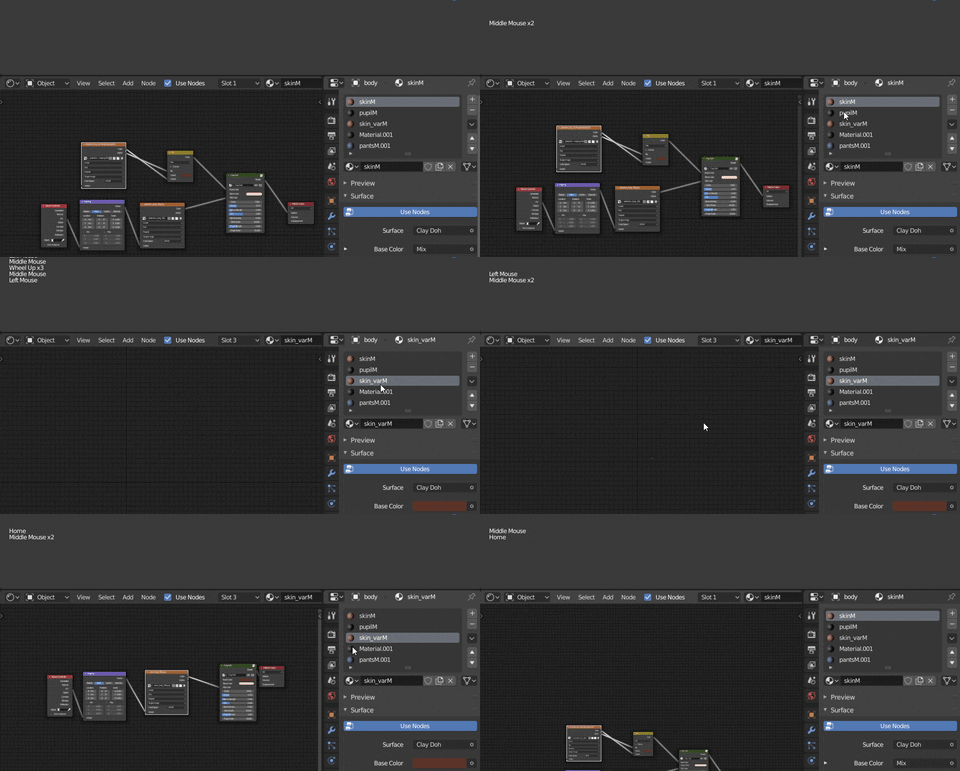
* @etufo2 * I understood the issue you are referring too. And I hate that too! So I upvoted your proposal. I only was wondering what is that "initialPosition" rectangle(node?).
* @ Lsscpp * Thanks for the vote. The initialPosition represents a constant position in both node groups. It's to show how offset the nodes are.