
Improved Wireframe Modifier
The Current Wireframe Modifier
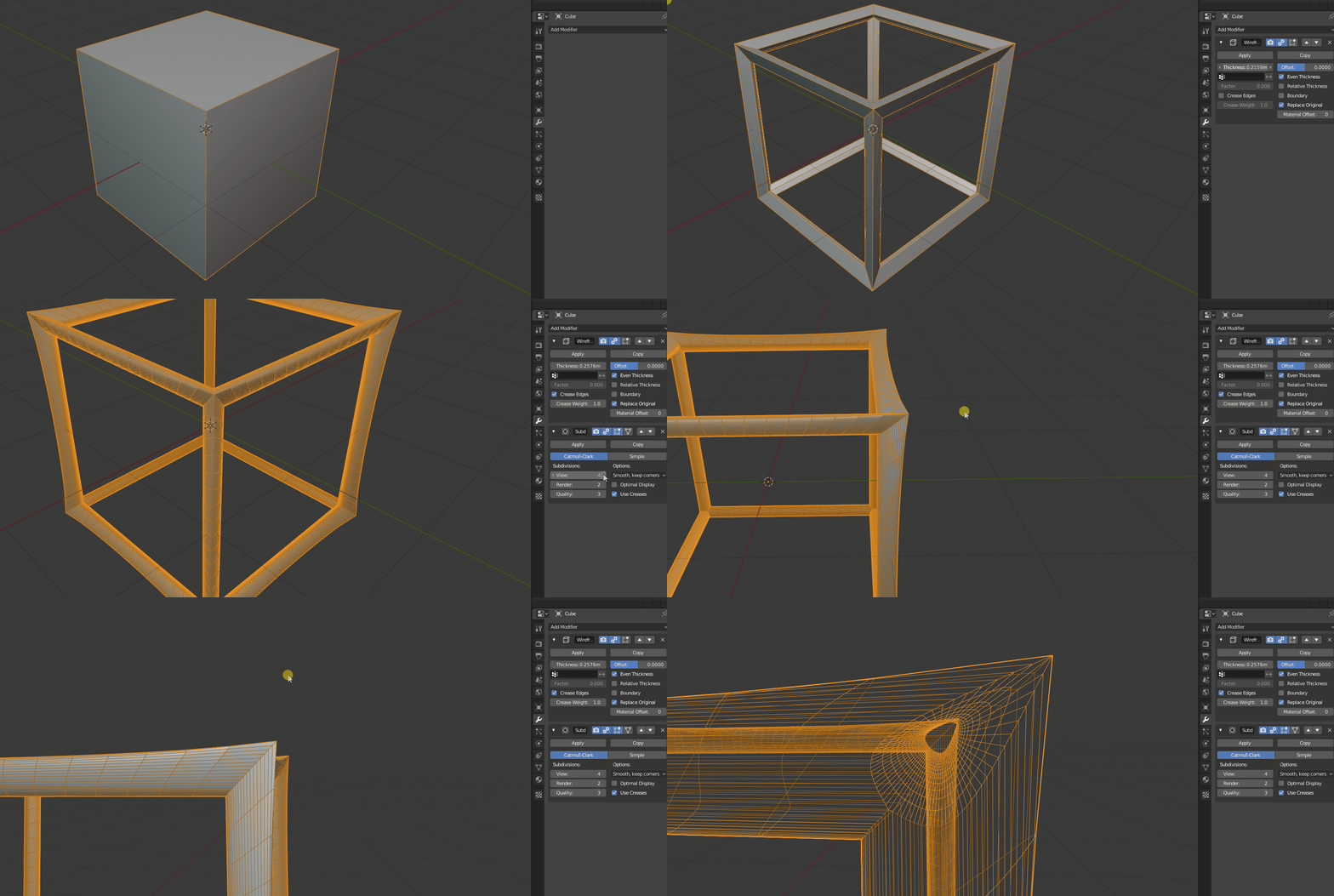
This modifier is great, but I find that if you don't want a "sharp edged" look to it, it is very difficult to smooth it out and make it more "tube" like. In this gif I try to add a subdivision modifier with Crease Edges checked. This does sort of smooth it, but also warps the shape greatly, the profile turns into a sort of spearhead like shape. Adding a smooth modifier and other tactics don't seem to remedy this much at all either.
**I think what the current wireframe modifier is missing is a Resolution setting, like we have in Bezier Curves for Depth**
Houdini's Behavior
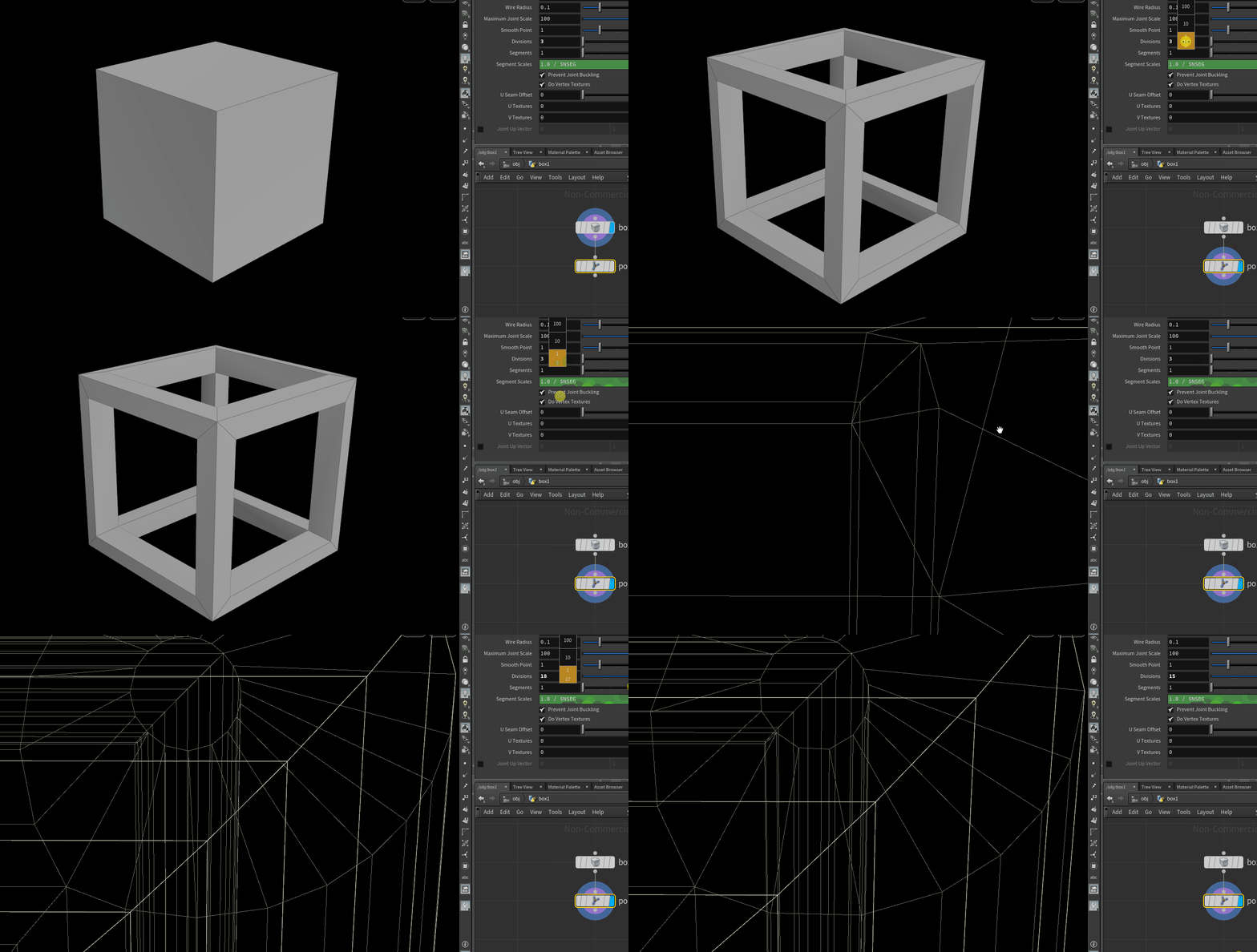
Here I am using Houdini, which has a very similar "modifier" called polywire . In it, you can turn up the Divisions parameter and it will essentially add more resolution. This is not subdivision! It is merely doing what blender does with Bezier Curves and the Resolution setting for Depth. So you can turn that hexagon into an octagon, or decagon etc.I hope that shows well enough in the gif when I zoom in. Doing this with subdivision after the wireframe modifier in blender, like I did in the first gif, skips to many in-between's and also changes the overall shape of the mesh itself, bowing it and giving it that strange profile.
It would be really great if we had this kind of resolution functionality in the wireframe modifier so we can tweak our objects into the shape we need.
5 Comments
One other improvement I'd find more important is the ability to make the wireframes "aligned to face normals" rather than this triangular section. Kind of what you'd get if you inset the original mesh faces and erase the center parts, then Solidify
* @Duarte Ramos * yes, actually a function like "tilt" for curves, would be pretty good.
That is very useful, i'm hurting trying to get that results in the project im working on, Ill have to go for destructive solution, for something Im pretty sure ill have to redo in the future :(
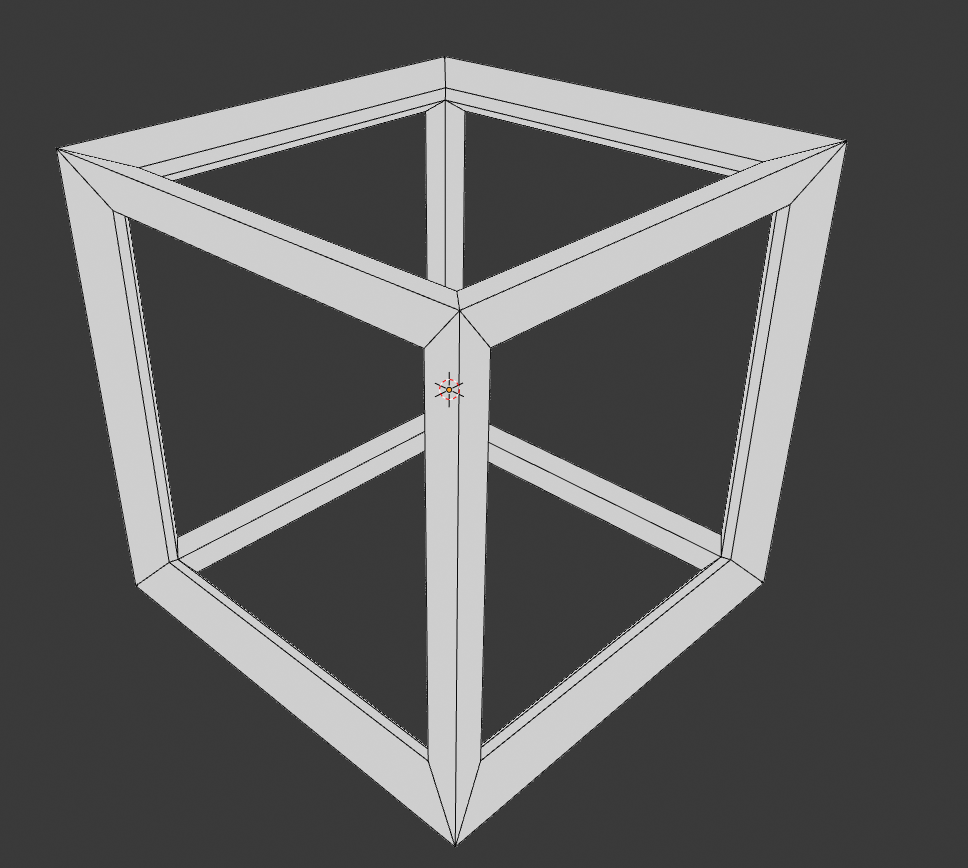
* @Frederico Martins * If the mesh isn't that complicated, like this cube, you can add single vertices around where you would put support edge loops, this will allow it to be subdivided into a tube shape, but of course that's a lot of extra work and is destructive... but if you need to make it happen.
This addition would make modeling certain objects so much easier, and increase the usefulness of the wireframe modifier a thousandfold. Currently it's not too useful.