
Bones to have a custom scale
The issue: Linking a shape key to bone position using drivers means that when the bone is 1m away, the driver factor is 1. If the bone functions as a slider, 1m is too big.
Current workarounds: 1.Change the driver, such that 0.1m (example) correlates to a factor of 1 for the shape key, but then the position no longer correlates directly with the factor. 2.Parent the slider bone under another bone and then scale the parent in pose mode, allowing you to keep the 0 to 1 ratio. However, in edit mode, the bones appear much bigger than in pose mode, since pose mode transformations are not shown:
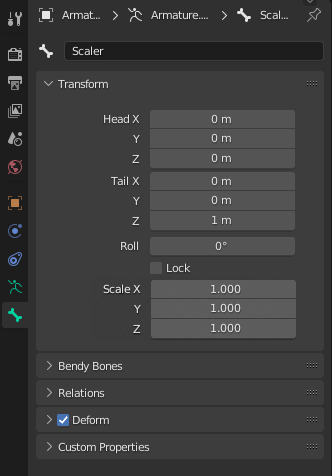
Possible solution: Bones in edit mode to have an XYZ scale attribute, which affects their viewport size and their transforms in both edit and pose mode. Child bones would have the scale applied as well.
1 Comment
Though that can't be a three-dimentional scale, since the scale along Y is just the head ↔ tail distance.