
Mouse Hover Shortcut in the Node Editor
Ok. So we already have this thing in the Render Image Viewer panel where you have your rendered images on different slots and if you hover your mouse over the panel and press any number from 1 to 9 , you quickly switch between the slots .
The
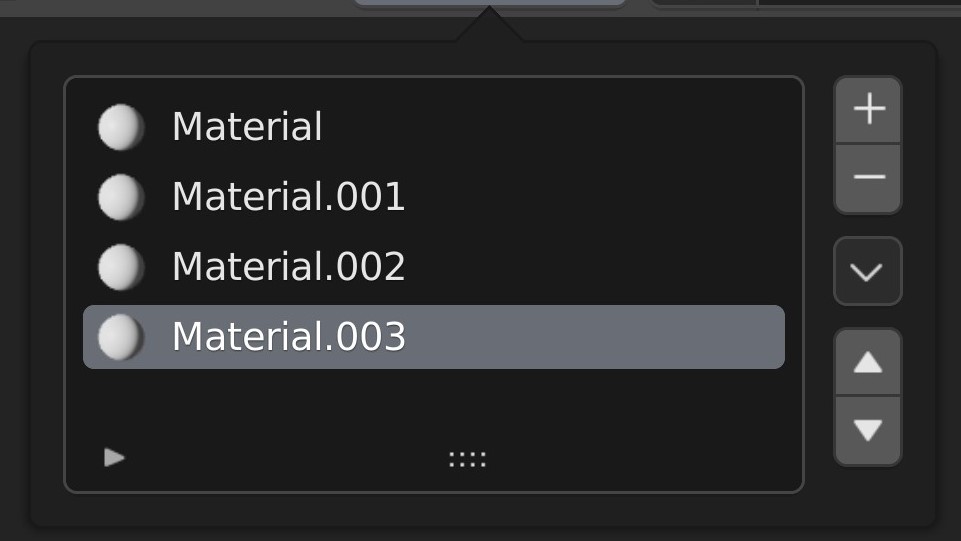
Shading Panel
also have these
slots
that stores the materials assigned to an object. But there's no shortcut for quickly switching between different material slots just like in the
Image Viewer
. This will be very beneficial and time-saver if we have the slot switiching shortcut implemented in the Shading Panel as well.
5 Comments
Actually, there is one, which you can use in any list (even on drop down buttons without the need to open them beforehand, which is awesome).
Just hover, and roll the mouse wheel while holding Ctrl down.
Nope. Doesn't work here in the shading nodes. Tried that.
It does work, I do it all the time
Not like that actually. You don't have click on anyhthing in Image Viewer Panel. But you have to open up slots in the Shading Panel. This needs to be fixed.
Because one is a drop down menu and not the other