
Add highlights to dopesheet
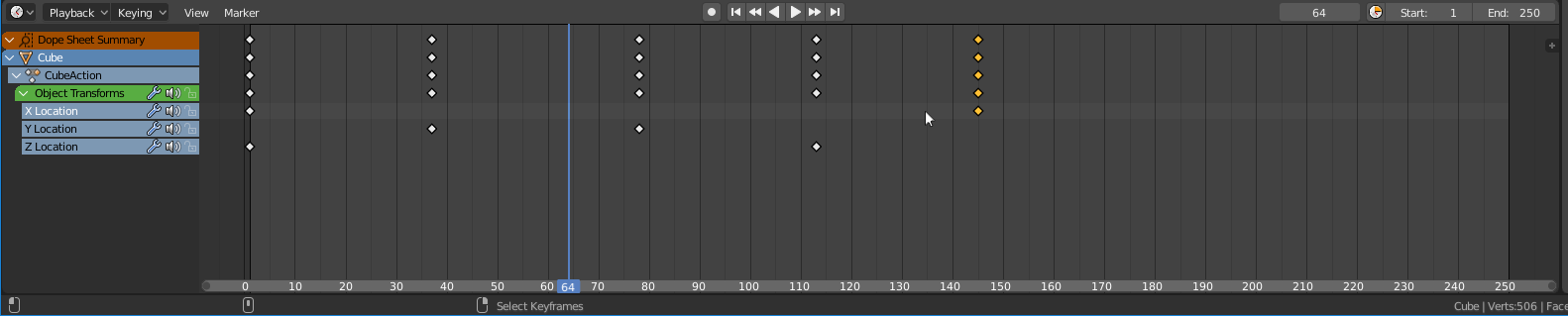
Sometimes it's very hard to see what's going on in your dopesheet when you have a bunch of different animation channels around and the animation is long. So that's why I think it would be a good idea to add a very subtle hovering highlight effect for the mouse cursor in dopesheet so you could easily see what you are going to select.

5 Comments
Globally, there should be more hover effects in Blender I think. (This is the timeline editor, not the dopesheet)
@loic.dautry: True, my mistake. Nowadays those are connected I guess?
not quite, some basic keyframes controls have been added in the timeline so you can easily manage your timing in like in 3DS and Maya, but the dopesheet is still the full-featured keyframes manager.
To add to this: It be nice if also a way to see wheter all the channels are keyframed vertically by just viewing the top keyrame (in this case the dope sheet summary) I imagine that changing the key shape to say a shape like >< would be great and super easy.
@Luciano Muñoz: also color consistency in the dopesheet and graph editor would be nice, always RGB to XYZ and just one color for W whenever it exists.