
Simplify vertex group assignments for "some but not all" bones OR: "2 funerals and a proposed wedding"
I am going to describe the arduous process behind assigning vertex weights to specific bones in an armature. Currently, you cannot highlight specific bones in pose mode and parent the mesh to the armature while only generating groups for those bones. That is the method we need. Here is what we have to do now:
If you only need to 2 or 3 bones weighted:
- Go to the mesh's Object Data properties tab and append the new groups with names matching the names of each bone.
- Enter Pose mode, select ONLY those deformation bones (they must be marked "deform" in the Bone property tab!)
- Back to Object mode. Select the armature, SHIFT + CLICK the mesh, and enter Weight Paint Mode. From the header menu, WEIGHTS -> ASSIGN AUTOMATIC FROM BONES.
- Parent the mesh to the armature using "Armature Deform" because it doesn't assign new vertex groups.
Done.
If you need to weight from several bones, do mostly the same thing, except:
- Parent the mesh to the armature first using any method that assigns vertex groups (I use "Empty Vertex Groups".
- From the bottom of the vertex group list, delete everything with rapid mouse clicks except the bones whose groups you need. This assumes that this is faster than writing them all in manually like the first method.
- Repeat steps 2-3 in the above method.
Done.
It would make A LOT OF SENSE if this could be done just by highlighting the bones in pose mode and assigning the weights automatically in Weight Paint mode. Unfortunately, that is NOT ENOUGH. The vertex groups with matching names must exist first. Blender isn't smart enough (yet) to generate them for us. If you agree this should be different, please contact the devs.
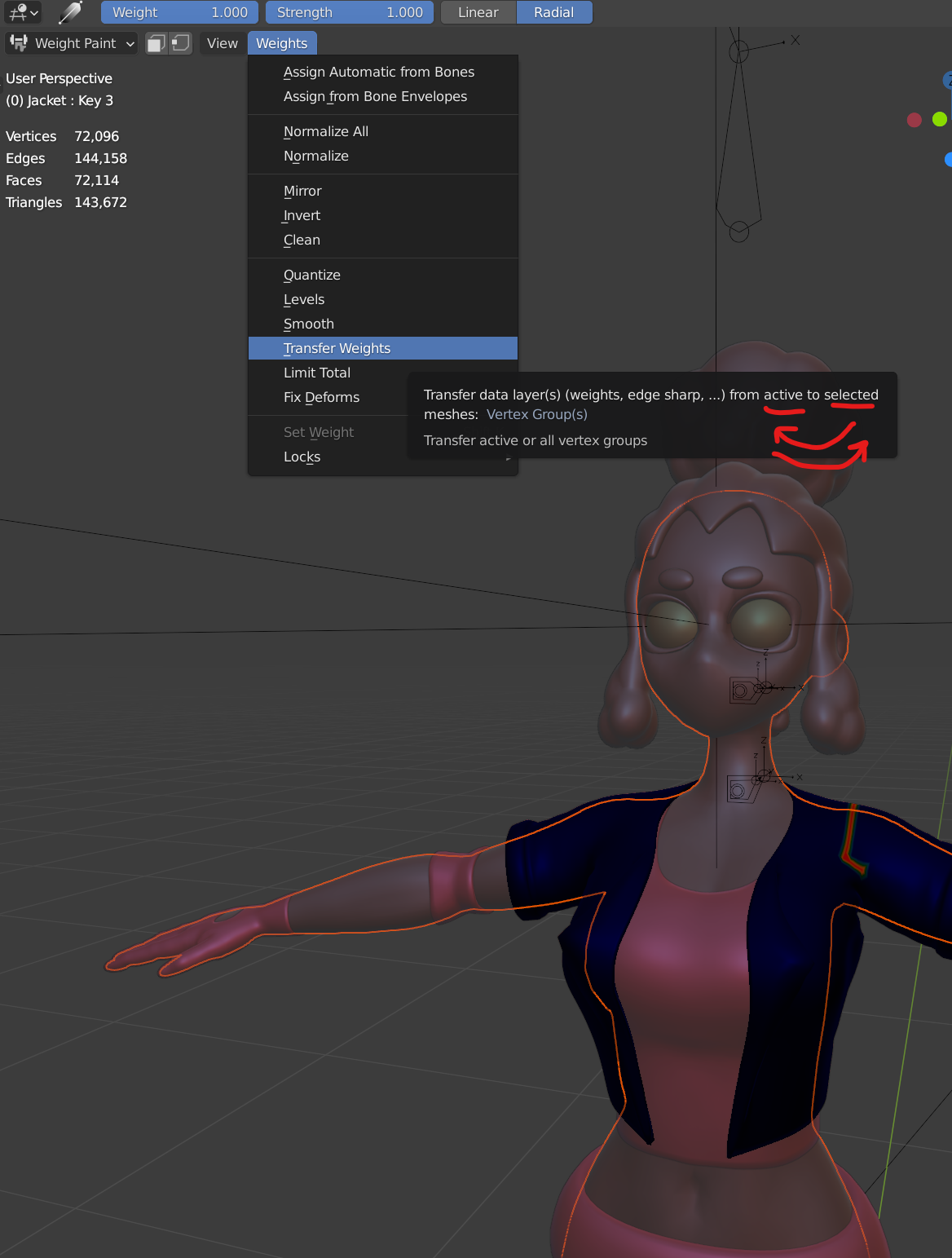
FURTHER, as long as I am here: There is a typo in the Weight Paint menu. The description for transferring weights from one mesh to another in Weight Paint (Weights -> Transfer Weights mode says that the transfer will happen "from active to selected", which is exactly BACKWARDS from what the program does. So while the program is doing the transfer the way the user expects, the description is wrong. Please reverse the description so it is correct.
0 Comments