
Auto Zoom Up to 100% (Image Editor/VSE)
Problem: In the VSE Preview View menu there is an Auto Zoom option that keeps the preview fitted to the editor size when the window is resized. While useful, it also scales the image beyond 100% when the editor is larger than the source resolution, causing pixelation, blur, and inaccurate feedback on noise or sharpness. Which is expected but not always desired.
Proposed Solution: Add a new View option "Auto Zoom Up to 100%" (aka "Fit Up to 100%") toggle in View Menu.
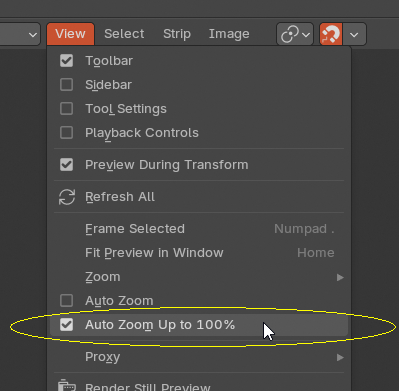
This mode would fit the entire frame within the editor without exceeding 1:1 (100%) zoom , a common behavior in professional video editing and compositing software.
Logic:
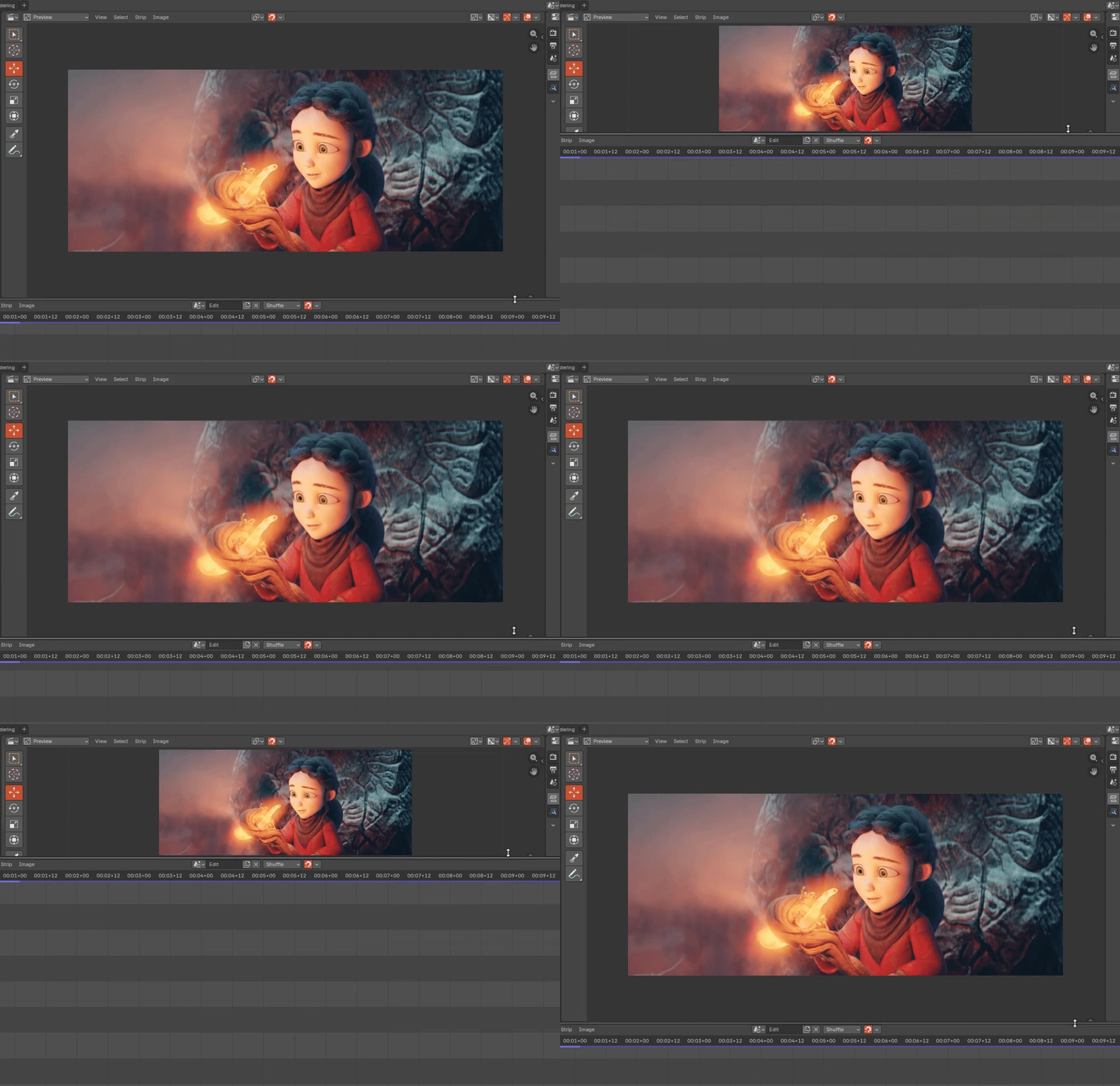
- Editor smaller than media → scale down to fit (current Auto Zoom behavior)
- Editor larger than media → stop scaling at exactly 1:1 (100%)
Mockup: 👇(Note how the preview stops zooming when it reaches 100%)
Benefits:
- Accuracy: Maintains pixel-perfect clarity without accidental stretching.
- Efficiency: Eliminates manual toggling between "Fit" (Home key) and "1:1" (Numpad 1).
- Standardization: Aligns Blender with industry-standard behavior found in professional NLEs and compositing suites.
Scope: Primarily VSE and Image Editor, potentially useful in Movie Clip Editor/Compositor... 😉
9 Comments
I use this feature constantly in other software. It's comparativily rare that I want to be looking at the comp/render/etc at more than 100% (as anything over 100 is interpolated and quality lost.)
I would call it "auto fit", but heck yeah!
Yeah, "fit" is more popular... I went with "auto zoom" just to be consistent with the old auto zoom feature... If we go with another name like "auto fit", then I guess the old "auto zoom" should be renamed as well... 🤔
Yup
Still no one tackling this? 😥
BUMP! ✌
That's fire 🔥🔥🔥
This would be so helpful 🙏