
Apply transform on multi-user object should offer solutions
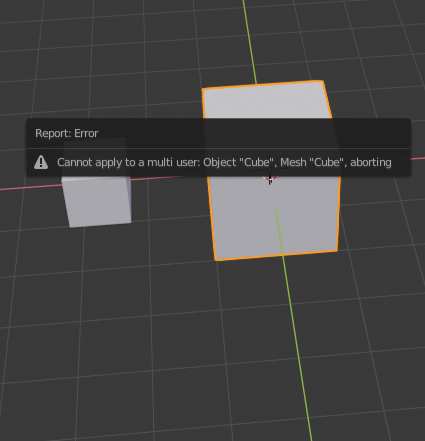
When applying transformation (Ctrl+A) to multi-user object, Blender just says "Cannot apply to multi user ...". But I don's see any reason, why it shouldn't be possible. I propose to show following menu when applying transformation to multi-user object:
- Recalculate duplicates - this will apply transform current instance and recalculate transformation for duplicates (so if current active object scale is 2 and duplicate has scale 0.5, new state will be 1 and 0.25). All instances looks same.
- Apply anyway - this will just apply transforms to current instance, other instances will just use updated object data. Active instance looks same, other instances looks different, because they are using new object data (keeping their original transformations).
- Make single user - make single user before applying transformation.
(maybe there are more appropriate labels for these options...). Two later options could be used when applying modifier.
When applying to multiple objects with same object data, only last option should be available.
1 Comment
Realistically, if the instances are the same scale this should be easy. If you have all of your objects scaled to something like .254 and you want scale applied it should just do it. You can do it manually by just changing the scale of those objects to 1, then scale the data back down to .254 using the object origin.
The trick becomes when the instances are Not the same scale. There could be a question like, use the smallest, largest, closest to 1.0 or the mean and have the scale based on that. I could see some instances where you have visually scaled the objects. As you are resetting the scale of lots of objects, you may want the instances to have a similar object scale as well, making things like texturing easier. So your non-instances would get 1.0, but your instances would end up being somewhere close. So if all your objects were scaled to .254 and the instances vary from .223-.412 then I would guess you'd want to set the scale of 1.0 to .254. but you could choose to set those to .223, .412, or 318 (mean size of instances) If you set it to .254 then your new range would be .878-1.62 for scale of those object, making them much more comparable to the 1.0 scale of all the other objects.
Of course, there's a further option of making them no longer be instanced data for different sizes. So if you have 80 instanced objects, but only 3 scaled variations, then you now end up with 3 unique object data for those 80 objects rather than 1, and they all get the scale at 1.0